Extech CA200 Manual

Extech Måling CA200

Læs gratis den danske manual til Extech CA200 (1 sider) i kategorien Måling. Denne vejledning er vurderet som hjælpsom af 3 personer og har en gennemsnitlig bedømmelse på 4.5 stjerner ud af 2 anmeldelser. Har du et spørgsmål om Extech CA200, eller vil du spørge andre brugere om produktet?

Side 1/1
User’s Guide
200A AC Current Clamp-on MultiMeter Adaptor
Model CA200
CA200-en-GB_V2.3 1/15
1
2
3
Introduction
Clamp-On MultiMeter Adaptor. With this clamp adaptor, an AC current
can be safely measured by simply clamping around a single conductor.
The adaptor outputs an AC mV signal that is proportional to the
measured AC current. The DMM mV reading is equivalent to the value of
the AC current. Careful use of this device will provide years of reliable
service.
Specifications
Sensor type Induction coil
Measurement Range 0 to 200 Amps AC
Adaptor Output 1mV AC output to DMM per 1A AC
measurement
Frequency range 50/60Hz
Standards
CAT II 600V, CAT III 300V
Max output impedance
<1k
Accuracy ± (2.0% + 0.5A) + (accuracy of indicating device)
Temperature coefficient 0.1 times the specified accuracy/ 1oC (< 18°C or
> 28°C)
Jaw size 0.62" (16mm)
Operating Conditions (0 to 30°C) 32 to 86°F, < 90% RH
(30 to 40°C) 86 to 104°F, <75% RH
(40 to 500°C) 104 to 122°F, <45% RH
Dimensions/Weight 4.3 x 1.9 x 1.3" (111 x 50 x 33mm);
4.5 oz. (129g)
NOTE: Accuracy is specified for a period of one year for ambient
conditions 18
o
C to 28
o
C (64
o
F to 84
o
F), < 80% RH.
Safety
Safety Symbols
This symbol, adjacent to another symbol or terminal,
indicates the user must refer to the manual for further
information.
This symbol indicates that double insulation is used.
WARNING: This indicates that a potentially hazardous condition which,
if not avoided, could result in death or serious injury.
Safety Precautions
1. WARNING: Improper use of this meter can cause damage, shock,
injury or death. Read and understand this manual before operating
the meter.
2. Inspect the condition of the test leads and the meter itself for any
damage before operating the meter. Repair or replace any
damage before use.
3. Do not use on non-insulated conductors at voltages greater than
250VAC rms or DC.
AC Current Measurements
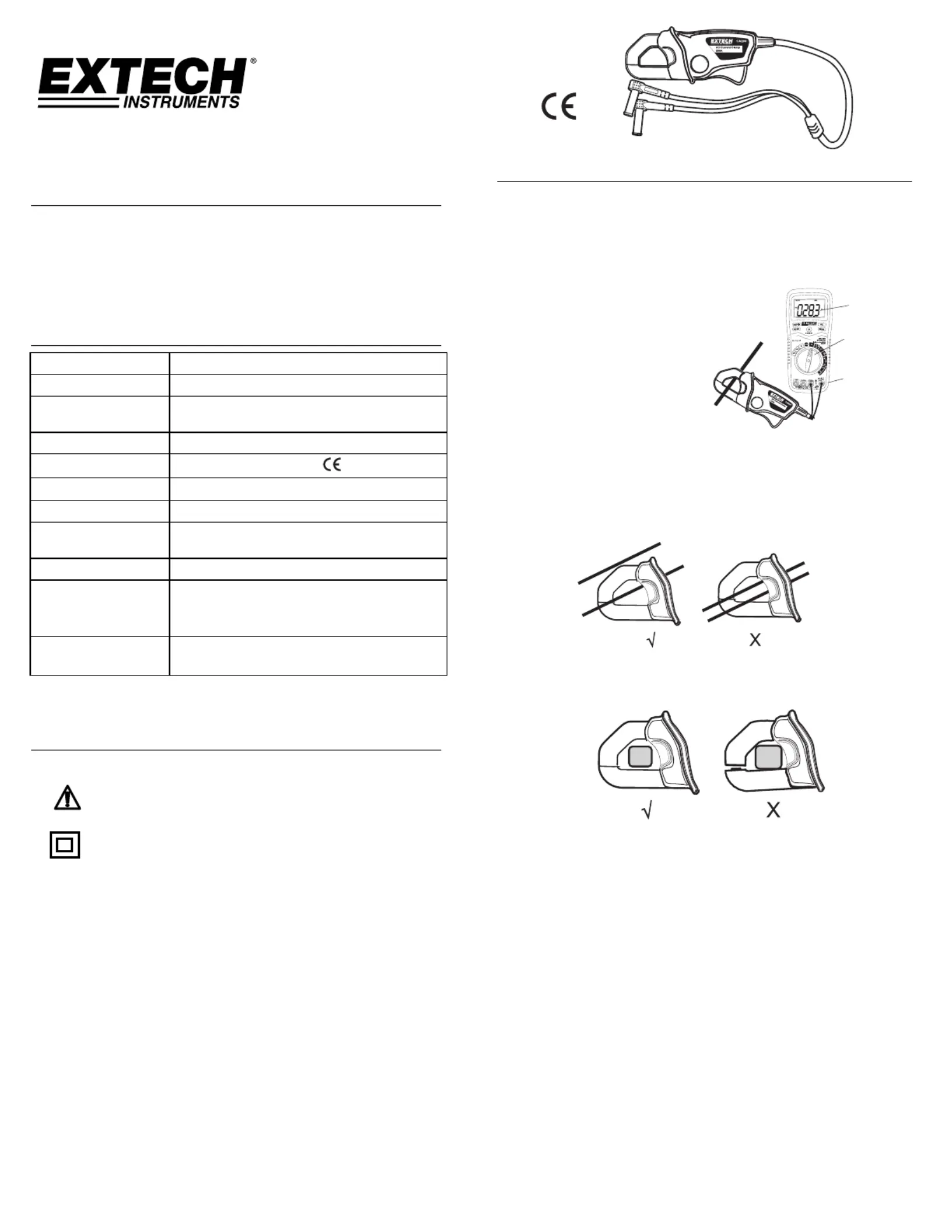
2. Connect the RED test lead to the DMM '+' Voltage terminal and
the BLACK lead to the '-' COM terminal.
3. Press the Jaw Trigger to open the jaw and clamp around a single
conductor.
4. Read the current on the DMM display (1mV AC per 1A of AC
current).
1. Read mV
2. Set to ACV
3. Voltage Input
Note: Do not apply voltage to the clamp adaptor’s test leads
Note: For small currents, use the RELATIVE function (if available) on
the DMM with no wire clamped to zero the meter and improve
accuracy.
Note: Clamp a single conductor only, do not clamp hot and neutral
simultaneously.
Note: The clamp jaws must be fully closed for proper measurements.
On large conductors or line splitters, make sure there is no gap
between the upper and lower jaw.
Copyright ©20132015 Inc. FLIR Systems,
Allrightsreservedincludingtherightof orreproductioninwhole in inpart anyform
ISO9001Certified
www.extech.com


Produkt Specifikationer

Mærke: Extech
Kategori: Måling
Model: CA200

Har du brug for hjælp?

Hvis du har brug for hjælp til Extech CA200 stil et spørgsmål nedenfor, og andre brugere vil svare dig


Måling Extech Manualer

Extech

Extech CA200 Manual

2 December 2025
Extech

Extech TM40 Manual

2 December 2025
Extech

Extech HDV-TX2L Manual

2 December 2025
Extech

Extech MG325 Manual

1 December 2025
Extech

Extech TL900 Manual

1 December 2025
Extech

Extech 601500 Manual

1 December 2025
Extech

Extech IRT600 Manual

1 December 2025
Extech

Extech RH35 Manual

1 December 2025
Extech

Extech CA3010 Manual

1 December 2025
Extech

Extech MO297 Manual

1 December 2025

Måling Manualer

Nyeste Måling Manualer

Vevor

Vevor HT-W01 Manual

2 December 2025
Vevor

Vevor EM4556 Manual

1 December 2025
Vevor

Vevor SD317 Manual

1 December 2025
Vevor

Vevor SD308 Manual

1 December 2025
Seaward

Seaward PV:1525 Manual

30 November 2025
FLIR

FLIR E75 Manual

28 November 2025
Terraillon

Terraillon COACH Manual

27 November 2025
FLIR

FLIR T530 Manual

27 November 2025