Tronios B.V. Bedrijvenpark Twente Noord 18 7602KR Almelo The Netherlands
Tronios Ltd. 130 Harley Street London W1G 7JU, United Kingdom
ENGLISH
Congratulations to the purchase of this Max Music product. Please read this manual thoroughly prior to using the product in
order to benefit fully from all features.
BUTTONS
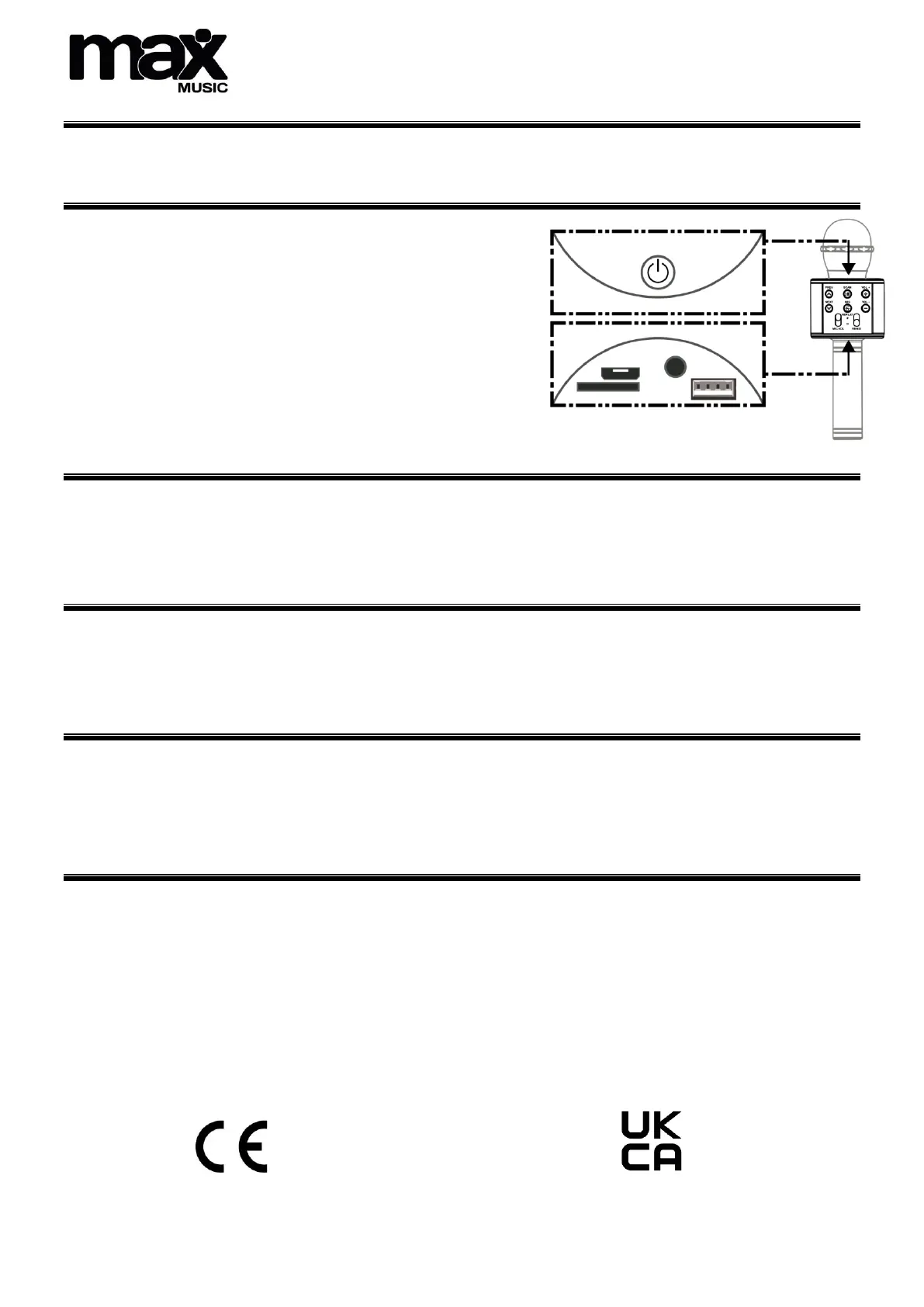
ON/OFF: Hold for ON/OFF, press to switch modes.
PREV/UP: Press to go to previous song. Press in selfie-mode to take a
photo with your mobile phone.
NEXT/DOWN: Press to go to next song. Press in selfie-mode to take a
photo with your mobile phone.
PLAY/PAUSE: Press to change between play and pause.
REC: Press and hold shortly to change voice style.
The voice transformer allows to change between 4 different voice styles.
+: Increase volume.
-: Decrease volume.
OPERATION
1. Supply power: hold the “ON/OFF” button to power up the device.
2. BT connection: enable BT on your smartphone and connect with the microphone. The microphone emits a specific tone to
indicate that the connection has been successful.
3. Adjust volume: adjust the microphone volume to a suitable level.
4. Start your Karaoke session!
RECORDING WITH SMARTPHONE
1. Connect the “recording” cable (micro-USB to 3.5mm jack not supplied). Insert the micro-USB end of the cable in the micro-
USB slot on the bottom interface of the microphone. Plug the 3.5mm jack end of the cable in the 3.5mm jack on your
smartphone.
2. Open your favourite Karaoke or other recording app and record your Karaoke adventures.
3. Save the song: operate according to the instructions of your favourite Karaoke or recording software.
SELFIE FUNCTION
1. Press the “ON/OFF” button to switch from wireless- to selfie mode.
2. Enable BT on your smartphone. Search for “shutter” and make connection.*
3. Open the photo interface of your smartphone, press “up” or “down” buttons on the microphone to take shots.
*Only for iOS version 6.0 and Android version 4.2.2 or higher. This function is not supported on smartphones that have an independent and
dedicated photo button.
TECHNICAL SPECIFICATIONS
Output power : 6W
Frequency response : 100Hz-10kHz
Power supply : 5V via USB
Weight : 0,35kg
The specifications are typical. The actual values can slightly change from one unit to the other. Specifications can be changed
without prior notice.