QUICK START GUIDE: WA 461 013
Dear Customer,
This Quick Start Guide is enclosed with detailed washing
machine operating instructions. Before using the appliance
carefully read the Operating Instructions, especially
guidelines for safe use.
Before plugging the washing machine into the mains,
remove the safety packaging and ensure the machine is
level. Do not start the washing machine before it is properly
set up.
Only wash delicate fabrics, synthetics, wool using
designated programs. Such fabrics should only be washed
in the maximum load sizes recommended (see page 2.).
The correct washing machine operation extends its
lifetime so make sure the drum seal is dry (leave the door
ajar after washing). Do not clean the washing machine with
harsh or abrasive detergents.
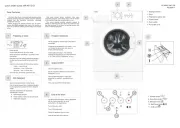
Preparing to wash1
Empty pockets
Close all zips and button up duvet covers.
Wash delicate and small items in a protective mesh
laundry bag.
Open the door of the washing machine by gripping
the door and the door handle on the inside of the
door.
Insert the sorted clothes into the washing machine:
Cotton — max full drum.
Synthetics — max ½ of the drum.
Silk, wool — max 1/3 of the drum.
Close the door, press rmly against the seal.
Add detergent2
Open the detergent drawer. Pull the handle.
Pour the recommended dose of washing detergent
into the appropriate compartment of the detergent
drawer.
Add fabric conditioner to the appropriate
compartment if required.
MAIN WASH detergent.
Fabric softener or other special care liquids.
PREWASH detergent.
Program selections3
Set the programme selector knob to the desired
programme.
Customize the programme to your needs — you
can change the temperature, spin speed, or
enable additional features.
Select additional functions. The additional
functions are described on the control panel and
in the “Table of Wash Programmes” (see page 2) .
Select START4
Close the appliance door.
Set the programme selector dial to the desired
programme (see page 2).
Select additional functions or wash cycle
parameters as required – according to your
needs.
Then press the START/ PAUSE button
End of the wash5
The door lock and the [Start / Pause ] lights ash
with the buzzer beeping or two small
points ash on the digital screen.
Turn o the water valve.
Turn o the main switch.
Unplug the appliance from the mains.
Open the door and remove laundry.
IO-WMS-3347 EN
03.2025./1
3 4
2
1
5
6
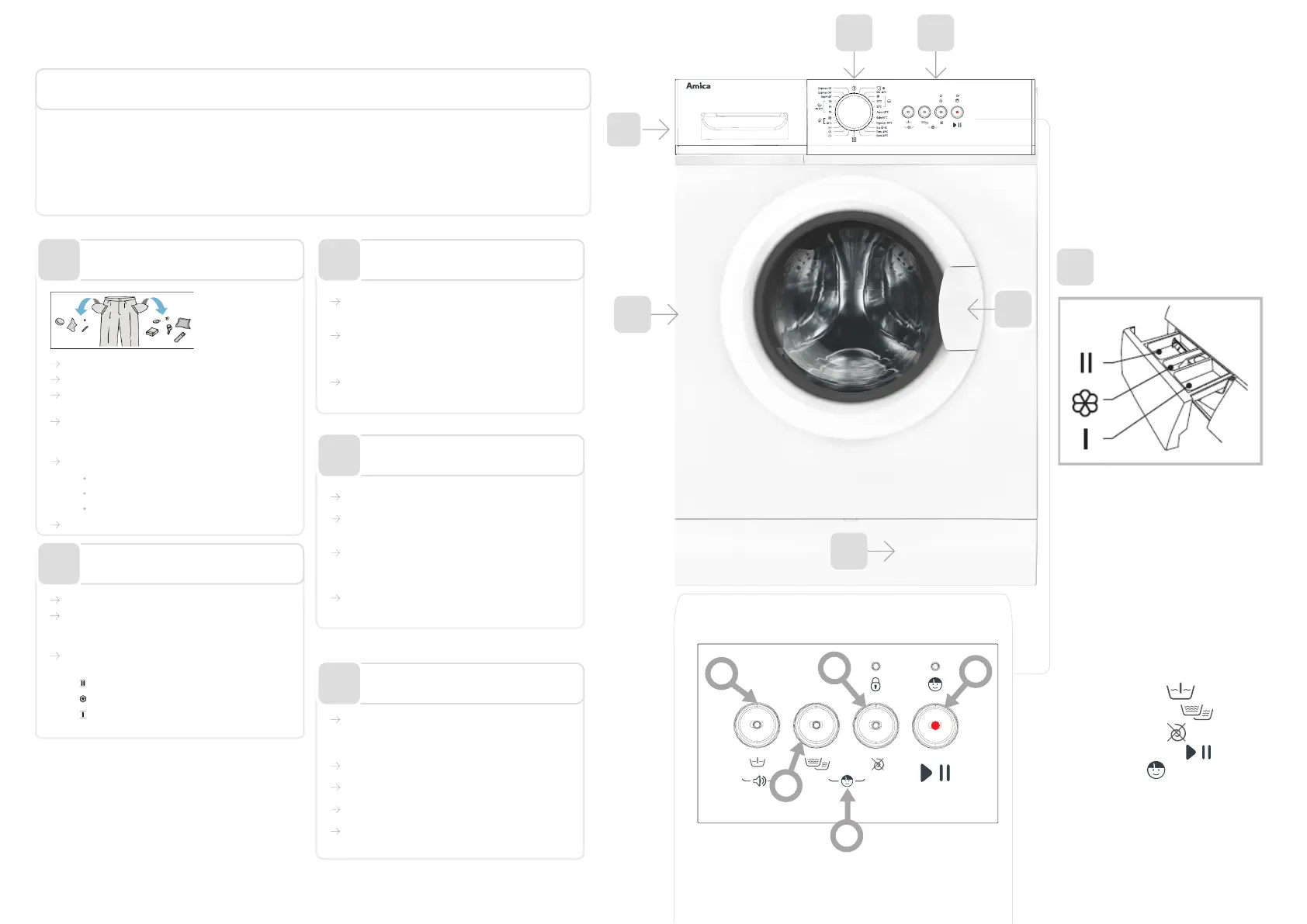
1. Detergent drawer
2. Drum
3. Programme selector dial
4. Control Panel
5. Door handle
6. Pump lter cover
7. Prewash button
8. Extra Rinse button
9. Skip spin button
10. Start/Pause button
11. Child Lock
10
11
7
8
9
1