FLIR Ocean Scout 240 Manual

FLIR Kamera Ocean Scout 240

Læs gratis den danske manual til FLIR Ocean Scout 240 (2 sider) i kategorien Kamera. Denne vejledning er vurderet som hjælpsom af 8 personer og har en gennemsnitlig bedømmelse på 4.3 stjerner ud af 4.5 anmeldelser. Har du et spørgsmål om FLIR Ocean Scout 240, eller vil du spørge andre brugere om produktet?

Side 1/2
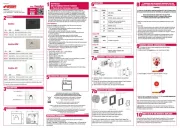
Power ButtonOcean Scout has three power states: On, Off, & Auto Shutdown.
• OnTakes approximately 4 seconds (during bootup the FLIR splash screen
appears on the eyepiece display).
• Off Push the power button to turn the camera off.
Auto Shutdown - If no buttons are pushed for about ve minutes,
Auto shutdown 30s appears in the display and after counting down for
30 seconds, the camera will turn off.
Display Brightness – If camera is on, press to toggle through 5 brightness settings.
White/Black Hot/InstAlert In White Hot, hotter items appear as white or light
grey. In the Black Hot, hotter items appear as black or dark grey. In InstAlert, hot items
in a scene are highlighted in red.
Zoom/Freeze FrameA quick press causes the image to toggle between 1x and 2x
zoom (320 model only). With the 240 camera, the zoom button freezes the image with
one click and unfreezes the image with a second click.
Diopter ControlsThe diopter allows adjustment of the eyepiece for optimal viewing.
OCEAN SCOUT
Q uick St ar t G u id e
Power
Task Light Mini-USB/Charging/
Analog video out (320 only)
Display Brightness
Task Light On/Off
White Hot
Black Hot
InstAlert
Zoom 320 / Freeze Frame 240
Charging
Indicator
Eyepiece
Adjustable Diopter


Produkt Specifikationer

Mærke: FLIR
Kategori: Kamera
Model: Ocean Scout 240

Har du brug for hjælp?

Hvis du har brug for hjælp til FLIR Ocean Scout 240 stil et spørgsmål nedenfor, og andre brugere vil svare dig