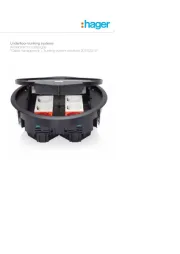
Hager 80141170 Manual


Læs gratis den danske manual til Hager 80141170 (2 sider) i kategorien Ikke kategoriseret. Denne vejledning er vurderet som hjælpsom af 31 personer og har en gennemsnitlig bedømmelse på 3.5 stjerner ud af 16 anmeldelser. Har du et spørgsmål om Hager 80141170, eller vil du spørge andre brugere om produktet?

Side 1/2
Berker GmbH & Co. KG - Zum Gunterstal - 66440 Blieskastel/Germany - Tel.: + 49 6842/945-0 - Fax: + 49 6842/945-4625 - E-Mail: info@berker.de - www.berker.com -
Operating and
assembly instructions
8014 11 x0
KNX push button module
1gang
8014 21 x0
KNX push button module
2gang
z
6LE000414B - 03/2021
6LE000414B
Safety instructions z
Electrical equipment may only be installed and
assembled by a qualifi ed electrician. Always fol-
low the relevant accident prevention regulations
of the country.
Failure to comply with these installation instruc-
tions may result in damage to the device, fi re or
other hazards.
When installing and laying cables, always comply
with the applicable regulations and standards for
SELV electrical circuits.
During renovation work, protect the device from
pollution by paint, wallpaper paste, dust etc. The
device can be damaged.
These instructions are an integral component of
the product and must be retained by the end us-
er.
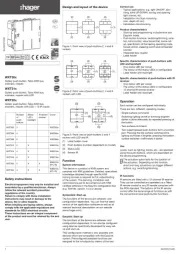
Design and layout of the device
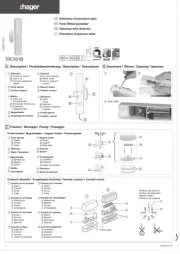
Figure 1: Design and layout of the device
(1) Touch cover (not within scope of delivery)
(2) Push-button module
(3) Fastening clamps
(4) Frame (not within scope of delivery)
(5) Supporting ring with prong connection
(6) Screw for dismantling protection
(7) Status LEDs
Function
System information
This device is a product of KNX system and corre-
sponds to the KNX guidelines. Detailed specialised
knowledge obtained from KNX training courses is
required for comprehension. The planning, installa-
tion and commissioning are carried out with the help
of KNX-certifi ed software.
system link start-up
The function of the device is software-dependent. The
software is to be taken from the product database. You
can fi nd the latest version of the product database,
technical descriptions as well as conversion and addi-
tional support programmes on our website.
easy link start-up
The function of the device is con guration-de-
pendent. The confi guration can also be done using
devices developed specially for simple setting and
start-up.
This type of confi guration is only possible with devic-
es of the easy link system. easy link stands for easy,
visually supported start-up. Precon gured standard
functions are assigned to the in/outputs by means of
a service module.
Correct use
-Operation of consumers, e.g. light on/off , dim-
ming, blind up/down, saving and opening light
scenes, etc.
- Installation into wall box according to DIN 49073
Product characteristics
- Start-up and programming in S-mode and E-mode
- Push-button functions: switching/dimming, blind
control, value transmitter, scene call-up, specifi ca-
tion of the heating operating mode, forced control,
stepping switch and comparator function
- One status LED per rocker
-Function and colour of the status LEDs confi gur-
able for the device
- Integrated bus application unit
Operation
Triggering of functions and operation of electrical
loads takes place via touch surfaces (fi gure 2,
dashed) and can be set individually for each device.
There are two operating modes:
- Single-surface operation:
Switching lighting on/o and dimming brighter/
darker is carried out alternately by repeated
touching of a touch surface.
- Two-surface operation:
Two superimposed touch surfaces form a function
pair. For example, touching the top surface switch-
es/dims lighting on/makes it brighter, touching the
bottom surface switches it off /makes it darker.
Operating a function or load
Consumers, such as lighting, blinds, etc., are operat-
ed using the touch surfaces, which are dependent on
the device confi guration.
Touch a touch surface.
The stored function is executed.
The actuation pulse lasts for the duration of the
actuation. Depending on the function, short and
long touches can trigger diff erent actions, e.g.
switching/dimming.
(1)
(2) (3)
(4)
(5)
(6)
(7)
1
2


Produkt Specifikationer

Mærke: Hager
Kategori: Ikke kategoriseret
Model: 80141170

Har du brug for hjælp?

Hvis du har brug for hjælp til Hager 80141170 stil et spørgsmål nedenfor, og andre brugere vil svare dig


Ikke kategoriseret Hager Manualer
Hager

Hager WXF228 Manual

10 August 2025
Hager

Hager UKM340480 Manual

10 August 2025
Hager

Hager TRC301B Manual

10 August 2025
Hager

Hager GS20109011 Manual

10 August 2025
Hager

Hager AKB42000402 Manual

10 August 2025
Hager

Hager WXT312 Manual

10 August 2025
Hager

Hager BKSAN065110 Manual

10 August 2025
Hager

Hager VR10127011 Manual

10 August 2025
Hager

Hager UKM240280 Manual

10 August 2025
Hager

Hager ESR3336029 Manual

10 August 2025

Ikke kategoriseret Manualer

Nyeste Ikke kategoriseret Manualer

Waterstone

Waterstone 7800 Manual

11 December 2025
Kwikset

Kwikset 258 Manual

11 December 2025
Schlage

Schlage F170 Manual

11 December 2025
Moen

Moen Align 7565EV Manual

11 December 2025
ALNO

ALNO MC10244 Manual

11 December 2025
JET

JET TAK-ZX Manual

11 December 2025
Waterstone

Waterstone 1455 Manual

11 December 2025
Laica

Laica NE2015 Manual

11 December 2025