Jonard Tools FPM-55 Manual


Læs gratis den danske manual til Jonard Tools FPM-55 (2 sider) i kategorien Måleudstyr. Denne vejledning er vurderet som hjælpsom af 42 personer og har en gennemsnitlig bedømmelse på 3.6 stjerner ud af 21.5 anmeldelser. Har du et spørgsmål om Jonard Tools FPM-55, eller vil du spørge andre brugere om produktet?
Side 1/2
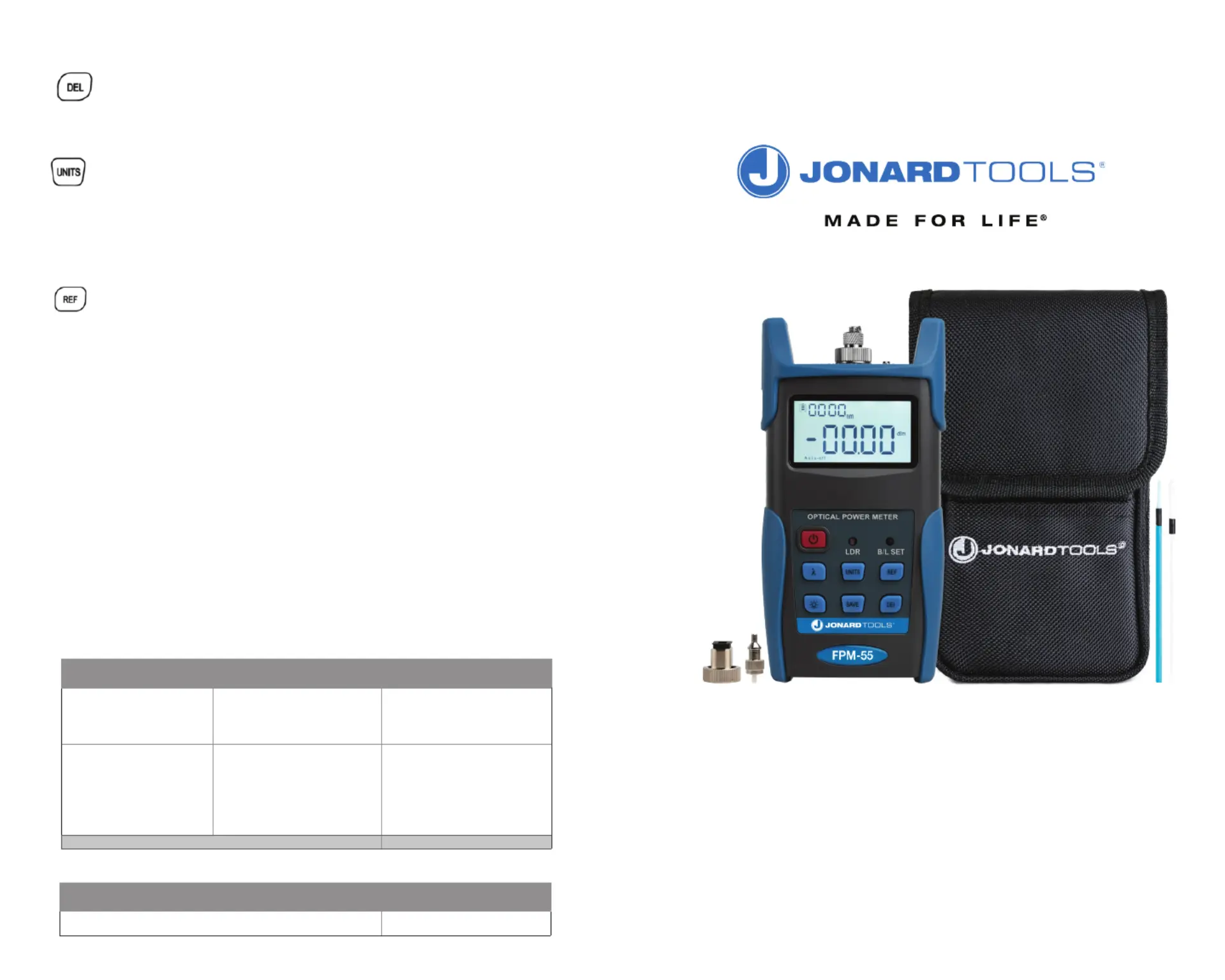
FPM-55
OPTICAL POWER METER W/ STORAGE
INSTRUCTION MANUAL
Unit will not turn on Faint
display on the LCD screen
1. Power is OFF
2. The battery power is too low
1. Turn the device ON by
pressing the Power Key
2. Replace the batteries
2. Incorrect fiber connection
1. Clean the optical connectors
with contact cleaner
2. Ensure you are using the
correct connector and reattach
the fiber
Problem Possible Cause Solution
Keys and Functions (Continued):
Delete Key – Delete Data/Cancel
While viewing a data entry, you can press the Delete Key to delete the data.
While in Saving Mode, press the Delete Key to delete the current saved data
– Switch between dBm, dB, and W measurementsUnits Key
Press the Units Key to switch between absolute measurement (dBm), relative
measurement (dB), and xW of the optical power.
mW to dBm Conversion: 10 log(mW)=(dBm)
mW, uW, nW Conversion: 1 mW=103 uW=106 nW
– Stores the current power value as the reference valueREF Key
Press the REF Key to store the current power value as the reference value. When pressed,
the reference value will be displayed in the top-right of the screen with “Ref” displayed
next to it.
Relative Value = l︱Absolute Value︱l -︱l Reference Value︱l
Intelligent Backlight Controller LEDLDR LED –
If this LED is on, then the unit is in LDR Intelligent Backlight Control Mode. While in this
mode, the unit will automatically adjust the backlight based on the outside lighting, which
helps save power.
– Backlight Mode Indication LED B/L SET LED
If the LED is green, then the FPM-55 is in LDR Intelligent Backlight Control Mode.
If the LED is red, then the FPM-55 is in Key-Control Mode
Indicate backlight control mode. Green light indicate that “LDR”intelligent backlight control
mode, Red light indicate that key-control mode
Electric/electronic/battery powered products & force gauges 1 Year
Product Type Warranty Period
Jonard Tools Warranty:
Troubleshooting:


Produkt Specifikationer

Mærke: Jonard Tools
Kategori: Måleudstyr
Model: FPM-55

Har du brug for hjælp?

Hvis du har brug for hjælp til Jonard Tools FPM-55 stil et spørgsmål nedenfor, og andre brugere vil svare dig


Måleudstyr Jonard Tools Manualer

Jonard Tools

Jonard Tools FPM-55 Manual

28 December 2024

Måleudstyr Manualer

Nyeste Måleudstyr Manualer

Uni-T

Uni-T UT220 Manual

3 April 2025
Uni-T

Uni-T UT681C Manual

3 April 2025
Uni-T

Uni-T UT216C Manual

3 April 2025
Uni-T

Uni-T UT611 Manual

3 April 2025
Uni-T

Uni-T UT210D Manual

3 April 2025
Uni-T

Uni-T UT210C Manual

3 April 2025
Uni-T

Uni-T UT210B Manual

3 April 2025
Uni-T

Uni-T UT682 Manual

3 April 2025
Uni-T

Uni-T UT275 Manual

3 April 2025
Uni-T

Uni-T UT08A Manual

3 April 2025