LG WP40NB30 Manual
Læs gratis den danske manual til LG WP40NB30 (4 sider) i kategorien Ikke kategoriseret. Denne vejledning er vurderet som hjælpsom af 16 personer og har en gennemsnitlig bedømmelse på 4.2 stjerner ud af 8.5 anmeldelser.
Har du et spørgsmål om LG WP40NB30, eller vil du spørge andre brugere om produktet?
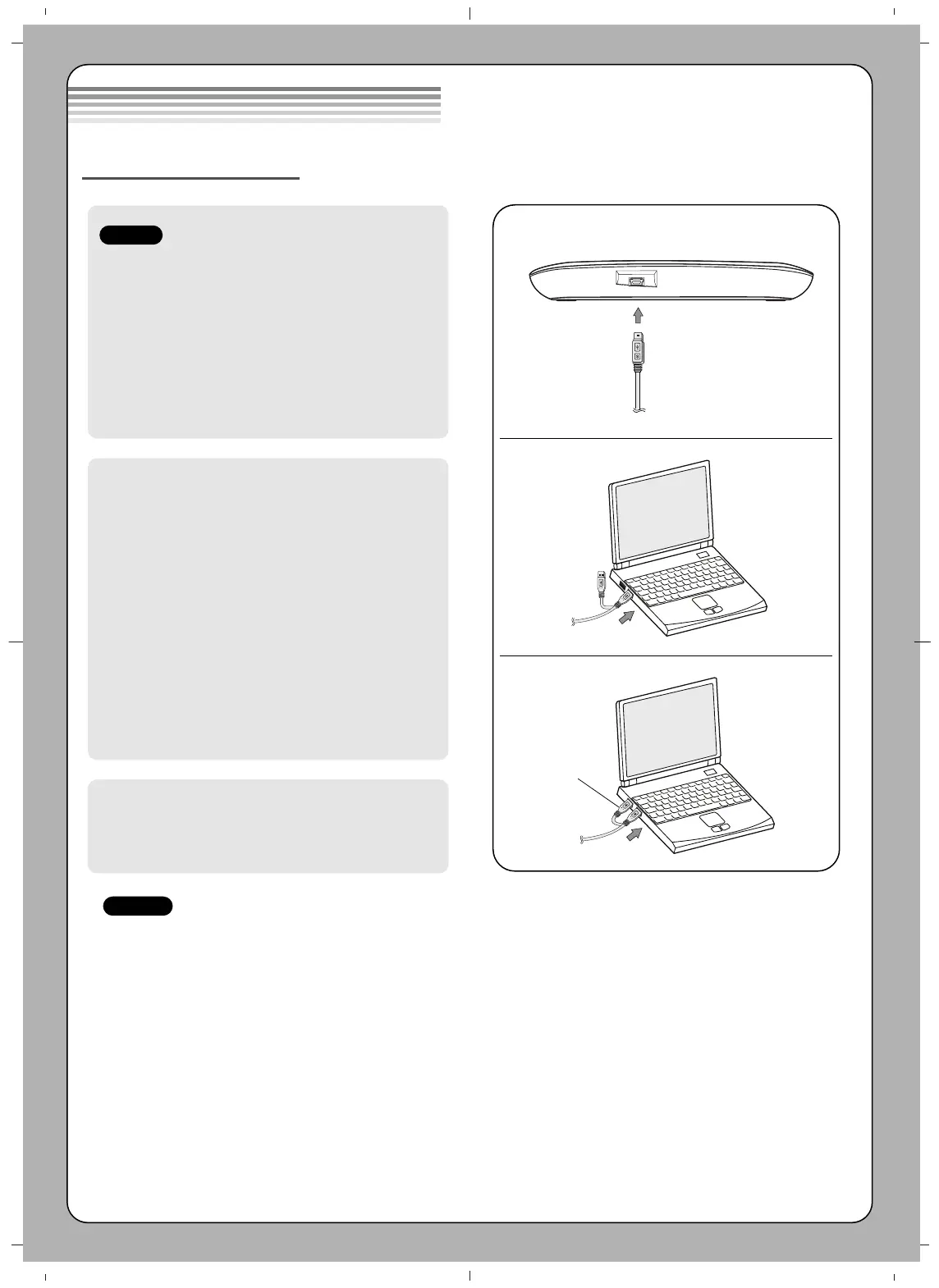
Produkt Specifikationer
| Mærke: | LG |
| Kategori: | Ikke kategoriseret |
| Model: | WP40NB30 |
| Bredde: | 160 mm |
| Dybde: | 153 mm |
| Højde: | 22 mm |
| Vægt: | 325 g |
| Produktfarve: | Sort |
| Antal USB 2.0-porte: | 1 |
| Understøttede disktyper: | BD-R, BD-R DL, BD-RE, BD-ROM, CD-DA, CD-R, CD-ROM, CD-RW, DVD, DVD+R, DVD+RW, DVD-R, DVD-RAM, DVD-ROM |
| Medfølgende software: | Blu-ray Drive Install Disc for Windows, Power DVD 3D Edition, Power 2 Go, Power Producer, Media Espresso, Media Show, LG Firmware Update |
| Understøttede Windows-operativsystemer: | Windows 7 Home Basic, Windows 8, Windows 8.1, Windows Vista Home Basic, Windows XP Home |
| Grænseflade: | USB 2.0 |
| Intern: | Ingen |
| Afspilning af disktyper: | BD-R, BD-R DL, BD-RE DL, BD-ROM, CD-R, CD-ROM, CD-RW, DVD+RW, DVD-R, DVD-R DL, DVD-RAM, DVD-ROM |
| Optisk drevtype: | Blu-Ray DVD Combo |
| Diskindlæsningstype: | Bakke |
| CD-læsehastighed: | 24 x |
| CD-skrivehastighed: | 24 x |
| CD-R skrivehastighed: | 24 x |
| CD-RW skrivehastighed: | 24 x |
| DVD-R skrivehastighed: | 8 x |
| DVD-R dobbeltlags skrivehastighed: | 8 x |
| DVD-RW skrivehastighed: | 6 x |
| DVD+R skrivehastighed: | 8 x |
| DVD+R dobbeltlags skrivehastighed: | 8 x |
| DVD+RW skrivehastighed: | 8 x |
| DVD-RAM skrivehastighed: | 5 x |
| Drevenhed, bufferstørrelse: | 4 MB |
| DVD+R læsehastighed: | 8 x |
| DVD-R læsehastighed: | 8 x |
| CD-R læsehastighed: | 24 x |
| CD-RW læsehastighed: | 24 x |
| DVD-R dobbeltlags læsehastighed: | 8 x |
| DVD-RW læsehastighed: | 8 x |
| DVD+R dobbeltlags læsehastighed: | 8 x |
| DVD+RW læsehastighed: | 8 x |
| DVD-RAM læsehastighed: | 5 x |
| BD-R skrivehastighed: | 4 x |
| BD-R dobbeltlags skrivehastighed: | 6 x |
| BD-RE skrivehastighed: | 2 x |
| BD-RE dobbeltlags skrivehastighed: | 2 x |
| BD-R læsehastighed: | 6 x |
| BD-RE læsehastighed: | 6 x |
| BD-ROM læsehastighed: | 6 x |
| BD-R dobbeltlags læsehastighed: | 6 x |
| BD-RE dobbeltlags læsehastighed: | 6 x |
| DVD-ROM læsehastighed: | 8 x |
| CD-ROM læsehastighed: | 24 x |
| BD-ROM gennemsnitlig tilfældig adgangstid: | 230 ms |
| DVD-drev tilfældig middeltilgangstid: | 200 ms |
| CD-ROM-drev gennemsnitlig tilfældig adgangstid: | 200 ms |
| BD-RE omskrivning hastighed: | 2 x |
Har du brug for hjælp?
Hvis du har brug for hjælp til LG WP40NB30 stil et spørgsmål nedenfor, og andre brugere vil svare dig
Ikke kategoriseret LG Manualer

Ikke kategoriseret Manualer
- Salray Works
- Pentax
- Wiko
- Guide
- Viatek
- Luxman
- Springlane
- Sachtler
- Ozito
- Grixx
- Cookut
- Plus More
- Prixton
- Cartrend
- Gossen Metrawatt
Nyeste Ikke kategoriseret Manualer


