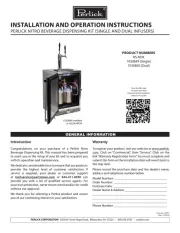
Perlick Signature Series HP15TO-3-2R Manual

Perlick Ølhane Signature Series HP15TO-3-2R

Læs gratis den danske manual til Perlick Signature Series HP15TO-3-2R (22 sider) i kategorien Ølhane. Denne vejledning er vurderet som hjælpsom af 47 personer og har en gennemsnitlig bedømmelse på 5.0 stjerner ud af 24 anmeldelser. Har du et spørgsmål om Perlick Signature Series HP15TO-3-2R, eller vil du spørge andre brugere om produktet?

Side 1/22
Faders & XY Pad Owner’s Manual 1
Faders & XY Pad Owner’s Manual
• Copying of the commercially available music sequence data and/or digital audio files is strictly prohibited except for your personal use.
• The software and this owner’s manual are exclusive copyrights of Yamaha Corporation.
• Copying of the software or reproduction of this manual in whole or in part by any means is expressly forbidden without the written consent of the manufacturer.
• Yamaha makes no representations or warranties with regard to the use of the software and documentation and cannot be held responsible for the results of the use of this manual and the
software.
• The screen displays as illustrated in this Owner’s Manual are for instructional purposes, and may appear somewhat different from the screens which appear on your devicer.
• Apple, iPad are trademarks of Apple Inc., registered in the U.S. and other countries.
• The company names and product names in this Owner’s Manual are the trademarks or registered trademarks of their respective companies.
© 2011 Yamaha Corporation. All rights reserved.
This Mixer-like application lets you control the Tone Generator Parts of the MIDI instrument from your iPad.
What is Faders & XY Pad?
Faders & XY Pad
iPad
iMX-1
MIDI OUT MIDI IN
MIDI IN MIDI OUT
Makes the overall
settings.
One of the Fader
Control displays.
Select the desired
template then start
operating the faders.
One of the Mixer Control
displays. This lets you
control the specified faders
simultaneously by dragging
the XY Pad area.
XY Pad display Parameter assign
window
Utility window Faders display
Fader operation transmits the MIDI
Control Change messages to the MIDI
instrument.
Assigns a MIDI Control
Change function to the
corresponding Fader.
NOTE
For information about the MIDI settings of the
instrument, refer to the Owner’s Manual
which came with the instrument.
MIDI instrument
By using MIDI cables and a Yamaha i-MX1, connect the instrument to an iPad.
The MOTIF XF can be connected via wireless Network MIDI. For details about
wireless MIDI connectivity, refer to the “New Functions in MOTIF XF Version 1.20”
Manual.


Produkt Specifikationer

Mærke: Perlick
Kategori: Ølhane
Model: Signature Series HP15TO-3-2R

Har du brug for hjælp?

Hvis du har brug for hjælp til Perlick Signature Series HP15TO-3-2R stil et spørgsmål nedenfor, og andre brugere vil svare dig


Ølhane Perlick Manualer

Perlick

Perlick DDS36 Manual

30 August 2025
Perlick

Perlick DDC68 Manual

30 August 2025
Perlick

Perlick 69526-2TT Manual

29 August 2025
Perlick

Perlick 69526-2DA Manual

29 August 2025
Perlick

Perlick 69526-4HA Manual

29 August 2025
Perlick

Perlick 69526-4P Manual

29 August 2025
Perlick

Perlick 69526-3TT Manual

28 August 2025
Perlick

Perlick 1030850 Manual

28 August 2025
Perlick

Perlick 1030849 Manual

28 August 2025

Ølhane Manualer

Nyeste Ølhane Manualer

Turbo Air

Turbo Air TBD-1SDD-N6 Manual

19 December 2025
Edgestar

Edgestar KC3000STOUT Manual

11 December 2025
Hestan

Hestan GFDSR242 Manual

10 December 2025
Vevor

Vevor DM-F600 Manual

1 December 2025
Vevor

Vevor P4048 Manual

30 November 2025
Arctic Air

Arctic Air ADD72R-2 Manual

25 November 2025
Arctic Air

Arctic Air ADD48R-2 Manual

25 November 2025
Arctic Air

Arctic Air ADD60R-2 Manual

25 November 2025
Summit

Summit SBC635MOSNK Manual

16 November 2025
Summit

Summit SBC635MOS7NK Manual

14 November 2025