Trimming with the unique ‘stubble look’ setting
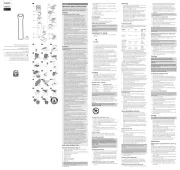
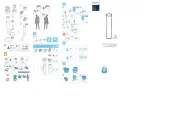
1 To create a ‘stubble look’, trim with the beard
trimming comb set to setting 1 (Fig. 6).
Use the trimmer without beard trimming comb to trim
full beards and single hairs.
Be careful when you trim without comb because the
cutting element removes every hair it touches.
Pull the beard trimming comb off the appliance (Fig. 7).
2 Switch on the appliance.
3 Make well-controlled movements. Touch the hair
lightly with the trimmer (Fig. 8).
Never use scouring pads, abrasive cleaning agents or
aggressive liquids such as alcohol, petrol or acetone to
1 Make sure the appliance is switched off and
disconnected from the mains.
2 Wipe the housing of the appliance with a dry cloth.
Never immerse the appliance in water or rinse it under
3 Remove the trimming comb and clean it with
Remove the cutting unit by pushing against the teeth
of the cutting unit. Clean it with the brush (Fig. 9).
5 To reattach the cutting unit, insert the lug of the
cutting unit into the guiding slot. Push the cutting
unit back onto the appliance (‘click’) (Fig. 10).
Only replace a worn or damaged cutting unit with an
original Philips cutting unit, available from authorised
1 Remove the old cutting unit by pushing against the
teeth of the cutting unit (Fig. 9).
2 Insert the lug of the new cutting unit into the
Push the cutting unit back onto the appliance (‘click’)
- Do not throw away the appliance with the normal
household waste at the end of its life, but hand it in
at an ofcial collection point for recycling. By doing
this, you help to preserve the environment (Fig. 12).
If you need service or support, please visit
www.philips.com/support or read the
separate worldwide guarantee leaet.
Register your product and get support at
4222_002_8472_1_LF_A7_4x2_222x210_12pag_v1.indd 1 5/8/14 11:19 AM