Prunus J-189 Manual

Prunus Radio J-189

Læs gratis den danske manual til Prunus J-189 (2 sider) i kategorien Radio. Denne vejledning er vurderet som hjælpsom af 30 personer og har en gennemsnitlig bedømmelse på 4.4 stjerner ud af 15.5 anmeldelser. Har du et spørgsmål om Prunus J-189, eller vil du spørge andre brugere om produktet?

Side 1/2
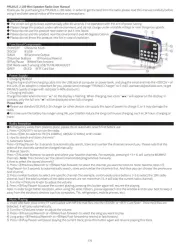
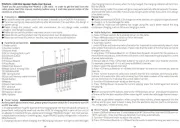
PRUNUS J-189 Mini Speaker Radio User Manual
Thank you for purchasing the PRUNUS J-189 radio. In order to get the best from the radio please read this manual carefully before
using it and take special notice of the section on precautions.
Precautions
◆ The screen will go to sleep automatically after 60 seconds if no operation w
◆ Please charge this product under safe environment, and do not charge und
◆ Please do not use this product near water or put it into liquid.
◆ Please do not use this product near the environment over 40 degrees Celsi
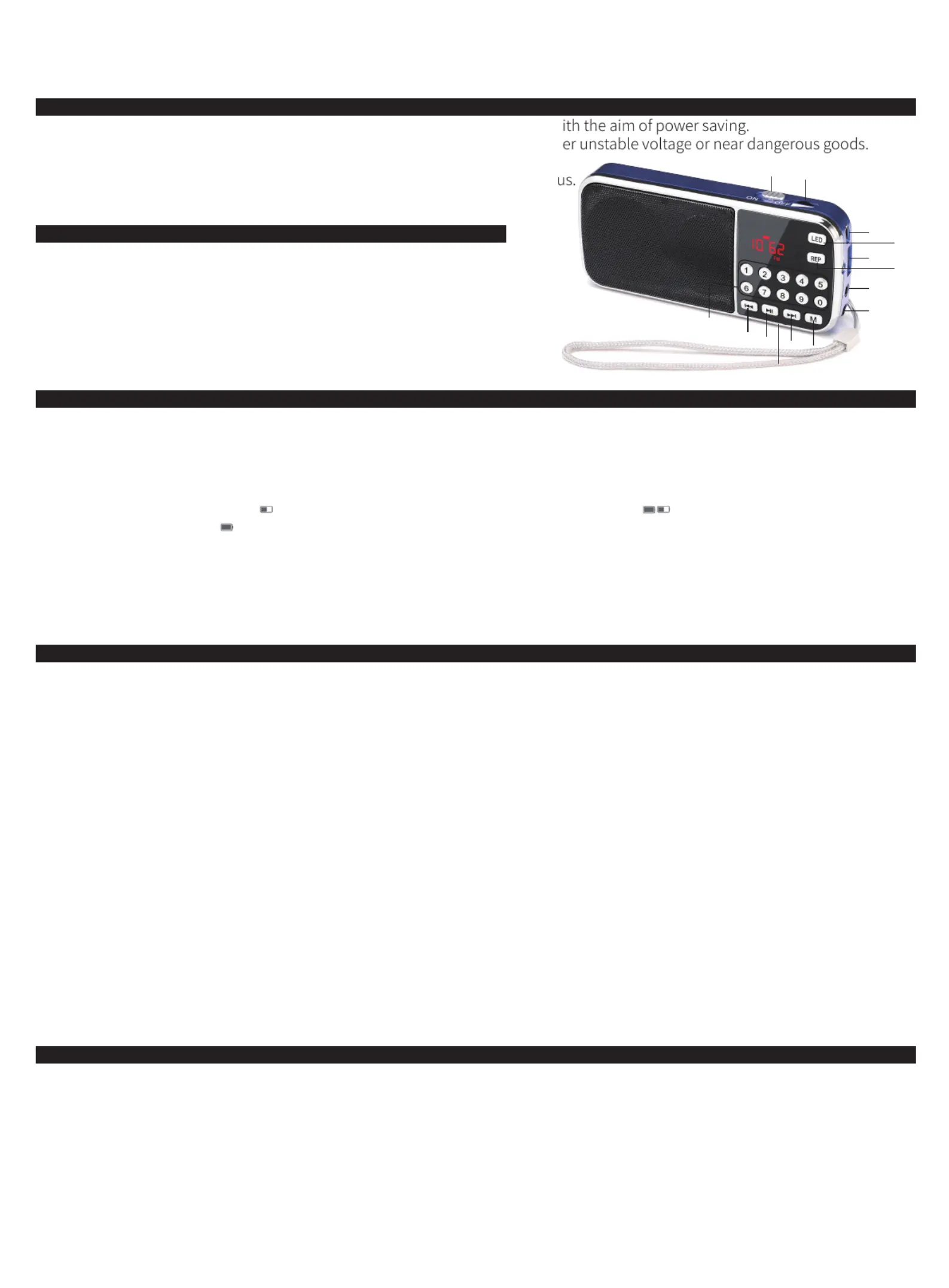
Functional Components
①ON/OFF ②Volume Knob
③DC5V ④USB
⑤AUX ⑥Earphone Output
⑦Number Buttons ⑧Previous/Rewind
⑨Play/Pause ⑩Next/Fast-forward
⑪M: Mode switch among USB/TF/FM/AM/AUX/BT
⑫REP ⑬LED ⑭TF Card Slot
Power Supply
1. Charging Method
Plug the big end of the charging cable into the USB jack of computer or power bank, and plug the small end into the <③DC5V > of
this unit. (If an adapter is important for you, please send message “PRUNUS Charger” to E-mail: wanwanuk@outlook.com, to get
PRUNUS quality charger with indicator in 60% discount.)
2. Charging Indicator
Charge the radio when the icon “ ” on the display is flashing. When charging, two icons “ ” will appear on the display; in
contrast, only the full one “ ” will be displayed when fully charged.
Please Note:
◆Please use standard DC5V/0.5-2A charger (or other devices can supply this type of power) to charge it, or it may damage the
radio.
◆To make sure the battery has longer using life, you'd better reduce the long continuous charging, such as 24 hours charging or
more.
Radio Reception
◆As frequency varies from place to place, please do an automatic search first before use.
1. Press <①ON/OFF> to turn on the radio.
2. Press <⑪M> to switch to FM (76-108Mhz), AM(522-1710Khz) or BT mode.
3. How to search and store channels?
1) Automatic Search:
Press <⑨Play/Pause> for 3 seconds to automatically search, store and number the channels around you. Please note that the
order of the channels cannot be changed manually.
2) Manual Search:
Press <⑦Number Buttons> to search and select your favorite channels. For example, pressing 8 + 9 + 8, will jump to 89.8MHZ
channels. Note: The channel can’t be stored /memorized/programmed manually.
4.How to select the stored channels?
1) Press <⑧Previous/Rewind> or <⑩Next/Fast-forward> to select the channel you want to listen to. Note: Need to press <⑨
Play/Pause> for 3 seconds to automatically search, store and number the channels first. And then you can choose the previous or
next channel.
2) Press number buttons to select one specific channel (For example, continuously press buttons 1+5 to select the 15th radio
channel, but if the total numbers of the radio channels are not more than 15, it will play the current radio channel).
5. Turn the <②Volume Knob> to adjust the volume.
6. Press <⑨Play/Pause> to pause the current playing; pressing this button again will resume the playing.
Note: In order to get better reception, when using the radio indoors, please approach it to the window and do your best to keep it
away from the electronic devices (such as computers, TVs, refrigerators, mobile phones, etc).
Music Playing
1) Insert USB flash drive or the TF card loaded with MP3 format files into the<④USB> or <⑭TF Card Slot> . Once mp3 files are
detected, it will play automatically.
2) Turn the <②Volume knob> to adjust the volume.
3) Press <⑧Previous/Rewind> or <⑩Next/Fast-forward> to select the song you want to play.
4) Long press <⑧Previous/Rewind> or <⑩Next/Fast-forward>to rewind or fast-forward.
5) Press <⑨Play/Pause> will pause playing the current track; press this button again will resume playing this track.
- EN -


Produkt Specifikationer

Mærke: Prunus
Kategori: Radio
Model: J-189

Har du brug for hjælp?

Hvis du har brug for hjælp til Prunus J-189 stil et spørgsmål nedenfor, og andre brugere vil svare dig


Radio Prunus Manualer

Prunus

Prunus J-110 Manual

3 November 2025
Prunus

Prunus J-160 Manual

2 November 2025
Prunus

Prunus J-189 Manual

16 Juli 2025
Prunus

Prunus J-288 Manual

16 Juli 2025
Prunus

Prunus J-777 Manual

16 Juli 2025

Radio Manualer

Nyeste Radio Manualer

Ozito

Ozito PDRS-018 Manual

4 December 2025
Raddy

Raddy RE40 Manual

4 December 2025
Raddy

Raddy SW10 Manual

3 December 2025
TriSquare

TriSquare TSX300 Manual

29 November 2025
Pure

Pure Moment Manual

28 November 2025
Auna

Auna KR-140 Manual

28 November 2025
Duramaxx

Duramaxx 862-BT-DAB Manual

27 November 2025