Instructions d'utilisation
GAME:PAD PRO WIRLESS™ for PC
Thank you for choosing snakebyte’s GAME:PAD PRO WIRELESS™. Please read this guide for important safety
and health information and retain it for future reference.
1 GAME:PAD PRO WIRELESS™ CONTROLLER
OPERATING INSTRUCTION GAME:PAD PRO WIRELESS™ SB909733
1. Connect the GAME:PAD PRO WIRELESS™ dongle (7) to your PC.
2. Press the [On/Off] (1) button of your (deactivated) Controller, until the Status LED flashes rapidly.
The Controller is now in pairing mode and will be connected to your PC automatically.
The controller has a Stand by Mode to protect the integrated battery. The Controller switches off automati-
cally after 30 seconds without use if it is not paired to any device, or after five minutes if it is paired to a device.
LED indicator / battery indicator
• Low battery: LED flashes rapidly
• Fully charged: LED lights continuously
You can reset the hardware by pressing the [Reset] button (6) (hidden at the back side) with a pointed object
if the Controller does not function properly or if you are not able to pair the controller to your PC anymore.
You need to redo the pairing after the reset of the controller.
• Input Power: DC 5V / 500mAh
• Output Power: DC 3.7V / 150mAh
• Battery capacity: 750mAh
• Do not expose the product to extremely hot, or cold temperatures, high humidity or direct sunlight.
• Do not use the the product close to any heat sources.
• Do not subject the product to any liquids and never use it when the product is wet
• Do not put heavy objects on the product.
• Do not throw or drop the product.
• Do not attempt to take apart, open, service or modify the product. Doing so could present the risk of
electronic shock, damage, fire, or other hazard.
• If you feel tired, experience any discomfort or pain in your arms, or hands, stop using the product
immediately and consult a doctor, if the conditions persist.
• Avoid prolonged use of this product and take a break about every 30 minutes.
• Immediately stop using the product if fluid leaks from the battery.
• In the event contact of battery fluid with the eyes, rinse them thoroughly with water and seek medical
• In the event of skin contact, wash with water immediately.
• Do not dispose batteries into fire. Risk of explosion!
• Please dispose of batteries according to local regulations.
• Do not dispsoe of batteries in domestic waste.
• Clean only with a soft, dry cloth. Avoid cleaning solutions, solvents or other chemicals and do not attempt
to clean connectors as this may damage the product.
GAME:PAD PRO WIRLESS™ for PC
Vielen Dank, dass Sie sich für snakebyte's GAME:PAD PRO WIRELESS™ entschieden haben. Bitte lesen Sie die
folgenden Sicherheitshinweise aufmerksam durch und bewahren Sie die Anleitung auf.
1 GAME:PAD PRO WIRELESS™ CONTROLLER
BEDIENUNGSANLEITUNG GAME:PAD PRO WIRELESS™ SB909733
1. Verbinden Sie den USB Empfänger (7) mit Ihrem PC.
2. Halten Sie die Taste [An/Aus] (1) Ihres (inaktiven) Controllers gedrückt, bis die Betriebs-LED schnell blinkt. Der
Controller befindet sich jetzt im Sync-Modus und kann von Ihrem Gerät gefunden und verbunden werden.
Zur Schonung des integrierten Akkus verfügt der Contoller über einen Stand by-Modus. Er schaltet sich im nicht-
synchronisierten Zustand nach 30 Sekunden, im synchronisierten Zustand nach fünf Minuten, ohne Aktivität ab.
LED indicator / battery indicator
- Schwach geladene Batterie: LED blinkt schnell
- Voll geladene Batterie: LED leuchten durchgehend
Falls der Controller nicht mehr ordnungsgemäß funktionieren sollte, oder die Verbindung mit Ihrem Gerät oder
PC nicht mehr gegeben ist, können Sie ihn per Hardware-Reset zurücksetzen. Nutzen Sie hierzu einen spitzen
Gegenstand und drücken die [Reset]-Taste (6) (Rückseite). Er muss daraufhin erneut mit dem PC verbunden
werden, um kabellos genutzt werden zu können.
• Eingangsspannung: DC 5V / 500mAh
• Ausgangsspannung: DC 3.7V / 150mAh
• Batteriekapazität: 750mAh
• Setzen Sie das Produkt nicht sehr hohen oder kalten Temperaturen, hoher Luftfeuchtigkeit, oder direktem
• Verwenden Sie das Produkt nicht in der Nähe von Wärmequellen.
• Schützen Sie das Produkt vor Flüssigkeiten und benutzen Sie es niemals, wenn es feucht ist.
• Stellen Sie keine schweren Objekte auf dieses Produkt.
• Werfen Sie das Produkt nicht und lassen Sie es nicht fallen.
• Versuchen Sie nicht das Produkt selbst zu öffnen, auseinanderzunehmen oder zu ändern. Dies kann zu
Stromschlag, Beschädigung des Produkts, Feuer oder anderen Gefahren führen.
• Wenn Sie sich müde oder unwohl fühlen, oder Schmerzen in Armen, oder Händen spüren, unterbrechen Sie
sofort die Nutzung des Produkts. Falls die Beschwerden anhalten, konsultieren Sie bitte einen Arzt.
• Vermeiden Sie eine übermäßig lange Verwendung des Produkts und legen Sie alle 30 Minuten eine Pause ein.
• Beenden Sie sofort die Verwendung des Produkts, wenn Flüssigkeit aus der verbauten Batterie austritt!
• Im Falle einer Berührung mit den Augen spülen Sie diese sofort mit viel Wasser und suchen Sie einen Arzt auf.
• Im Falle einer Berührung mit den Händen waschen Sie diese sofort mit viel Wasser aus.
• Werfen Sie Batterien/Akkus nicht ins Feuer. Explosionsgefahr!
• Bitte entsorgen Sie Batterien/ Akkus gemäß den lokalen Bestimmungen.
• Werfen Sie Batterien/Akkus nicht in den Hausmüll.
• Reinigen Sie das Produkt nur mit einem weichen, trockenen Tuch. Vermeiden Sie die Verwendung von
Reinigungslösungen und Chemikalien und versuchen Sie nicht, die Kontaktstecker zu reinigen, da dies in
Beschädigungen des Produkts resultieren kann.
GAME:PAD PRO WIRLESS™ pour PC
Merci d’avoir acheté la GAME:PAD PRO WIRELESS™. Veuillez lire ce guide pour des informations importantes
relatives à la sécurité et à la santé, et le conserver pour référence ultérieure.
1 GAME:PAD PRO WIRELESS™ CONTROLLER
UTILISATION GAME:PAD PRO WIRELESS™ SB909733
1. Connectez le dongle GAME: PAD PRO WIRELESS™ (7) à votre PC.
2. Appuyez et maintenez le bouton [On / Off] (1) enfoncé sur votre manette (désactivée), jusqu'à ce que la
LED de statut clignote rapidement.
La manette dispose d'un mode veille pour économiser la batterie intégrée. Le manette s’éteint
automatiquement après 30 secondes sans utilisation si elle n’est pas jumelée à un dispositif, ou après cinq
minutes si elle est jumelée à un dispositif.
Indicateur LED / indicateur de batterie
- Batterie faible: la LED clignote rapidement
- Entièrement chargé: LED s'allume continuellement
Bouton de réinitialisation:
Vous pouvez réinitialiser l’appareil en appuyant sur le bouton [Reset] (6) avec un objet pointu si la manette
ne fonctionne pas correctement ou s’il est impossible de jumeler la manette avec votre appareil PC. Vous
devrez recommencer l’opération de jumelage après la réinitialisation de la manette.
SPÉCIFICATIONS TECHNIQUES
• Numéro de modèle: SB909733
• Input Power: DC 5V / 500mAh
• Output Power: DC 3.7V / 150mAh
• Capacité de la batterie: 750mAh
• Type de batterie: Lithium
• Ne pas exposer le produit à des températures extrêmement chaudes ou froides, à une forte humidité ou à
une lumière directe du soleil.
• Ne pas utiliser le produit près de quelconque source de chaleur.
• Ne pas soumettre le produit dans n'importe quel liquide et ne jamais l'utiliser lorsque le produit est mouillé.
• Ne pas mettre d'objets lourds sur le produit.
• Ne pas lancer ni laisser tomber le produit.
• Ne pas tenter de démonter, d'ouvrir, de servir ou de modifier le produit. Cela pourrait présenter le risque
d’un choc électronique, de dommages, d'incendie ou d'autres dangers.
• Si vous vous sentez fatigué, un inconfort quelconque ou des douleurs au niveau de vos bras, ou vos mains,
cessez d'utiliser le produit immédiatement et consultez un médecin, si ces symptômes persistent.
• Évitez l'utilisation prolongée de ce produit et faites une pause environ toutes les 30 minutes.
INFORMATIONS SUR LES BATTERIES
• Cessez immédiatement d’utiliser le produit si vous constatez une fuite de la batterie.
• En cas de contact du liquide de batterie avec vos yeux, rincez-les abondamment à l’eau et consultez
immédiatement un médecin.
• En cas de contact avec la peau, nettoyez immédiatement à l’eau.
• Ne jetez pas les piles au feu. Risque d'explosion !
• Éliminez les piles conformément à la réglementation locale.
• Ne jetez pas les piles dans les ordures ménagères.
• Nettoyez seulement avec un chiffon doux et sec. Évitez les solutions de nettoyage, les solvants ou d'autres
produits chimiques et ne tentez pas de nettoyer les connecteurs car cela pourrait endommager le produit.
CUSTOMER SUPPORT / TECHNICAL SUPPORT
snakebyte distribution GmbH
Email: Support@mysnakebyte.com
Website: www.mysnakebyte.com
SUPPORT CLIENT / SUPPORT TECHNIQUE
snakebyte distribution GmbH
Email: Support@mysnakebyte.com
Website: www.mysnakebyte.com
KUNDENSUPPORT / TECHNISCHER SUPPORT
snakebyte distribution GmbH
58239 Schwerte / Deutschland
Telefon: +49 (0) 0800-4022300
Email: Support@mysnakebyte.com
Webseite: www.mysnakebyte.com
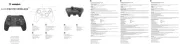
1. On/Off (encendido/apagado)
2. Sitcks analógicos izquierda (L) derecha (R)
3. Almohadilla digital direccional
4. Botones de acción ABXY
5. Botones disparadores y de hombro
6. Restablecer (lado posterior)
3. Pavé directionnel numérique
5. Gâchette et bouton avant
6. Réinitialiser (côté arrière)
IT
1. On/Off
2. Levette analogiche sinistra e destra
3. Croce direzionale digitale
4. Pulsanti azione ABXY
5. Grilletto e pulsante dorsale
6. Ripristino (lato posteriore)
7. USB Dongle
2. Left and right analogue sticks
3. Digital directional pad
5. Trigger and Shoulder buttons
2. Venstre og højre analoge pinde
3. Digital retningsstykke
5. Trigger og skulderknapper
2. Linker und rechter Analogstick
5. Trigger und Schultertasten
2. Varas analógicas esquerda e direita
3. Alavanca direcional digital
5. Botões de disparo e ombro
6. Redefinir (lado traseiro)