Sony CKM-NWS630 Manual


Læs gratis den danske manual til Sony CKM-NWS630 (2 sider) i kategorien Ikke kategoriseret. Denne vejledning er vurderet som hjælpsom af 60 personer og har en gennemsnitlig bedømmelse på 4.6 stjerner ud af 30.5 anmeldelser. Har du et spørgsmål om Sony CKM-NWS630, eller vil du spørge andre brugere om produktet?

Side 1/2
CKM-NWS630
4-114-500- (1)11
©2008 Sony Corporation Printed in China
 
English
Operating Instructions
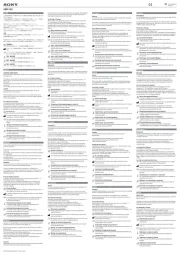
To attach the protector sheet
1 Wipe the display of your WALKMAN
with a so cloth, such as an eyeglass
cleaning cloth, then remove dirt or
dust that may cause air traps.
2 Peel o the protector sheet halfway
from its transparent base (Figure
 - ), and paste it while taking care
to avoid air traps (Figure - ). Be  
careful not to touch the adhesive side.
Hint
Using an adhesive tape makes it easier to
peel off the protector sheet.
To attach the case
1 Insert your WALKMAN with the
display facing up (Figure ).
2 Adjust the case to t the hollows over
your WALKMAN buttons.
Hint
You can attach a strap to the case.
Note
Detach the case when you use any product
which requires use of an attachment
supplied with your WALKMAN.
“WALKMAN” and
are registered trademarks of Sony
Corporation.
Strap hole
Trou pour sangle
Oricio para la correa
Öse für den Riemen
Français
Mode d’emploi
Pour xer la feuille de
protection
1 Essuyez l’écran de votre WALKMAN
avec un chion doux, tel quun
chion à lunettes, puis éliminez la
saleté ou la poussière susceptibles de
provoquer des bulles d’air.
2 Retirez la feuille de protection jusqu’à
la moitié de son support transparent
(gure - ) et collez-la en évitant  
les bulles dair (gure - ). Veillez  
à ne pas toucher le côté adhésif.
Conseil
L’utilisation de ruban adhésif facilite le
retrait de la feuille de protection.
Pour xer l’étui
1 Insérez votre WALKMAN avec
l’écran orienté vers le haut (gure
).
2 Ajustez l’étui de sorte que les parties
creuses soient placées sur les touches
du WALKMAN.
Conseil
Vous pouvez fixer une sangle à l’étui.
Remarque
Détachez l’étui lorsque vous employez
un produit qui exige l’utilisation d’un
accessoire fourni avec votre WALKMAN.
« WALKMAN » et
sont des marques déposées de Sony
Corporation.
Español
Manual de instrucciones
Para colocar la lámina
protectora
1 Limpie la pantalla del WALKMAN
con un paño suave, como un paño
para limpiar gafas y retire la suciedad
o el polvo para evitar burbujas de
aire.
2 Desprenda la lámina protectora
a medias de su base transparente
(Figura - ), y péguela con  
cuidado para que no se originen
burbujas de aire (Figura - ).  
Tenga cuidado de no tocar la cara
adhesiva.
Sugerencia
Es máscil retirar la hoja protectora si
utiliza una cinta adhesiva.
Para colocar la funda
1 Introduzca el WALKMAN con
la pantalla orientada hacia arriba
(Figura ).
2 Ajuste la funda para que encajen
los oricios con los botones del
WALKMAN.
Sugerencia
Es posible colocar una correa a la funda.
Nota
Extraiga la funda cuando utilice cualquier
producto que requiera el uso de una
fijación suministrado con tu WALKMAN.
“WALKMAN y
son marcas comerciales registradas de
Sony Corporation.
Deutsch
Bedienungsanleitung
So bringen Sie die Schutzfolie an
1 Reinigen Sie das Display
des WALKMAN mit einem
weichen Tuch, wie z. B. einem
Brillenreinigungstuch, und entfernen
Sie Staub- und Schmutzpartikel, die
zu Lublasen führen könnten.
2 Ziehen Sie die Schutzfolie zur Häle
vom durchsichtigen Trägerpapier ab
(Abbildung - ) und bringen Sie  
sie auf dem Display an. Versuchen
Sie dabei, Lublasen zu vermeiden
(Abbildung - ). Achten Sie dabei  
auch darauf, die Klebeseite nicht zu
berühren.
Tipp
Mit einem Klebeband lässt sich die
Schutzfolie leichter abziehen.
So bringen Sie die Schutzhülle an
1 Setzen Sie den WALKMAN mit dem
Display nach oben in die Schutzhülle
ein (Abbildung ).
2 Rücken Sie die Schutzhülle so
zurecht, dass die Aussparungen über
den Tasten am WALKMAN liegen.
Tipp
Sie können einen Riemen an der
Schutzhülle anbringen.
Hinweis
Nehmen Sie die Schutzhülle ab, wenn Sie
andere Produkte, wie z. B. das mitgelieferte
Zubehör des WALKMAN, anschließen
wollen.
WALKMAN“ und
sind eingetragene Markenzeichen der
Sony Corporation.


Produkt Specifikationer

Mærke: Sony
Kategori: Ikke kategoriseret
Model: CKM-NWS630

Har du brug for hjælp?

Hvis du har brug for hjælp til Sony CKM-NWS630 stil et spørgsmål nedenfor, og andre brugere vil svare dig


Ikke kategoriseret Sony Manualer

Sony

Sony UP-55MD Manual

4 December 2025
Sony

Sony AC-UES1230 Manual

27 November 2025
Sony

Sony EVI-D70 Manual

10 November 2025
Sony

Sony PWSK-4505 Manual

10 November 2025
Sony

Sony PDBK-F1500 Manual

9 November 2025
Sony

Sony SNC-VM631 Manual

9 November 2025
Sony

Sony UPP-725 Manual

8 November 2025
Sony

Sony XVS-9000 Manual

8 November 2025
Sony

Sony XDS-102 Manual

7 November 2025
Sony

Sony NU-IP3T Manual

7 November 2025

Ikke kategoriseret Manualer

Nyeste Ikke kategoriseret Manualer

Senseca

Senseca PRO 515 Manual

24 December 2025
Campart

Campart CU-0410 Manual

24 December 2025
Blaupunkt

Blaupunkt GTr 18080 A Manual

24 December 2025
Kenmore

Kenmore SM2061 Manual

24 December 2025
Vorago

Vorago BP-500 Manual

24 December 2025
Vaxcel

Vaxcel T0727 Manual

24 December 2025
VOX

VOX SETSC5702R Manual

24 December 2025
Yamazen

Yamazen SUC-152 Manual

24 December 2025
Viewsonic

Viewsonic IFP7563-2C Manual

24 December 2025
LevelOne

LevelOne VDS-1202 Manual

24 December 2025