Sony PCGA-UKB1 Manual


Læs gratis den danske manual til Sony PCGA-UKB1 (5 sider) i kategorien Computertilbehør. Denne vejledning er vurderet som hjælpsom af 13 personer og har en gennemsnitlig bedømmelse på 5.0 stjerner ud af 7 anmeldelser. Har du et spørgsmål om Sony PCGA-UKB1, eller vil du spørge andre brugere om produktet?

Side 1/5
1 of 5
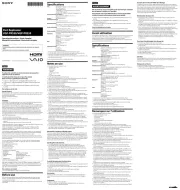
Care and Handling of Your ® VAIO Computer
Proper Handling
Use your computer on a clean dry, stable surface.
Use only specified peripheral equipment and interface cables or you may experience problems.
When your computer is brought directly from a cold location to a warm one, moisture may condense
inside the computer. If this occurs at least one hour before turning on the computer. If , wait you
experience problems:
§ Unplug the computer
§ R emove the battery pack
§ C - - - ontact eSupport at 1 888 476 6972
IMPORTANT
IMPORTANT
Do not place your computer directly on your lap. The temperature of the bottom
of the unit rises during normal operation The heat can. cause discomfort.
Proper air circulation is important to prevent overheating. Do not block your
computer’s air vents, located on the bottom of your notebook computer, by
placing the computer on porous surfaces. For example, materials such as
rugs, blankets, couches, beds or curtains, can block the computer’s air vents.


Produkt Specifikationer

Mærke: Sony
Kategori: Computertilbehør
Model: PCGA-UKB1

Har du brug for hjælp?

Hvis du har brug for hjælp til Sony PCGA-UKB1 stil et spørgsmål nedenfor, og andre brugere vil svare dig


Computertilbehør Sony Manualer
Computertilbehør Manualer

Nyeste Computertilbehør Manualer

Dell

Dell DA225 Manual

11 December 2025
Kensington

Kensington CV4200H Manual

4 December 2025
CLUB3D

CLUB3D CSV-1598 Manual

24 November 2025
Vevor

Vevor CCH001 Manual

22 November 2025
CLUB3D

CLUB3D CSV-1595 Manual

19 November 2025
CLUB3D

CLUB3D CSV-1594 Manual

19 November 2025