StarTech.com M2E1BMU31C Manual
Læs gratis den danske manual til StarTech.com M2E1BMU31C (2 sider) i kategorien Ikke kategoriseret. Denne vejledning er vurderet som hjælpsom af 26 personer og har en gennemsnitlig bedømmelse på 4.4 stjerner ud af 13.5 anmeldelser.
Har du et spørgsmål om StarTech.com M2E1BMU31C, eller vil du spørge andre brugere om produktet?
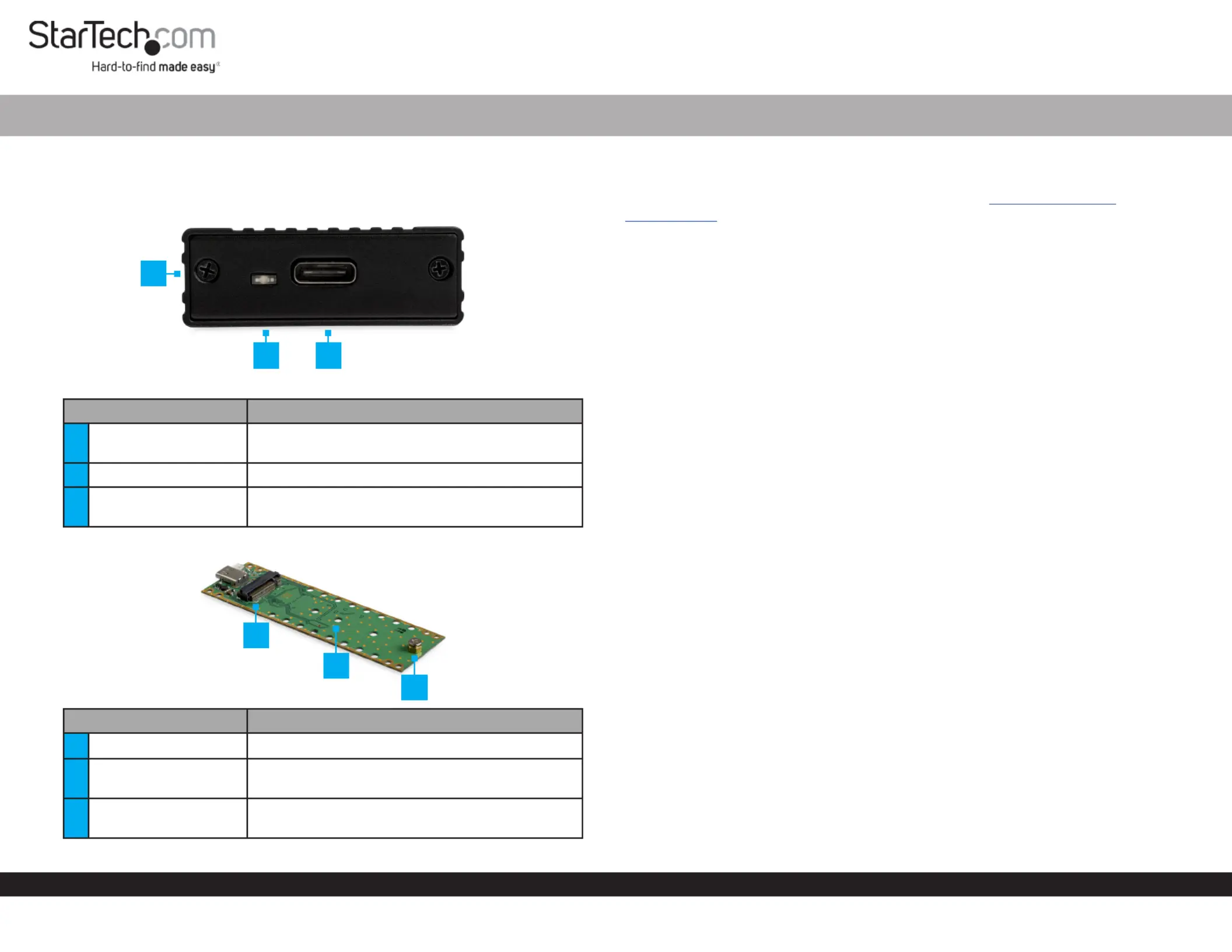
Produkt Specifikationer
| Mærke: | StarTech.com |
| Kategori: | Ikke kategoriseret |
| Model: | M2E1BMU31C |
| Bredde: | 40 mm |
| Dybde: | 108 mm |
| Højde: | 13 mm |
| Vægt: | 65 g |
| Brugervejledning: | Ja |
| Produktfarve: | Sort |
| Produkttype: | SSD kabinet |
| Pakkevægt: | 155 g |
| Pakkedybde: | 154 mm |
| Pakkebredde: | 106 mm |
| Pakkehøjde: | 35 mm |
| Opbevaringstemperatur (T-T): | -10 - 65 °C |
| Relativ luftfugtighed ved drift (H-H): | 10 - 90 % |
| Relativ luftfugtighed ved opbevaring (H-H): | 5 - 95 % |
| Driftstemperatur (T-T): | 0 - 40 °C |
| Kabler inkluderet: | USB Type-C til USB Type-C |
| Materiale: | Aluminium, Plastic |
| Certificering: | CE, FCC, REACH |
| LED-indikatorer: | Activity, Power |
| Strømkilde type: | USB |
| Harmoniseret systemkode (HS): | 84733080 |
| USB-tilslutning: | Ja |
| USB version: | 3.2 Gen 2 (3.1 Gen 2) |
| Antal USB-porte: | 1 |
| Bæredygtighedscertifikater: | RoHS |
| Hovedkassen højde (udvendigt): | 249 mm |
| Hovedkassens længde (udvendigt): | 470 mm |
| Hovedkassens bredde (udvendigt): | 384 mm |
| Plug and play: | Ja |
| USB-stik type: | USB Type-C |
| Produkter pr. hovedkasse (udvendigt): | 60 stk |
| Gennemsnitstid mellem fejl (MTBF): | 233398 t |
| Størrelse på lagerdisk: | M.2 " |
| Antal understøttede lagerdiske: | 1 |
| Dataoverførselshastighed: | 10 Gbit/sek. |
| Hardware kryptering: | Ja |
| Understøttede lagerdrev brugerflader: | M.2 |
| Integreret USB-kabel: | Ingen |
| Understøtter UASP: | Ja |
| Chipsæt: | ASMedia - ASM2362 |
| USB-stik køn: | Hunstik |
| Skruetrækker inkluderet: | Ja |
| Understøttede lagerdisk længder: | 30, 42, 60, 80 mm |
Har du brug for hjælp?
Hvis du har brug for hjælp til StarTech.com M2E1BMU31C stil et spørgsmål nedenfor, og andre brugere vil svare dig
Ikke kategoriseret StarTech.com Manualer










Ikke kategoriseret Manualer
- Vantrue
- Grandstream
- Victor
- Baltic
- Triumph Sports
- Lavex
- Oklahoma Sound
- Edbak
- Zenith
- Ampetronic
- Sekonic
- Silhouette
- TAMA
- Stinger
- Rösle
Nyeste Ikke kategoriseret Manualer


