Taylor 5593 Manual


Læs gratis den danske manual til Taylor 5593 (2 sider) i kategorien Vægten. Denne vejledning er vurderet som hjælpsom af 52 personer og har en gennemsnitlig bedømmelse på 4.6 stjerner ud af 26.5 anmeldelser. Har du et spørgsmål om Taylor 5593, eller vil du spørge andre brugere om produktet?

Side 1/2
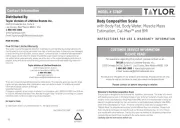
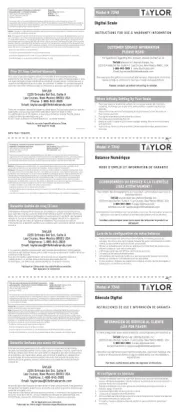
Quick Use Guide
General Set Up Procedures
Weight Only Operation
Analyzer Operation
Following are short reference instructions for general set up, weight readings and body fat/body water readings. Please
read the complete instruction manual before first time use for detailed information and helpful illustrations,
as well as for troubleshooting and precautions.
1. Some models have a static cling label on the lens; remove before use. If a battery is included, remove
any plastic wrap from the battery before installation. If there is a red strip under the battery cover,
remove before use.
2. Select (lb), (kg), or (st) with the slide switch on the bottom of the scale. If the switch is recessed into the
scale, please use a small tool which will not damage the scale to move the switch.
3. Place the scale on a flat, hard surface. Carpeted or uneven floors may affect accuracy.
4. The scale needs to be initialized before first use to accurately calculate your weight. To do so, simply
press lightly on the scale platform and release. The display will show ----“,or 0000“, and
automatically turn off. Your scale is now ready for use. Note: You will only need to initialize the scale
before first use, after battery replacement, or when the scale has been moved or bumped. At all other
times you may step directly on the scale for a weight reading, or begin entering your personal
data for a body fat/body water analysis.
Your Taylor® Body Fat Scale will operate as a basic weight-reading scale.
1. Step onto the scale platform and remain still.
2. The scale will calculate your weight.
3. The scale will turn off automatically.
4. If “Err0” appears on the display, the scale does not turn on, or you have an inaccurate reading, the
scale needs to be initialized. Press lightly on the scale platform. The LCD will turn on and off
automatically. Step on the platform again for a weight only reading.
The analyzer will use your height, age, gender, and normal/athlete values to calculate your body fat %
and body water %. On screen prompts will lead you through programming your personal data into the
analyzer.
Important: You must have bare feet to use the analyzer function. Please remove your shoes
and socks before operation. For best results, wipe your feet with a damp cloth, leaving
them slightly damp before stepping on the scale.
1. Press “SET”.
2. Press “UP/DOWN” button to scroll to your height. Press “SET” to enter.
3. Press “UP/DOWN” button to scroll to your age. Press “SET” to enter.
4. Press “UP/DOWN” button to switch between male and female icons. Press “SET” to enter.
5. Press “UP/DOWN” button to switch between athlete (running man icon on LCD) or normal (no icon
on LCD) modes.
6. Press “SET”. A beep sound indicates set up is complete.
7. Step onto the scale with bare feet and remain still.
8. The weight will appear on the LCD for 2 seconds.
9. The scale will then calculate body fat %. The LCD shows spinning zeros while computing.
10. A beep sounds and the LCD shows body fat %, followed by results for body water % and weight.
11. The scale will turn off automatically.


Produkt Specifikationer

Mærke: Taylor
Kategori: Vægten
Model: 5593

Har du brug for hjælp?

Hvis du har brug for hjælp til Taylor 5593 stil et spørgsmål nedenfor, og andre brugere vil svare dig