TP-Link TL-SG2016P Manual


Læs gratis den danske manual til TP-Link TL-SG2016P (2 sider) i kategorien Ikke kategoriseret. Denne vejledning er vurderet som hjælpsom af 12 personer og har en gennemsnitlig bedømmelse på 4.3 stjerner ud af 6.5 anmeldelser. Har du et spørgsmål om TP-Link TL-SG2016P, eller vil du spørge andre brugere om produktet?

Side 1/2
© 2022 TP-Link 7106509860 REV3.1.3
JetStream Gigabit Smart PoE+ Switch
1. To access the management page of the switch, open a browser and type
the switch’s IP address in the address eld, then press the Enter key.
If the switch obtains IP address from the DHCP server (typically a router), nd
the switch’s IP address on the DHCP server.
If not, use the default IP address to launch the switch’s 192.168.0.1
management page.
Note: Make sure the switch and computer are in the same subnet.
2. admin Enter for both the username and password in the lower case letters
to log in. The rst time you log in, change the password to better protect
your network and devices.
3. After a successful login, the main page will appear. You can click the menus
on the top side and left side to congure the corresponding functions.
Note:
1. PoE ports can also connect to non-PoE devices, but only transmit data.
2. Maximum PoE power is 30 W for each PoE port, and 62 W (for TL-SG2008P)/61 W (for TL-SG2210P)/120W (for TL-SG2016P) for all PoE ports.
3. PoE budget calculations are based on laboratory testing. Actual PoE power budget is not guaranteed and will vary as a result of client limitations and environmental factors.
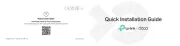
Installation Guide
Conguration
Connection
For the detailed congurations, refer to the User Guide and CLI Guide. The
guides can be found on the download center of our ocial website:
https://www.tp-link.com/support/download/.
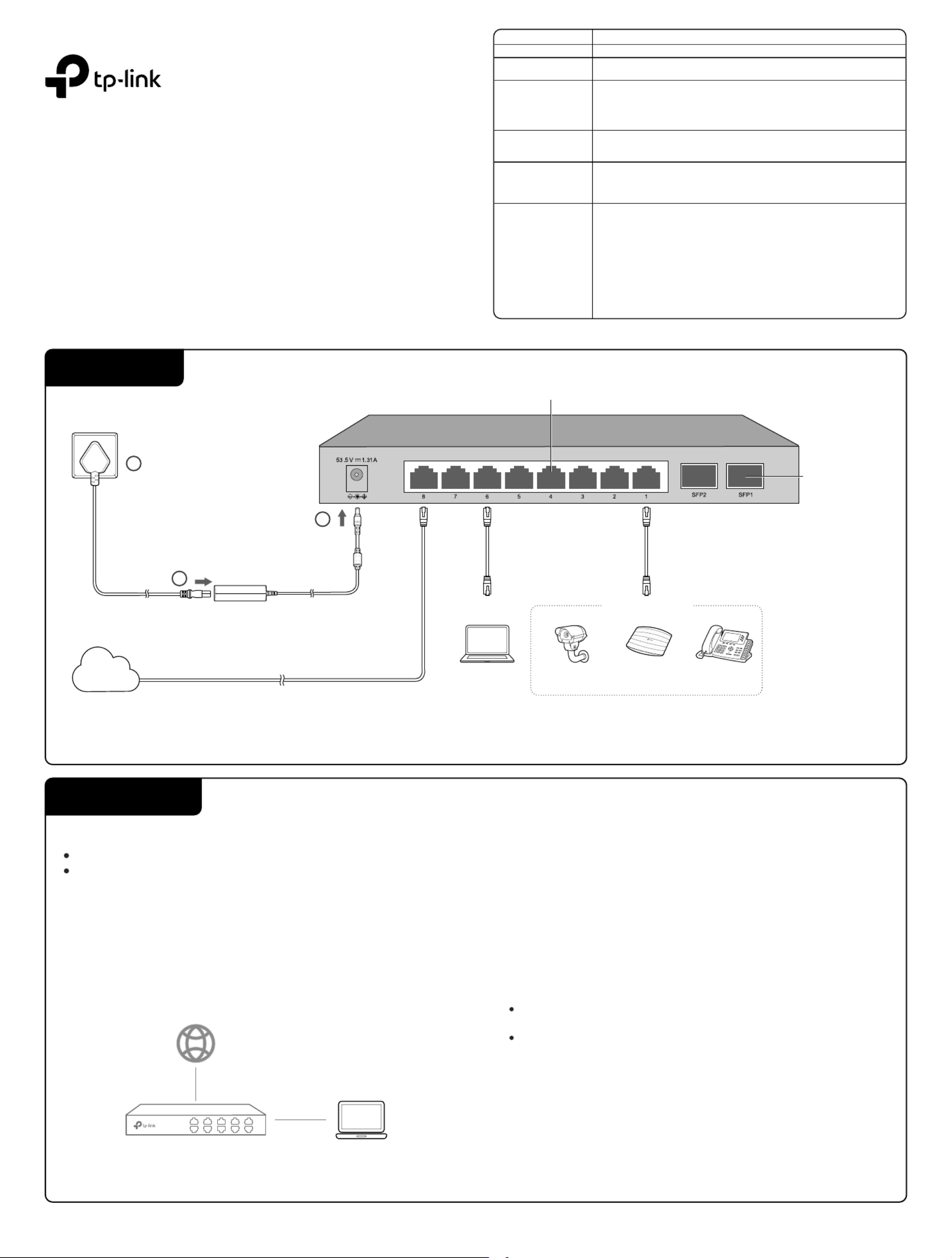
Method 1: Standalone Mode
Switch PC
In Standalone Mode, use a computer to congure and manage the switch.
The switch supports two conguration methods:
Standalone Mode: Congure and manage the switch singly.
Controller Mode: Congure and manage the network devices centrally. It is recommended in the large-scale network, which consists of mass devices such as
access points, switches, and gateways.
Note: When the switch is changed from Standalone Mode to Controller Mode, congurations of the switch will be lost. For details, refer to the related documents on the download center of our
ocial website: https://www.tp-link.com/support/download/.
For simplicity, we will take TL-SG2210P for example throughout the Guide.
Ethernet Ports (18)
PC
SFP Slots
IP Camera AP IP Phone
PoE Devices
DC Power Adapter
AC Power Cord
Internet
1
2
3
LED
Power On/O: Power on/o
System Flashing: System running normally
On/O: System running abnormally
Link/Act
Green On: Running at 1000 Mbps, but no activity
Green Flashing: Running at 1000 Mbps and transmitting or receiving data
Yellow On: Running at 100/10 Mbps, but no activity.
Yellow Flashing: Running at 100/10 Mbps and transmitting or receiving data
O: No connected device
SFP1/SFP2
(for TL-SG2210P)
Green/Yellow On: Running at 1000/100 Mbps
Flashing: Transmitting/receiving data
O: No connected device
PoE Status
(For Port 1-4 of TL-SG2008P/
Port 1-8 of TL-SG2210P/
Port 1-8 of TL-SG2016P)
On: Providing PoE power
Flashing: Current-overload/Short-circuit/Connected to a non-standard PD/Power
exceeded the user-dened value
O: Not providing PoE Power
PoE Max
For TL-SG2008P
On: 55 W ≤ Total power supply < 62 W
Flashing: Total power supply keeps ≥ 55 W more than 2 minutes
O: Total power supply < 55 W
For TL-SG2210P
On: 54 W ≤ Total power supply < 61 W
Flashing: Total power supply keeps ≥ 54 W more than 2 minutes
O: Total power supply < 54 W
For TL-SG2016P
On: 113 W ≤ Total power supply < 120 W
Flashing: Total power supply keeps ≥ 113 W more than 2 minutes
O: Total power supply < 113 W
Indication


Produkt Specifikationer

Mærke: TP-Link
Kategori: Ikke kategoriseret
Model: TL-SG2016P

Har du brug for hjælp?

Hvis du har brug for hjælp til TP-Link TL-SG2016P stil et spørgsmål nedenfor, og andre brugere vil svare dig


Ikke kategoriseret TP-Link Manualer

Ikke kategoriseret Manualer

Nyeste Ikke kategoriseret Manualer

MediTub

MediTub 2747 Manual

29 December 2026
LevelOne

LevelOne FVT-1102 Manual

29 December 2026
WAC Lighting

WAC Lighting L-LED820 Manual

29 December 2026
Yamazen

Yamazen SUEF-F202 Manual

29 December 2026
Delta

Delta 24T2633 Manual

29 December 2026
Delta

Delta 19824LF Manual

29 December 2026
ET2

ET2 Starburst E20114 Manual

29 December 2026
WAC Lighting

WAC Lighting LED207 Manual

29 December 2026