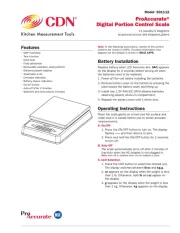
Model: SD1112
ProAccurate®
Digital Portion Control Scale
11 pounds/5 kilograms
by pounds:ounces and kilograms.grams
Features
• NSF® Certied
• Tare function
• Data hold
• Field calibration
• Removable stainless steel platform
• Batteries/power adapter
• Selectable units
• Overload indication
• Battery status indication
• On/off button
• Auto-off after 2 minutes
• Batteries and instructions included
Note: In the following instructions, names of the control
buttons are shown in CAPS. Function information that
appears on the display is shown in BOLD CAPS.
Battery Installation
Replace battery when LCD becomes dim. bAtt appears
on the display for 2 seconds before turning off when
the batteries need to be replaced.
1. Power off the unit before installing the batteries.
2. Remove battery cover on the bottom by pressing the
latch toward the battery cover and lifting up.
3. Install two 1.5V AAA IEC LR03 alkaline batteries
observing polarity shown in compartment.
4. Replace the battery cover until it clicks shut.
Operating Instructions
Place the scale gently on a hard and at surface and
make sure it is steady before use to obtain accurate
measurements.
A. On/Off
1. Press the ON/OFF button to turn on. The display
ashes ––– and then returns to zero.
2. Press and hold the ON/OFF button for 2 seconds
to turn off.
B. Auto Off
The scale automatically turns off after 2 minutes of
inactivity when the AC adapter is not plugged in.
Note: Auto-off is disabled when the AC adapter is used.
C. Unit Selection
1. Press the UNIT button to select the desired unit.
The display switches between lb:oz and kg.g.
2. oz appears on the display when the weight is less
than 1 lb. Otherwise, both lb and oz appear on
the display.
3. g appears on the display when the weight is less
than 1 kg. Otherwise, kg appears on the display.