Denver LQI-105MK2 Manual
Denver Lys LQI-105MK2

Læs gratis den danske manual til Denver LQI-105MK2 (1 sider) i kategorien Lys. Denne vejledning er vurderet som hjælpsom af 4 personer og har en gennemsnitlig bedømmelse på 4.9 stjerner ud af 2.5 anmeldelser. Har du et spørgsmål om Denver LQI-105MK2, eller vil du spørge andre brugere om produktet?

Side 1/1
105mm
150mm
SCR-2005
denver.eu
2024
ENG 5
DENVER A/S
Omega 5A, Soeften
DK-8382 Hinnerup
www.facebook.com/denver.eu
ENG 6
ALL RIGHTS RESERVED,
COPYRIGHT DENVER A/S
Please notice - All products are subject to change without any notice.
We take reservations for errors and omissions in the manual.
denver.eu
À DÉPOSER
EN MAGASIN
À DÉPOSER
EN DÉCHÈTERIE
OU
FRFR
Cet areil et app
ses a irccesso es
sont recycl lesab
Electric and electronic equipment and included batteries
contains materials, components and substances that can be
hazardous to your health and the environment, if the waste
material (discarded electric and electronic equipment and
batteries) is not handled correctly.
Electric and electronic equipment and batteries is marked
with the crossed out trash can symbol, seen above. This symbol
signifies that electric and electronic equipment and batteries
should not be disposed of with other household waste, but
should be disposed of separately.
As the end user it is important that you submit your used
batteries to the appropriate and designated facility. In this
manner you make sure that the batteries are recycled in
accordance with legislature and will not harm the environ-
ment.
All cities have established collection points, where electric and
electronic equipment and batteries can either be submitted
free of charge at recycling stations and other collection sites, or
be collected from the households. Additional information is
available at the technical department of your city.
Hereby, Denver A/S declares that the radio equipment type
xxxx is in compliance with Directive 2014/53/EU. The full text of
the EU declaration of conformity is available at the following
internet address: denver.eu and then click the search ICON on
topline of website. Write model number: xxxx. Now enter
product page, and RED directive is found under
downloads/other downloads.
Operating Frequency Range: FM 87~108MHz / AM 520~1620KHz
Max Output Power: 2W
02-04
w
ENG 1
SAFETY INFORMATION
ENG 2 ENG 3 ENG 4
Please read the safety instructions carefully before using the
product for the first time and keep the instructions for future
reference
1. This product is not a toy. Keep it out of reach of children.2.
Keep product out of the reach of children and pets to avoid
chewing and swallowing.
3. Product operating and storage temperature is from l0
degree
Celsius to 40 degree Celsius. Under and over this temperature
might affect the function.
4. Never open the product. Touching the inside electrics can
cause
electric shock. Repairs or service should only be performed by
qualified personnel.
5. Do not expose to heat, water, moisture!
6. The unit is not waterproof. If water or foreign objects enter
the unit,
it may result in fire or electric shock. If water or a foreign
objects enter the unit, stop use immediately.
7. Do not use non original accessories together with the
product as this can make the product functionality abnormal.
8. Please protect your eyes and do not look directly into the
lightning prism when product is operating.
9. This product does not support harmonized charging
2. Place the radio under the sunlight. The red LED charging
indicator will light up while charging.
3. Turn the hand crank clockwise or counterclockwise for 3-5
minutes to charge the
battery partly. The red LED charging indicator will light up
while charging.
CHARGING YOUR MOBILE PHONE
1.Open the rubber cover on the side of radio.
2.Connect the USB-A connector of the charging cable to the
USB-A output port on the radio and connect the other end of
the cable to your mobile phone. Charging of your mobile
phone will start automatically.
Specifications:
AM/FM radio
LED flashlight
Solar panel for charging
Handcrank for charging
Built-in 2000 mAh battery
USB output for phone charging
Small and compact 
USB CHARGING / SOLAR CHARGING / HAND CRANK
CHARGING (3 ways of charging)
1.It is recommended to completely charge the battery first
before using the radio. Power off the radio and connect the
USB type-C cable (included) to the charging port on the radio
and connect the other end of the cable to a computer, laptop
or a mobile phone charger DC 5V. The red LED charging
indicator flashes while charging. When charging is completed,
the red LED charging indicator will keep on.
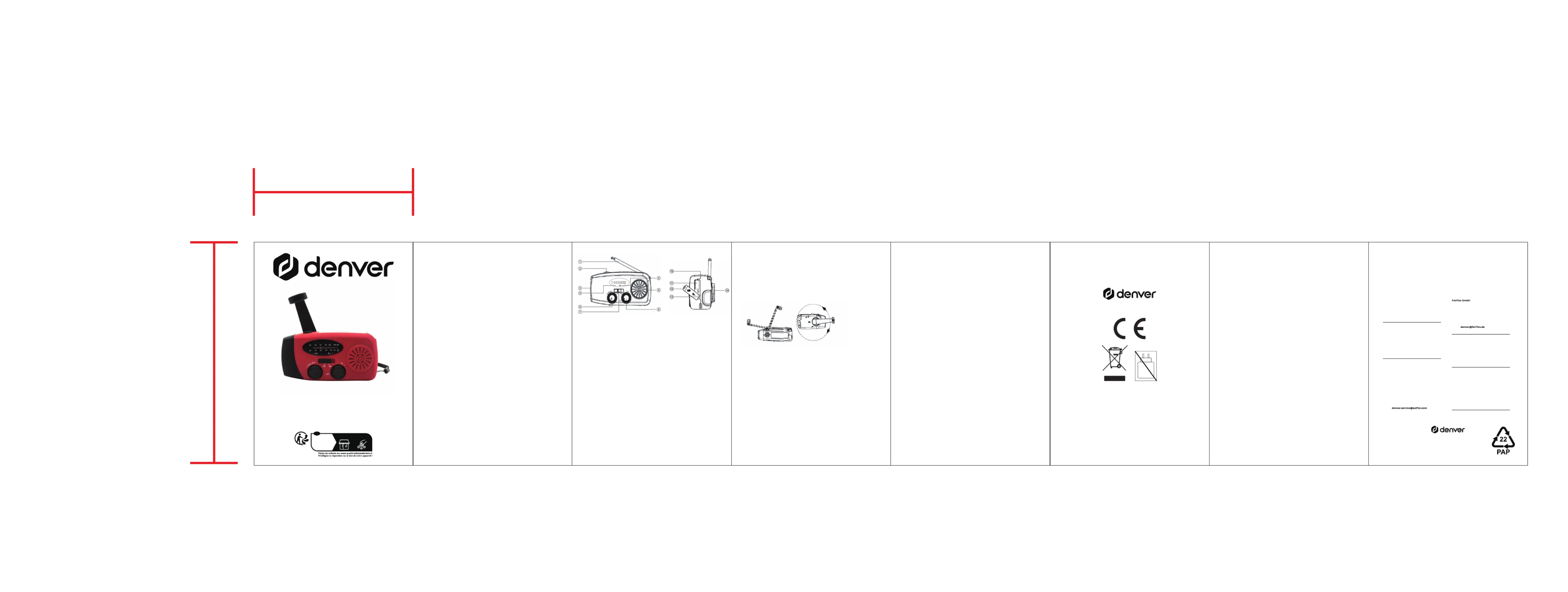
1.Radio antenna
2.Flashlight power button
3. Flashlight
4. Radio tuner indicator
5. Charging indicator
6. Radio tuner dial knob
7. Radio band switch FM / AM
8.Radio power ON / OFF and volume adjustment knob
9. Speaker
10. Solar panel
11. USB-A output port
12. Rubber cover
13. USB type-C charging port
14. Hand crank
Note: 10 min hand cranking gives 44 min of FM radio at
low-medium volume
HOW TO USE THE RADIO
1.Pull the radio band switch to left or right to select FM or AM
and extend the radio antenna.
2. Turn the radio power ON/OFF knob clockwise to turn on the
radio and control the volume at the same time.
3. Turn the radio tuner dial knob clockwise or counterclock-
wise to search for a radio station. When a radio station is being
received, the green LED radio tuner indicator will light up and
keep on.
HOW TO USE THE FLASHLIGHT
1. Press the flashlight power button to turn the flashlight on.
2.Press the flashlight power button the second time to turn the
SOS light on,
3. Press the flashlight power button the third time to turn the
flashlight off.
Contact
Nordics
Headquarter
Denver A/S
Omega 5A, Soeften
DK-8382 Hinnerup
Denmark
Phone: +45 86 22 61 00
(Push “1” for support)
E-Mail
For technical questions, please write to:
support.hq@denver.eu
For all other questions please write to:
contact.hq@denver.eu
Benelux
DENVER BENE X B .LU .V
Barwoutswaarder 13C+D
3449 HE Woerden
The Netherlands
Phone: 0900-3437623
E-Mail: support.nl@denver.eu
Spain/Portugal
DENVER SPAIN S.A
Ronda Augustes y Louis Lumiere, nº 23 – nave
16
Parque Tecnológico
46980 PATERNA
Valencia (Spain)
Spain
Phone: +34 960 046 883
Mail: support.es@denver.eu
Portugal:
Phone: +35 1255 240 294
E-Mail:
Germany
Denver Germany GmbH Service
Max-Emanuel-Str. 4
94036 Passau
Phone: +49 851 379 369 40
E-Mail
support.de@denver.eu
Repair and service
Rudolf-Diesel-Str. 3 TOR 2
53859 Niederkassel
(for TV, E-Mobility/Hoverboards/Balanceboards,
Smartphones & Tablets)
Phone: +49 851 379 369 69
E-Mail:
Denver A/S
Omega 5A, Soeften
DK-8382 Hinnerup
Denmark
denver.eu
fac k.c /eboo om de eunver.
If your country is not listed ab e, ov
please write an email to
support@denver.eu
Poland
LetMeRepair Poland sp. z o.o.
ul. Częstochowska 140
62-800 Kalisz
Phone: 62 75 38 092
E-Mail: denver-service@letmerepair.pl
Godziny pracy t: 8 – 18 (poniedziałek – pią ek)
Austria
Lurf Premium Service GmbH
Deutschstrasse 1
1230 Wien
Phone: +43 1 904 3085
E-Mail: denver@lurfservice.at
Main contact point: contact.hq@denver.eu


Produkt Specifikationer

Mærke: Denver
Kategori: Lys
Model: LQI-105MK2

Har du brug for hjælp?

Hvis du har brug for hjælp til Denver LQI-105MK2 stil et spørgsmål nedenfor, og andre brugere vil svare dig