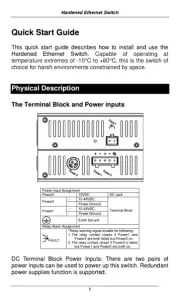
EtherWAN EX73900 Manual

EtherWAN bryter EX73900

Læs gratis den danske manual til EtherWAN EX73900 (2 sider) i kategorien bryter. Denne vejledning er vurderet som hjælpsom af 29 personer og har en gennemsnitlig bedømmelse på 4.5 stjerner ud af 15 anmeldelser. Har du et spørgsmål om EtherWAN EX73900, eller vil du spørge andre brugere om produktet?

Side 1/2
W70G-EX73900Q4 Page 1
Installation Guide
EX73900 Series | Hardened Managed Ethernet Switch
Copyright 2022 EtherWAN Systems, Inc. All Rights Reserved 12/02/2022
1 Unpacking
Open the carton and unpack the items. Your package
should include:
One EX73900 switch
AC Power cord
Four adhesive rubber feet
Installation guide
Mounting kit
RJ45 to DB9 console cable
If any items are missing or damaged, notify your
EtherWAN representative. If possible, save the carton
and packing material in case you need to ship or store
the switch in the future.
2 Equipment Needed
Category 5 or better cable for RJ-45 ports
Appropriate SFP modules for SFP ports
Personal computer with a DB9 straight cable (if
switch is to be managed through console port)
3 Select a Location
Installations: DIN-Rail mount, wall (in an enclosure
or industrial panel)
Identify a power source within 6 feet (1.8 meters).
Choose a dry area with ambient temperature
between -40 and 75ºC (-40 and 167ºF).
Be sure there is adequate airflow.
4 Connect to the Data Ports
Depending on the model, your switch can have the
following ports:
12 10/100/1000BASE-TX ports
Gigabit SFP slots
10/100/1000BASE-TX Ports
Ports 1 to 12 are gigabit copper ports and can be
connected to routers, other switches, or end devices.
Use category 5e or higher UTP/STP cable.
1 Gbps SFP Ports
Your switch model has four 1 Gbps SFP slots. SFP
transceivers can be installed directly into ports 13
16. Ensure that the same type of transceiver is used at
both ends of the link and that the correct type of fiber
cable is used.
5 Apply Power
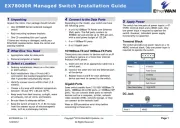
The switch has two pairs of power inputs:
A 12-48 VDC terminal block
The power dissipation under full load is as follows:
12V/1.44A 24V/0.67A 48V/0.33A
Redundant power supply is supported. However, only
one power input is required to operate the switch.
Note: Use qualified power supply by SELV or double
insulation of UL60950 or UL61010-1 or UL61010-2-201
standards.
Terminal Block
The switch provides two power inputs on a 12-48VDC
terminal block. Only one power input is required to
operate the switch. The terminal block has 5 terminal
posts.
6 LED Indicators


Produkt Specifikationer

Mærke: EtherWAN
Kategori: bryter
Model: EX73900

Har du brug for hjælp?

Hvis du har brug for hjælp til EtherWAN EX73900 stil et spørgsmål nedenfor, og andre brugere vil svare dig


bryter EtherWAN Manualer
EtherWAN

EtherWAN EX17908 Manual

17 November 2025
EtherWAN

EtherWAN EX78162R Manual

15 November 2025
EtherWAN

EtherWAN EX34000 Manual

14 November 2025
EtherWAN

EtherWAN EX45000 Manual

14 November 2025
EtherWAN

EtherWAN EX17242 Manual

13 November 2025
EtherWAN

EtherWAN EX95000 Manual

13 November 2025
EtherWAN

EtherWAN EX78000R Manual

13 November 2025
EtherWAN

EtherWAN EX78900R Manual

12 November 2025
EtherWAN

EtherWAN EX48000A Manual

11 November 2025
EtherWAN

EtherWAN EX33000 Manual

11 November 2025

bryter Manualer

Nyeste bryter Manualer

Airlive

Airlive WEB-10TX402 Manual

16 December 2025
Legrand

Legrand TSD4FBL3PBK Manual

15 December 2025
Legrand

Legrand TSDCL303P Manual

11 December 2025
Legrand

Legrand TSDCL303PI Manual

11 December 2025
Legrand

Legrand TSDL153PW Manual

11 December 2025
Legrand

Legrand TSD703PTU Manual

10 December 2025
Legrand

Legrand TSDCL303PW Manual

10 December 2025
Legrand

Legrand TSDL153P Manual

10 December 2025
Legrand

Legrand TSD703PTUI Manual

9 December 2025
Legrand

Legrand TSDSSL7AP Manual

9 December 2025