1 Unpacking
Open the carton and unpack the items. Your package
should include:
▪ One EX78900 Switch
▪ One console cable
If any items are missing or damaged, notify your
EtherWAN representative. If possible, save the carton
and packing material in case you need to ship or store
the switch in the future.
2 Equipment Needed
▪ Category 5 or better cable for RJ-45 ports
▪ Appropriate SFP modules and fiber cables for SFP
ports
▪ Personal computer with a DB9 straight cable (if
switch is to be managed through console port)
3 Select a Location
▪ Installations: Desktop, Wall-mount, DIN-Rail
mount
▪ Identify a power source within 6 feet (1.8 meters).
▪ Choose a dry area with ambient temperature
between -40 and 75ºC (-40 and 167ºF).
▪ Be sure there is adequate airflow.
4 Connect to the Data Ports
Depending on the model, your switch can have the
following ports:
▪ 8 10/100/1000BASE-TX Power over Ethernet (PoE)
ports
▪ 4 Gigabit SX/LX/SFP ports
10/100/1000BASE-TX (PoE) Ports
Ports that support Power over Ethernet provide power
to networked devices such as IP Phones, Wireless LAN
Access Points, and IP security cameras with a power
budget of 240 Watts.
1 Gbps SFP Ports
SFP transceivers can be installed directly into SFP slots.
Ensure that the same type of transceiver is used at
both ends of the link and that the correct type of fiber
cable is used.
5 Apply Power
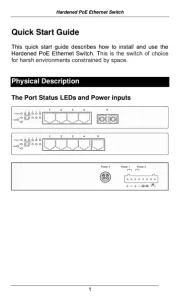
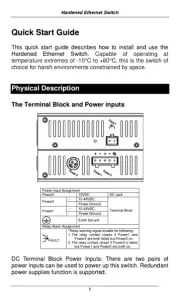
The switch has two pairs of power inputs:
The power dissipation under full load is as follows:
52V/4.97A 57V/4.54A
Redundant power supply is supported. However, only
one power input is required to operate the switch.
Note: Use qualified power supply by SELV or double
insulation of UL60950 or UL61010-1 or UL61010-2-201
standards.
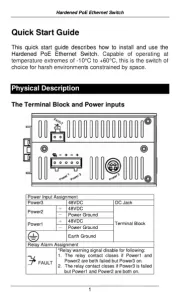
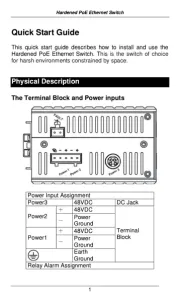
Terminal Block
The switch provides two power inputs on a 52-57VDC
terminal block. Only one power input is required to
operate the switch. The terminal block has 3 terminal
posts.