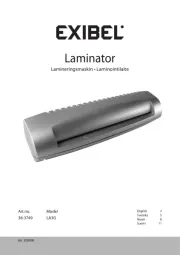
Exibel L303-A Manual


Læs gratis den danske manual til Exibel L303-A (5 sider) i kategorien Lamineringssystem. Denne vejledning er vurderet som hjælpsom af 37 personer og har en gennemsnitlig bedømmelse på 4.5 stjerner ud af 19 anmeldelser. Har du et spørgsmål om Exibel L303-A, eller vil du spørge andre brugere om produktet?

Side 1/5
GREAT BRITAIN - CUSTO MER SERVICE contact number: 020 8247 9300 e-mail: customerser vice@clasohlson.co.uk internet: ww w.clasohlson.co.uk postal: 10 13 Mar ket Place, King ston Upon Thame s, Surrey, K T1 1JZ
English
Ver. 20180205
A3 Laminator
Art.no 34-1402 Model L303-A
Please read theentire instruction manual before using theproduct and
save it for future reference. We reserve theright for any errors in text
or images and any necessary changes made to technical data. If you
have any questions regarding technical problems please contact our
Safety
Unplug thelead before cleaning.
The laminator may not be used by children without thesupervision
of anadult.
Do not insert any metal objects like paperclips, coins, etc. into
themachine.
Do not insert anything other than laminationlm into themachine.
Do not disassemble thelaminator or attempt to repair it yourself.
Thelaminator must not be modified in anyway.
The laminator may produce aburnt odour when first used.
Thisis completely normal.
Do not touch any of themachine’s hot surfaces. Burninjuries
may result.
Never use thelaminator in humid environments or near sources
of water, e.g sinks, taps, etc.
The mains lead should be checked regularly. Neveruse theproduct
if themains lead or its plug is damaged or if theproduct is not
functioning properly.
If themains lead is damaged, it must only be replaced by aqualified
service technician in order to prevent any risk ofre or electric shock.
Never lay themains lead over hot surfaces or pull it round sharp
edges or corners. Position themains lead in such away that it will
not be trodden on or tripped over.
Product description
Two rollers
Capacity: 250 mm/min 80–100 µm, maxA3
3–4 min warm-uptime
Max. paper thickness: 0.5mm
Reverse feature for correcting misfeeds
Power output: 300W
1. Film feedslot
2. [ 0/1 ] Power switch
3. POWER Red LED indicator
4. READY Green LED indicator
5. [ ABS ] Reverse function
6. Output chute
Operation
Make sure thepower switch (2) is set to before plugging it into 0
awall socket.
1. position. Plugit into awall socket and set thepower switch (2) to theI
Thered LED (3) will light to indicate that thewarm-up phase hasbegun.
2. Thegreen LED will light after about 3–4 minutes indicating
that thelaminator is ready for use. Makesure that there is
sufficient room behind themachine to allow thelamination to exit
themachine freely.
3. Flipopen thelamination film and insert thepaper to be laminated.
Allowat least 3–10 mm clearance at thesealed edge when
inserting. Makesure thepaper is not crooked.
4. Feedthesealed end of thelamination film into thefeed slotfirst.
Note: Thisis very important; otherwise, thelamination film can
become caught in therollers.
5. Lettheentire lamination exit freely. Donot pull it out with force.
Letit cool before handling it. Placeaflat heavy object, like abook
over thelaminate while cooling if you want your results to be extra
smooth andflat.
6. Setthepower switch to and unplug thelaminator when you have 0
finished usingit.
Note:
Selectthecorrect size of lamination film so that it fits theobject to
be laminated.
Avoidplacing several small pieces of paper into asingle lamination
sheet.
Remember that thelaminate’s total thickness may not exceed0.5mm.
Donot feed in empty lamination film.
Donot cut thelamination film into smaller pieces before feeding it
through themachine.
Donot feed thefilm into themachine at anangle. Itcanbecome
caught in themachine during thelaminationprocess.
Useonly lamination lm. Nevertry to feed in any other typeof material.
Ifyou intend to laminate in series, remember themachine needs to
rest at least 15 seconds between every lamination.
Donot feed in any material that is sensitive toheat.
The laminator is intended for personal use only and should not be
used continuously. Werecommend that you turn off themachine and
let it cool down for approximately 30 minutes after 2 hours ofuse.
Reverse feature for correcting misfeeds
The machine has a feature which allows the laminate to be pulled out
from the front. If the lamination film misfeeds or jams:
1. Turn off the laminator immediately by turning the power switch to
the position and then unplug it.0
2. Hold in the [ ABS ] button and extract the laminate.
Care and maintenance
Unplug thelaminator from thewall socket and wipe it with asoft,
damp cloth when needed. Neveruse strong detergents orsolvents.
Responsible disposal
This symbol indicates that this product should not be
disposed of with general household waste. This applies
throughout theentire EU. In order to prevent any harm to
theenvironment or health hazards caused by incorrect
waste disposal, theproduct must be handed in for recycling
so that thematerial can be disposed of in aresponsible
manner. When recycling your product, take it to your local collection
facility or contact theplace of purchase. They will ensure that
theproduct is disposed of in anenvironmentally sound manner.
Specifications
Rated voltage 220–240 V AC, 50Hz
Power 300 W, 1.4A
Max lamination width 320mm
Speed 250 mm/minute
Recommended
lamination film thickness 80–100 microns
Dimensions 425×125×100mm
1 2 3 4 5 6


Produkt Specifikationer

Mærke: Exibel
Kategori: Lamineringssystem
Model: L303-A

Har du brug for hjælp?

Hvis du har brug for hjælp til Exibel L303-A stil et spørgsmål nedenfor, og andre brugere vil svare dig


Lamineringssystem Exibel Manualer
Exibel

Exibel L402-A Manual

2 Marts 2025
Exibel

Exibel L303-A Manual

22 August 2024
Exibel

Exibel LA3G Manual

22 August 2024

Lamineringssystem Manualer

Nyeste Lamineringssystem Manualer
SEAL

SEAL 54 EL Manual

9 Februar 2025
GBC

GBC Catena 65 Manual

4 Januar 2025
SEAL

SEAL 65ProMD Manual

4 Januar 2025
Fellowes

Fellowes SPL A2 Manual

30 September 2024
Fellowes

Fellowes Halo A3/125 Manual

26 September 2024
Fellowes

Fellowes SPL A3 Manual

4 September 2024
Fellowes

Fellowes Venus2 125 Manual

2 September 2024