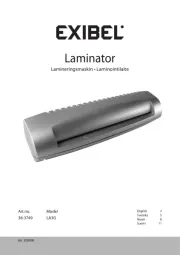
Exibel L402-A Manual


Læs gratis den danske manual til Exibel L402-A (5 sider) i kategorien Lamineringssystem. Denne vejledning er vurderet som hjælpsom af 20 personer og har en gennemsnitlig bedømmelse på 4.4 stjerner ud af 10.5 anmeldelser. Har du et spørgsmål om Exibel L402-A, eller vil du spørge andre brugere om produktet?

Side 1/5
GREAT BRITAIN - CUSTO MER SERVICE contact number: 020 8247 9300 e-mail: customerser vice@clasohlson.co.uk internet: ww w.clasohlson.co.uk postal: 10 13 Mar ket Place, King ston Upon Thame s, Surrey, K T1 1JZ
English
Ver. 20180205
A4 Laminator
Art.no 18-4534 Model L402-A-UK
34-1401 L402-A
Please read theentire instruction manual before using and save it for
future use. We apologise for any text or photo errors and any changes
of technical data. If you have any questions concerning technical
Safety
Unplug thelead before cleaning.
The laminator may not be used by children without thesupervision
of anadult.
Do not insert any metal objects like paperclips, coins, etc.
intothemachine.
Do not insert anything other than lamination film into themachine.
Do not disassemble thelaminator or attempt to repair it yourself.
Thelaminator must not be modified in anyway.
The laminator may produce aburnt odour when first used.
Thisis completely normal.
Do not touch any of themachine’s hot surfaces. Burninjuries
may result.
Never use thelaminator in humid environments or near sources of water,
such as sinks, taps, etc.
The mains lead should be checked regularly. Neveruse theproduct
if themains lead or its plug is damaged or if theproduct is not
functioning properly.
If themains lead is damaged, it must only be replaced by aqualified
service technician in order to prevent any risk of fire or electric shock.
Never lay themains lead over hot surfaces or pull it round sharp
edges or corners. Position themains lead in such away that it will
not be trodden on or tripped over.
Product description
Two rollers
Capacity: 250 mm/min 80–100 µm, maxA4
3-min warm-uptime
Max. paper thickness: 0.5mm
Reverse feature for correcting misfeeds
Power output: 210W
1. Film feedslot
2. [ 0/1 ] Power switch
3. POWER Red LED indicator
4. READY Green LED indicator
5. [ ABS ] Reverse function
6. Output chute
Operation
Make sure thepower switch (2) is set to before plugging it into 0
awall socket.
1. position. Plugit into awall socket and set thepower switch (2) to theI
Thered LED (3) will light to indicate that thewarm-up phase hasbegun.
2. Thegreen LED will light after about three minutes indicating
that thelaminator is ready for use. Makesure that there is
sufficient room behind themachine to allow thelamination to exit
themachine freely.
3. Flipopen thelamination film and insert thepaper to be laminated.
Allowat least 3–10 mm clearance at thesealed edge when
inserting. Makesure thepaper is not crooked.
4. Feedthesealed end of thelamination film into thefeed slotfirst.
Note: Thisis very important; otherwise, thelamination film can
become caught in therollers.
5. Lettheentire lamination exit freely. Donot pull it out with force.
Letit cool before handling it. Placeaflat heavy object, like abook
over thelaminate while cooling if you want your results to be extra
smooth andflat.
6. Setthepower switch to and unplug thelaminator when you have 0
finished usingit.
Note:
Selectthecorrect size of lamination film so that it fits theobject to
be laminated.
Avoidplacing several small pieces of paper into asingle lamination
sheet.
Remember that thelaminates total thickness may not exceed0.5mm.
Donot feed in empty lamination film.
Donot cut thelamination film into smaller pieces before feeding it
through themachine.
Donot feed thefilm into themachine at anangle. Itcanbecome
caught in themachine during thelaminationprocess.
Useonly lamination film. Nevertry to feed in any other
typeofmaterial.
Ifyou intend to laminate in series, remember themachine needs to
rest at least 15 seconds between every lamination.
Donot feed in any material that is sensitive toheat.
The laminator is intended for personal use only and should not be
used continuously. Werecommend that you turn off themachine and
let it cool down for approximately 30 minutes after 2 hours ofuse.
Reverse feature for correcting misfeeds
The machine has a feature which allows the laminate to be pulled out
from the front. If the lamination film misfeeds or jams:
1. Turn off the laminator immediately by turning the power switch to
the position and then unplug it.0
2. Hold in the [ABS] button and extract the laminate.
Care and maintenance
Unplug thelaminator from thewall socket and wipe it with asoft,damp
cloth when needed. Neveruse strong detergents orsolvents.
Responsible disposal
This symbol indicates that this product should not be
disposed of with general household waste. This applies
throughout theentire EU. In order to prevent any harm to
theenvironment or health hazards caused by incorrect
waste disposal, theproduct must be handed in for recycling
so that thematerial can be disposed of in aresponsible
manner. When recycling your product, take it to your local collection
facility or contact theplace of purchase. They will ensure that
theproduct is disposed of in anenvironmentally sound manner.
Specifications
Rated voltage 220–240 V AC, 50Hz
Power 210 W, 1.2A
Max lamination width 230mm
Speed 250 mm/minute
Recommended
lamination film thickness 80–100 microns
Dimensions 320×86×86mm
1 2 3 4 5 6


Produkt Specifikationer

Mærke: Exibel
Kategori: Lamineringssystem
Model: L402-A

Har du brug for hjælp?

Hvis du har brug for hjælp til Exibel L402-A stil et spørgsmål nedenfor, og andre brugere vil svare dig


Lamineringssystem Exibel Manualer
Exibel

Exibel L402-A Manual

2 Marts 2025
Exibel

Exibel L303-A Manual

22 August 2024
Exibel

Exibel LA3G Manual

22 August 2024

Lamineringssystem Manualer

Nyeste Lamineringssystem Manualer

SEAL

SEAL 54 EL Manual

9 Februar 2025
GBC

GBC Catena 65 Manual

4 Januar 2025
SEAL

SEAL 65ProMD Manual

4 Januar 2025
Fellowes

Fellowes SPL A2 Manual

30 September 2024
Fellowes

Fellowes Halo A3/125 Manual

26 September 2024
Fellowes

Fellowes SPL A3 Manual

4 September 2024
Fellowes

Fellowes Venus2 125 Manual

2 September 2024