EXSYS EX-1163 Manual

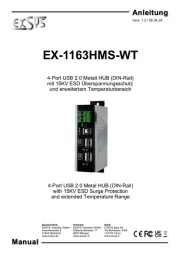
EXSYS USB HUB EX-1163

Læs gratis den danske manual til EXSYS EX-1163 (2 sider) i kategorien USB HUB. Denne vejledning er vurderet som hjælpsom af 11 personer og har en gennemsnitlig bedømmelse på 5.0 stjerner ud af 6 anmeldelser. Har du et spørgsmål om EXSYS EX-1163, eller vil du spørge andre brugere om produktet?

Side 1/2
6 5
EX
EX
EX
-
-
-
1163
1163
1163
English
English
English
EX
EX
EX
1163
1163
1163
English
English
English
1
Die EX-1163 ist ein USB 2.0 HUB für bis zu 4 Endgeräte. Er ist mit 4 Ports für Endgeräte und 1
Port für den Anschluss an den PC ausgestattet. Er unterstzt alle USB Anschlüsse von 1.1 bis 2.0.
Durch die Stromversorgung über das Netzteil werden an jedem Port die vollen 500mA zur Verfü-
gung gestellt. Der serielle USB 2.0 Bus unterstützt optimal die Leistung des schnellen NEC Chip-
satz. Die EX-1163 gewährleistet so eine sichere Datenübertragung und exzellente Performance
von bis zu 480Mbit/s. Er unterstützt den Self Powered und Bus Powered Modus. Es ist nicht
glich die I/O Adressen und Interrupts manuell einzustellen, da die Einstellungen vom System
(BIOS) und beim installieren des Betriebssystems automatisch vorgenommen werden.
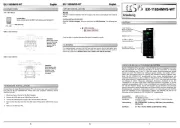
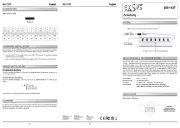
BESCHREIBUNG & TECHNISCHE DATEN
AUFBAU
JUMPER EINSTELLUNG & ANSCHLÜSSE
ACHTUNG!!!
Nur zur Verwendung mit im Lieferumfang enthaltenem Netzteil!
5 Volt Buchse:
Bedienungsanleitung
Bedienungsanleitung
Vers. 1.1 / 23.04.13
Betriebs LED
USB 1-4: 4 x externe USB 2.0 A-Buchse für Endgeräte
5V Buchse für
externes Netzteil
USB B-Buchse
PC-Anschluss
Kompatibilität: USB 1.1 & 2.0
Betriebssysteme: Alle Betriebssysteme
Anschlüsse: 4x USB A-Buchse, 1x USB B-Buchse, 1x 5V Buchse
Lieferumfang: EX-1163, Anleitung, USB Kabel, Netzteil
Zertikate:
CE
CECE
CE / FCC / RoHS / WEEE DE97424562 / WHQL
USB 1-4:
USB 2.0 A-Buchse
Pin Signal Pin Signal
1 VCC 3 DATA+
2 DATA- 4 GND
USB B-Buchse:
USB 2.0 B-Buchse
Pin Signal Pin Signal
1 VCC 3 DATA+
2 DATA- 4 GND
HARDWARE INSTALLATION
DRIVER INSTALLATION
All OS
After the hardware installation the OS will recognize the device automatically and install the
drivers.
CHECK INSTALLED DRIVER
Open the >Device manager<. Now you should see at USB-Controller the following new
entrys: <USB Hub> .
If you see this or a similar information the device is installed correctly.
CLEANING
For cleaning please use only a dry u less cloth and remove the dirt with gently pressure. In
the area of the connectors please make sure that no bres from the cloth remain in the connec-
tors. Attention! Never use a moist or wet cloth for cleaning!
Because there are large dierences between PCs, we can give you only a general installation
guide for the EX-1163. Please refer your computers reference manual whenever in doubt.
1. Connect the USB cable to the USB B-Port at the Hub.
2. Connect the included power supply into the 5Volt connector at the Hub.
3. Now connect the other end from the USB cable (A-Plug) to the A-Port at your PC.


Produkt Specifikationer

Mærke: EXSYS
Kategori: USB HUB
Model: EX-1163
Vægt: 150 g
Produktfarve: Sølv
Relativ luftfugtighed ved drift (H-H): 5 - 95 %
Driftstemperatur (T-T): 0 - 55 °C
Dimensioner (BxDxH): 150 x 70 x 30 mm
Mac kompabilitet: Ja
Kompatible operativsystemer: Windows 98SE/Me/2000/XP/Vista\nLinux\nMac OS
Grænseflade: USB 2.0
Dataoverførselshastighed: 480 Mbit/s
Sikkerhed: CE, FCC, RoHS
Porte, antal: 4

Har du brug for hjælp?

Hvis du har brug for hjælp til EXSYS EX-1163 stil et spørgsmål nedenfor, og andre brugere vil svare dig