EXSYS EX-1163HMS Manual

EXSYS USB HUB EX-1163HMS

Læs gratis den danske manual til EXSYS EX-1163HMS (2 sider) i kategorien USB HUB. Denne vejledning er vurderet som hjælpsom af 44 personer og har en gennemsnitlig bedømmelse på 4.7 stjerner ud af 22.5 anmeldelser. Har du et spørgsmål om EXSYS EX-1163HMS, eller vil du spørge andre brugere om produktet?

Side 1/2
Settings Status Function
Jumper JP1 Jumper JP2 Netzteil Host PC Hub Downstream
Bus Power Host control
Data Power
ENA ON
on off
no on
DIS ON
on off
no on
off off on no
ENA HOST
on no off off
DIS
on no off off
HOST
off off on no
DIS/ENA HOST/ON yes on on on
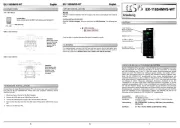
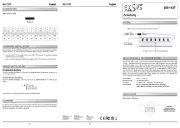
The two internal jumpers Bus Power (JP1) and Host Control (JP2) can be used to configure the
power output on the downstream ports as required. The following settings can be made:
Jumper for power supply control:
6 5
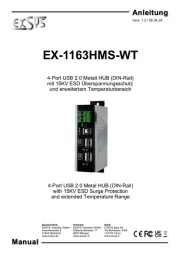
Der industrietaugliche EX 1163HMS USB Hub mit vier USB 2.0 Ausgängen kann an die Wand - -
oder auf einer Trägerschiene installiert werden. Er wird an einen Computer oder Server mit dem
mitgelieferten USB 2.0 Kabel angeschlossen. Er verfügt über einen 15KV ESD
Überspannungsschutz für alle vier USB 2.0 Downstream Ports. Die Stromversorgung erfolgt
wahlweise über USB (Bus Power) oder den 3 poligen Klemmleistenanschluss (7 24 VDC). Über - - -
zwei interne Jumper kann die Stromausgabe an den Downstream Ports nach eigenen
Bedürfnissen individuell konfiguriert werden. Der EX 1163HMS erfüllt die speziellen -
Anforderungen von Industrieanwendungen und ist sehr kompakt und robust.
1
BESCHREIBUNG & TECHNISCHE DATEN
AUFBAU
Anleitun
Vers. 1.1 / 05.03.25
E 1163HM
Kompatibilität: USB 1.1, 2.0, 3.2
Betriebssysteme: Alle Betriebssysteme
Anschlüsse: 4x USB 2.0 A Buchse, 1x USB 2.0 B Buchse, - -
- 1x Terminal Block 7V 24V
Lieferumfang: 1163HMS, USB 2.0 Kabel 2m, DIN Rail Kit, Anleitung EX- -
HARDWARE INSTALLATION
To clean the device, please use only a dry, non fibrous cloth and remove the dirt with light -
pressure. In the area of the connections, please make sure that no fibers of the cloth are left in
the socket. Attention! Never use a moist or wet cloth for cleaning!
CLEANING
Please read the following installation instructions.
1. - - Install the EX 1163HMS on a wall or a mounting rail using the DIN Rail kit.
2. - Connect the USB cable to the USB B Port at the Hub.
3. Connect the power connector of the optionally available power supply to the terminal block
and turn on the power supply.
4. When the power is turned on, the PWR indicator lights up. If the indicator is not lit, check
for proper connection to the power supply.
5. - - Now connect the other end from the USB cable (A Plug) to the A Port at your PC.
7 24V Terminal Block- -
für optionales Netzteil
4x USB 2.0
Downstream B Buchse-
Betriebs LED-
1x USB 2.0
Upstream B Buchse-
JUMPER EINSTELLUNG & ANSCHLÜSSE
USB 2.0 A Port-
Pin Signal Pin Signal
1 VCC 3 DATA+
2 DATA 4 GND -
USB 2.0 A Port:-
USB 2.0 B Port:-
USB 2.0 B Port-
Pin Signal Pin Signal
1 VCC 3 DATA+
2 DATA 4 GND -
+7V 24V Terminal Block:-
+7V -24V
GND (Ground)
ACHTUNG!
Bitte auf die richtige Polarität achten!
Netzteil nie eingeschaltet mit dem Terminal Block
verbinden!
JUMPER SETTING & CONNECTORS
Default: JP1 = ENA, JP2 = ON
Jumper JP2
Jumper JP1
Switzerland:
EXSYS Vertriebs GmbH
Dübendorfstrasse 17
8602 Wangen
www.exsys.ch
Germany:
EXSYS Vertriebs GmbH
Industriestrasse 8
61449 Steinbach
www.exsys.de
Italy:
EXSYS Italia Srl
Via Belvedere, 45/B
I 22100 Como -
www.exsys.it


Produkt Specifikationer

Mærke: EXSYS
Kategori: USB HUB
Model: EX-1163HMS

Har du brug for hjælp?

Hvis du har brug for hjælp til EXSYS EX-1163HMS stil et spørgsmål nedenfor, og andre brugere vil svare dig