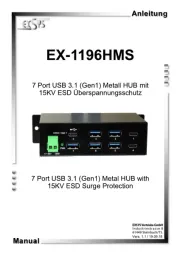
EXSYS EX-1247HMVS Manual

EXSYS USB HUB EX-1247HMVS

Læs gratis den danske manual til EXSYS EX-1247HMVS (2 sider) i kategorien USB HUB. Denne vejledning er vurderet som hjælpsom af 17 personer og har en gennemsnitlig bedømmelse på 4.4 stjerner ud af 9 anmeldelser. Har du et spørgsmål om EXSYS EX-1247HMVS, eller vil du spørge andre brugere om produktet?

Side 1/2
6 5 1
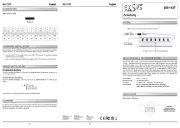
BESCHREIBUNG & TECHNISCHE DATEN
AUFBAU
Anleitun
Vers. 1.0 / 01.09.22
E 11247HM
Kompatibilität: USB 1.1, 2.0 & 3.2
Betriebssysteme: Alle Betriebssysteme
- - - 1x DC Buchse 9 24V, 1x Terminal Block 9 24V
Lieferumfang: 11247HMS, USB 3.2 Gen 1 Kabel, DIN Rail Kit, EX- -
Wandmontagehalterung, Anleitung
Zertifikate:
1x USB 3.2 Gen 1
Upstream B Buchse -
7x USB 3.2 Gen 1
Downstream A Buchse -
Betriebs LED
9 24V DC Buchse für optional - -
erhältliches Netzteil
9 24V T Block für optional - -
erhältliches Netzteil
Attention!
Never plug in with
force or in wrong
direction.
USB 3.2 Gen 1 B Port:-
HARDWARE INSTALLATION
Because there are large differences between PC s, we can give you only a general installation
guide for the EX 11247HMS. Please refer your computer s reference manual whenever in -
doubt.
1. - -Install the EX 11247HMS on a mounting rail by using the DIN Rail Kit or on the wall using
the Wall Mounting Brackets.
2. Connect the USB 3.2 Gen 1 cable with the USB 3.2 Gen 1 Upstream B Port at the EX- -
11247HMS.
3. Now connect the power connector of the optional available power supply to the DC Connector -
or to the Terminal Block of the hub and insert the power plug of the power supply into an
electrical outlet.
4. - -Now connect the other end from the USB 3.2 Gen 1 cable (A Plug) to the USB A Port at
your PC.
StdB_SST
StdB_SST
D-
GN
StdB_SSTX
GND_DRAI
StdB_SST
D+
VBus
Attention!
Never plug in with
force or in wrong
direction.
USB 3.2 Gen 1 A Port:-
CONNECTORS
D+ D-
StdB_SSTX+
StdB_SSTX -
StdB_SSTX+
StdB_SSTX -
GND_DRAIN
GND VCC
+9V bis +24V DC Connector:-
Status LED für
jeden Port
-
+
Mounting of the DIN Rail Kit with -
four screws on the rear side
Mounting the Wall Mounting
Bracket with four screws on
each side
DRIVER INSTALLATION
All Operating Systems
After the hardware installation the Operating System will recognize the EX 11247HMS automati--
cally and install the drivers.
CHECK INSTALLED DRIVER
Open the >Device manager<. Now you should see at USB-Controller the following new entry:
If you see this or a similar information's the hub is installed correctly.
Der robuste und industrietaugliche EX 11247HMS USB Hub im Metallgehäuse ist mit sieben - -
USB A 3.2 Gen 1 Buchsen ausgestattet. Er unterstützt alle USB Anschlüsse von 1.1 bis 3.2. - -
Durch die Stromversorgung über die DC-Buchse oder den Terminal Block können an jedem USB-
Port 1,5A zur Verfügung gestellt werden. Dies ermöglicht Ihnen ein problemloses aufladen von
iPhone, iPad, Smartphone und Tablet. Der USB 3.2 Bus unterstützt optimal die Leistung des
schnellen VIA Chipsatz. Der EX-11247HMS gewährleistet so eine sichere Datenübertragung und
exzellente Performance von bis zu 5Gbit/s. Zusätzlich ist der EX-11247HMS mit einem 15KV ESD
Überspannungsschutz ausgestattet Der EX 11247HMS unterstützt die Norm IP30. Im Lieferum-. -
fang ist ein DIN-Rail Kit für die Installation auf einer Tragschiene und Wandmontagehalterungen für
eine Montage an eine Wand enthalten. Das DIN Rail Kit wird mit vier Schrauben auf der Rückseite -
und die Wandmontagehalterungen werden mit jeweils vier Schrauben auf den Seiten festge-
schraubt.
Zum Betrieb des EX 11247HMS muss ein optional erhältliches externes Netzteil angeschlossen -
werden!
Switzerland:
EXSYS Vertriebs GmbH
Dübendorfstrasse 17
8602 Wangen
www.exsys.ch
Germany:
EXSYS Vertriebs GmbH
Industriestrasse 8
61449 Steinbach
www.exsys.de
+/- - - 9V to +/ 24V T Block:
G (Ground) V - +V
ATTENTION!
Please pay attention to the correct polarity!
Never connect power to GND as this will destroy your
hardware!
Never connect the power supply to the terminal block
while it is switched on!
Redundant power supply possible by simultaneous use of DC Connector and Terminal -
Block!
ATTENTION!
Only for use with optionally available power supply or
other compliant power supply!


Produkt Specifikationer

Mærke: EXSYS
Kategori: USB HUB
Model: EX-1247HMVS
Bredde: 180 mm
Dybde: 63 mm
Højde: 24 mm
Vægt: 800 g
Antal pr. pakke: 1 stk
Brugervejledning: Ja
Produktfarve: Sort
Husmateriale: Metal
Kabler inkluderet: USB Type-C
Certificering: CE, FC, RoHS
DC-in-stik: Ja
LED-indikatorer: Status
Udgangsspænding: 16 V
Udgangsstrøm: 3 A
AC-adapter inkluderet: Ja
Kabellængde: 0.5 m
Understøttede Windows-operativsystemer: Windows 10, Windows 7, Windows 8, Windows 8.1, Windows XP
Understøttede Mac-operativsystemer: Ja
Understøttede Linux-operativsystemer: Ja
Værtsgrænseflade: USB 3.2 Gen 1 (3.1 Gen 1) Type-C
USB-opladningsport: Ja
Dataoverførselshastighed: 10000 Mbit/s
Klemrække port: Ja
Porte, antal: 8
Beskyttelse ved overspænding: Ja
Antal USB 3.2 Gen 2 (3.1 Gen 2) type-C-porte: 4
Antal USB 3.2 Gen 2 (3.1 Gen 2) type-A-porte: 4
Hub-grænseflader: USB 3.2 Gen 2 (3.1 Gen 2) Type-A, USB 3.2 Gen 2 (3.1 Gen 2) Type-C

Har du brug for hjælp?

Hvis du har brug for hjælp til EXSYS EX-1247HMVS stil et spørgsmål nedenfor, og andre brugere vil svare dig