Fantech W188 Manual

Fantech W188

Læs gratis den danske manual til Fantech W188 (1 sider) i kategorien Gå. Denne vejledning er vurderet som hjælpsom af 4 personer og har en gennemsnitlig bedømmelse på 5.0 stjerner ud af 2.5 anmeldelser. Har du et spørgsmål om Fantech W188, eller vil du spørge andre brugere om produktet?

Side 1/1
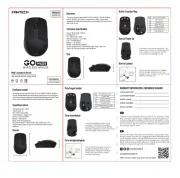
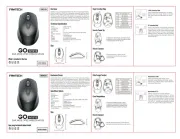
What’s included in the box
1. FANTECH W188 2.4GHZ Wireless Office Mouse
2. USB receiver
3. User manual
System requirements
1. Operating systems: Windows XP/7/8/10; MAC OS
2. One free USB 2.0/3.0 port
How to power up
Thank you for purchasing FANTECH W188 2.4GHZ Wireless Office Mouse.
FANTECH W188 has 5 millions switch and also support up to 1200DPI with DPI switch button,
perfect companion for office usage.
FANTECH W188 is a plug and play wireless mouse, no need to install any driver to use.
Technical Specification
· Sensor Technology: optical
· Sensor Resolution: 1200DPI
· Battery Life: 6 months
· Battery Type: 1AA
· Button QTY: 3
· Wireless Distance: max 10 meter
· Wireless System: 2.4GHz
· Interface: USB receiver
· Size: 100mm x 60mm x 39mm
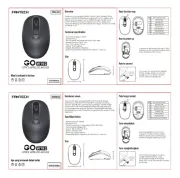
How to connect
100mm
60mm
Its plug and play. Connect the mouse receiver to
computer by inserting USB receiver that located
inside the mouse.
Size
39mm
Keys Function Map
KEY
1
2
3
4
5
KEY FUNCTION MAP
LEFT BUTTON
MID BUTTON
RIGHT BUTTON
BATTERY STORAGE
USB RECIEVER
w188
2.4GHZ WIRELESS office MOUSE
2
31
4
5
To power up the mouse just insert 1 AA type battery
to the battery storage that located at the backside
of the mouse.
Direction
USB Port
USB receiver


Produkt Specifikationer

Mærke: Fantech
Kategori:
Model: W188

Har du brug for hjælp?

Hvis du har brug for hjælp til Fantech W188 stil et spørgsmål nedenfor, og andre brugere vil svare dig


Gå Fantech Manualer
Gå Manualer

Nyeste Gå Manualer