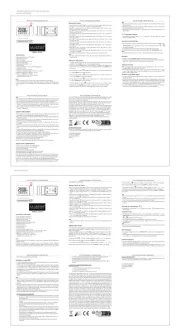
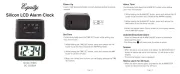
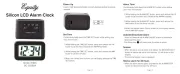
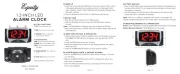
La Crosse Technology 73004 Manual


Læs gratis den danske manual til La Crosse Technology 73004 (2 sider) i kategorien Clockradio. Denne vejledning er vurderet som hjælpsom af 11 personer og har en gennemsnitlig bedømmelse på 4.5 stjerner ud af 6 anmeldelser. Har du et spørgsmål om La Crosse Technology 73004, eller vil du spørge andre brugere om produktet?

Side 1/2
Page 3Page 2
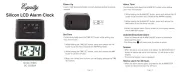
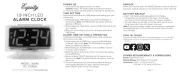
COLOR CUBE
ALARM CLOCK
MODEL: 73002 / 73003 / 73004 / 73005
DC: 081221
P OWE R U P
1. Insert 2AAbatteries (sold separately). Your clock will beep several
times.
2. Set Time and Date.
TIME SE TTING
1. Slide the LOCK switch to the Time position. Hour and Minutes will flash.
2. Press the HOUR button to change the Hour.
3. Press the MINUTE button to change the Minutes.
4. Slide the LOCK switch back to the Lock position for normal operation.
CALENDA R S E T TIN G
1. Slide the LOCK switch to the Calendar position. Year, Month and Date
will flash.
2. Press the YEAR button to change the Year.
3. Press the MONTH button to change the Month.
4. Press the DATE button to change the Date.
5. Slide the LOCK switch back to the Lock position for normal operation.
12-HOU R OR 2 4 -H O U R
• Press the 12/24 button to change between a 12-hour and 24-hour time
display.
• The AM and PM indicators will not show when using a 24-hour clock.
For more product information visit: bit.ly/laxtech_support
YEAR
HOUR
MONTH
MINUTE
DATE
ALARM
CALENDAR
ALARM
TIME
LOCK
ON OFF
12/24
SNOOZE
LIGHT
Smart Light
AL AR M S E T T I N G
1. Slide the LOCK switch to the Alarm position. Hour and Minutes will
flash.
2. Press the HOUR button to change the Hour.
3. Press the MINUTE button to change the Minutes.
4. Slide the LOCK switch back to the Lock position for normal operation.
ACT I VATE /D E ACT I VATE A L A R M
1. Slide the ALARM ON/OFF switch to the ON position to activate the
alarm. The Alarm Icon will show.
2. Slide the ALARM ON/OFF switch to the OFF position to deactivate the
alarm.
3. When the alarm is active, the Alarm Icon will show.
Note: When the alarm time is reached, press any button (except SNOOZE/
LIGHT) to stop the alarm for 24 hours. If no button is pressed, the alarm
will sound for 60 seconds then shut off for 24 hours.
S N O O Z E
• When the alarm sounds, press the SNOOZE/LIGHT button to silence the
alarm for 5 minutes.
• The Alarm and Snooze Icons will show. The snooze icon will flash.Zz
• When the snooze duration is reached, the alarm will sound for 60
seconds then shut o for 24 hours unless ALARM ON/OFF switch is
moved to OFF.
• Snooze may be repeated.


Produkt Specifikationer

Mærke: La Crosse Technology
Kategori: Clockradio
Model: 73004

Har du brug for hjælp?

Hvis du har brug for hjælp til La Crosse Technology 73004 stil et spørgsmål nedenfor, og andre brugere vil svare dig


Clockradio La Crosse Technology Manualer

Clockradio Manualer

Nyeste Clockradio Manualer

Kienzle

Kienzle 15374 Manual

17 November 2025
Johnson

Johnson RSV135 Manual

16 November 2025
Kienzle

Kienzle 14989 Manual

15 November 2025
Kienzle

Kienzle 14987 Manual

13 November 2025
Kienzle

Kienzle 14985 Manual

13 November 2025
Kienzle

Kienzle 15364 Manual

13 November 2025
Techno Line

Techno Line XXL Manual

12 November 2025
Johnson

Johnson RSV125 Manual

12 November 2025
Kienzle

Kienzle 14988 Manual

12 November 2025
Kienzle

Kienzle 14986 Manual

12 November 2025