La Crosse Technology 75902 Manual


Læs gratis den danske manual til La Crosse Technology 75902 (2 sider) i kategorien Clockradio. Denne vejledning er vurderet som hjælpsom af 26 personer og har en gennemsnitlig bedømmelse på 4.9 stjerner ud af 13.5 anmeldelser. Har du et spørgsmål om La Crosse Technology 75902, eller vil du spørge andre brugere om produktet?

Side 1/2
Page 3Page 2
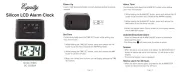
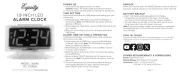
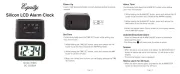
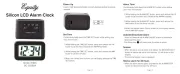
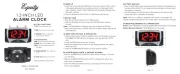
0.9INCH GREEN LED
A L A R M C LO C K
P O W E R U P
1. Insert the 120 volt power cord into an outlet.
Optional: Insert 1 “AA” battery (not included) for backup.
2. The Time Display will flash 12:00, an indication to set the time.
T I M E S E T T I N G
Continuously hold down the TIME button while setting your
1. While holding the TIME button, press the HOUR button to
set your hour. The PM Indicator will appear when you Note:
advance to PM time.
2. While holding the TIME button, press the MINUTE button to set
your minutes.
3. When the correct time is shown on the display, release the
TIME button.
A L A R M T I M E S E T T I N G & O P E R AT I O N
Continuously hold down the ALARM button while setting your
alarm hour and minutes.
1. While holding the ALARM button, press the HOUR button to set
your alarm hour. The PM Indicator will appear when you Note:
advance to PM time.
2. While holding the ALARM button, press the MINUTE button to
set your alarm minutes.
3. When the correct alarm time is shown on the display, release
the ALARM button.
4. Move the Alarm ON/OFF Switch to the ON position to turn the
alarm on. The Alarm Indicator will appear when the alarm Note:
is on.
5. To turn o a sounding alarm, move the Alarm ON/OFF Switch to
the OFF position.
S N O O Z E
When the alarm sounds, press the SNOOZE button to silence the
alarm for 8 minutes. The Alarm Indicator will flash while snoozing.
The snooze function can be repeated as desired.
B AT T E R Y B ACKU P
• Insert 1 “AA” battery (not included) into the Battery Compartment
on the bottom of the clock. This will keep your time and alarm
settings saved until power is restored.
• The LED display will not light-up and the alarm will not sound.
Note: If there is no battery installed and the power is interrupted,
the display will flash 12:00 and the time and the alarm will need
to be reset.
J O I N T H E C O N V E R S AT I O N
Ask questions, watch detailed setup videos, and provide feedback
on our La Crosse Technology social media outlets!
MODEL: 75902
DC: 100722
PM Indicator
Time Display
Alarm
ON/OFF
Switch
Alarm
Alarm Indicator
Hour
Minute Time
PM
P O W E R R E Q U I R E M E N TS & D I M EN S I O N S
Power: 120V Power Cord
Battery Backup: 1 “AA” battery (not included)
Dimensions: 5.47” L x 3.47” W x 2.13” H
(13.9 cm L x 8.8 cm W x 5.4 cm H)


Produkt Specifikationer

Mærke: La Crosse Technology
Kategori: Clockradio
Model: 75902

Har du brug for hjælp?

Hvis du har brug for hjælp til La Crosse Technology 75902 stil et spørgsmål nedenfor, og andre brugere vil svare dig


Clockradio La Crosse Technology Manualer

Clockradio Manualer

Nyeste Clockradio Manualer
Kienzle

Kienzle 15374 Manual

17 November 2025
Johnson

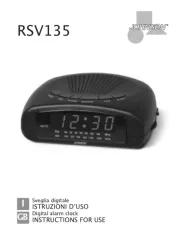
Johnson RSV135 Manual

16 November 2025
Kienzle

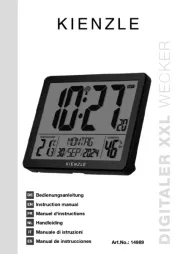
Kienzle 14989 Manual

15 November 2025
Kienzle

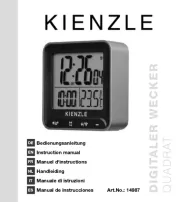
Kienzle 14987 Manual

13 November 2025
Kienzle

Kienzle 14985 Manual

13 November 2025
Kienzle

Kienzle 15364 Manual

13 November 2025
Techno Line

Techno Line XXL Manual

12 November 2025
Johnson

Johnson RSV125 Manual

12 November 2025
Kienzle

Kienzle 14988 Manual

12 November 2025
Kienzle

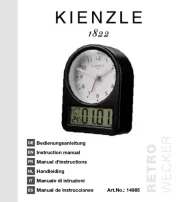
Kienzle 14986 Manual

12 November 2025