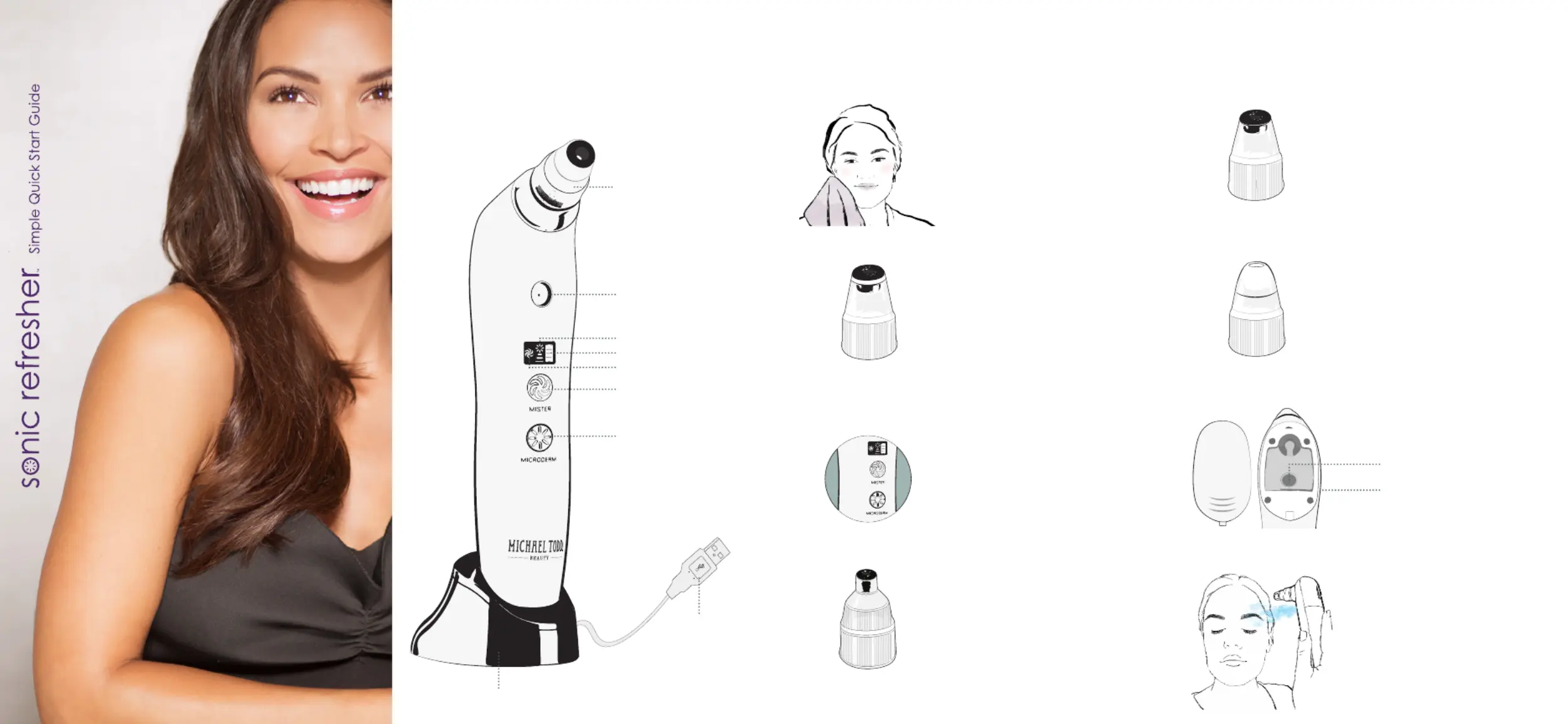
Wet/Dry Sonic Microderm + Pore Extraction System
PREP. Thoroughly cleanse the
treatment area and pat dry with a
• Directions for each STEP: Press and
hold the “Microderm” button to
activate. Press it again to select
desired speed. We recommend
beginning on low speed until your
skin can become acclimated to
higher speeds. Speed indicator
bars on LCD screen will show you
setting. Glide the device with short
gentle strokes in 1-2” treatment
areas, while holding the skin taut
in that area with your free hand.
Do 2-4 passes to start, increasing
to 4-6 after your comfortable using
device. Repeat for each of the
Step 1. RENEW (Attach C-coarse Tip)
• Professional-grade exfoliation
treatment with diamond encrusted
metal tip and vacuum suction
helps remove dulling dead skin
and uneven texture while creating
a smoother, healthier looking
complexion with improvement
in the appearance of dark
spots, uneven tone, radiance,
smoothness, ne lines and
Step 2. RESET (Attach S-small Tip)
• Ergonomic sleek design allows
you to reset the signs of aging by
targeting ne lines, wrinkles and
hard to reach places like around
the nose area for a completely
rejuvenated and more youthful
Step 3. REFINE (Attach F-ne Tip)
• Finer diamond bits allow you to
polish and smooth your way to
a brighter, more radiant youthful
• Preps skin for increased product
absorption for accelerated
anti-aging results. Creates a
perfectly smooth skin surface for
a awless makeup application.
Step 4. REMOVE (Attach Pore
*Keep unit moving at all times.
• Purify your complexion by
gently removing pore-clogging
appearance of pore size for
clean, refreshed, healthy-
• Transform water or your
micronized mist to infuse
freshly detoxied pores with
WARNING: When adding toner to your
sonic refresher please make sure it does
NOT contain any oil based ingredients as
they are too thick to micronize and will
cause the mister to malfunction.
3. F-Regular size head ne
*Read Tips section and see Caution Card insert before using.