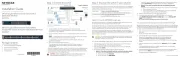
The APS600Wv3, APS1200Wv2, and APS2000Wv2 auxiliary power supplies (APS) are
supported in the following M4350 series switch models:
• M4350-24X8F8V (SKU: XSM4340V)
• M4350-36X4V (SKU: XSM4340CV)
• M4350-32F8V (SKU: XSM4340FV)
• M4350-16V4C (SKU: VSM4320C)
• M4350-40X4C (SKU: XSM4344C)
Each APS has an LED that indicates the power supply status, as described in the following
Solid green DC output is present and voltage is good.
Off Loss of AC power occurred or AC power is not present.
Blinking green AC power is present but DC output is for standby only.
Warnings for abnormal events, like high operating temperature, high
output current, slow fan, high output power.
Solid amber A power supply failure occurred and the APS will be shut down.
In models with more than one power supply bay, you can install an additional APS.
1. Pull out the cover plate from the power module bay in which you want to insert the
2. Insert the APS into the power module bay, and gently push the APS into the bay.
CAUTION: When inserting the APS, do not use unnecessary force. Doing so
can damage the connectors on the back of the APS and on the midplane.
3. Connect the end of the power cord to the power receptacle on the APS.
4. Plug the AC power cord into a power source such as a wall socket or power strip.
Auxiliary Power Supplies for the
M4350 Series Fully Managed Switches
APS600Wv3, APS1200Wv2, and APS2000Wv2
• Power cord (varies by region)
In models with more than one APS, the APSs are hot-pluggable.
1. If your switch functions with a single APS only, disconnect the power cord from the
APS and let the switch power down.
If your switch functions with more than one APS, you do not need to power down the
switch and you can perform a hot swap.
2. Remove the APS from the power module bay by doing the following:
a. Position the extraction handle perpendicular to the APS.
b. Insert your left index nger into the extraction handle.
c. Use your left thumb to move the orange release latch to the left and keep it in the
d. Pull the extraction handle.
We recommend that you use your right hand to support the APS.
3. Insert the replacement APS into the power module bay, and gently push the APS into
the bay until the latch locks.
CAUTION: When inserting the APS, do not use unnecessary force. Doing so
can damage the connectors on the back of the APS and on the midplane.
4. Connect the end of the power cord to the power receptacle on the APS.
When you apply power, the LED on the APS lights. The LED on the switch for the
power supply bay also lights. If these LEDs do not light, make sure that the power
cord is plugged in and that the power source is good.