Netgear APS350W Manual


Læs gratis den danske manual til Netgear APS350W (2 sider) i kategorien Ikke kategoriseret. Denne vejledning er vurderet som hjælpsom af 43 personer og har en gennemsnitlig bedømmelse på 4.7 stjerner ud af 22 anmeldelser. Har du et spørgsmål om Netgear APS350W, eller vil du spørge andre brugere om produktet?

Side 1/2
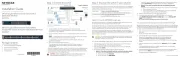
Installation Guide
Overview
The APS350W, APS600Wv2, APS920W, and APS2000W auxiliary power supplies (APSs)
are supported in the following M4350 series switch models:
M4350-24F4V (SKU number XSM4328FV)
M4350-24X4V (SKU number XSM4328CV)
M4350-44M4X4V (SKU number MSM4352)
M4350-24G4XF (SKU number GSM4328)
M4350-48G4XF (SKU number GSM4352)
Each APS provides two bi-colored LEDs (DC OK LED and AC OK LED), which work
DC OK LED
(Left LED)
AC OK LED
(Right LED)
Condition
Solid green Solid green DC output is present and voltage is good.
Blinking green Solid green AC power is present but DC output is for standby only.
Solid Red Solid green A power supply failure occurred and the APS will be
shut down.
Solid green Loss of AC power occurred or AC power is not present.Blinking red
Install an APS
In models with more than one power supply bay, you can install an additional APS.
1. Pull out the cover plate from the power module bay in which you want to insert the
additional APS.
2. Insert the APS into the power module bay, and gently push the APS into the bay.
CAUTION: When inserting the APS, do not use unnecessary force. Doing so
can damage the connectors on the back of the APS and on the midplane.
3. Connect the end of the power cord to the power receptacle on the APS.
4. Plug the AC power cord into a power source such as a wall socket or power strip.
When you apply power, the AC OK LED ands the DC OK LED on the APS lights. The
LED on the switch for the power supply bay also lights. If these LEDs do not light,
make sure that the power cord is plugged in and that the power source is good.
Auxiliary Power Supplies for the
M4350 Series Fully Managed Switches
APS350W, APS600Wv2, APS920W, and APS2000W
Package contents
Auxiliary power supply
Power cord (varies by region)
Installation guide
Replace an APS
In models with more than one APS, the APSs are hot-pluggable.
1. If your switch functions with a single APS only, disconnect the power cord from the
APS and let the switch power down.
If your switch functions with more than one APS, you do not need to power down the
switch and you can perform a hot swap.
2. Remove the APS from the power module bay by doing the following:
a. Position the extraction handle perpendicular to the APS.
b. Insert your left index nger into the extraction handle.
c. Use your left thumb to move the orange release latch to the left and keep it in the
release position.
d. Pull the extraction handle.
We recommend that you use your right hand to support the APS.
3. Insert the replacement APS into the power module bay, and gently push the APS into
the bay until the latch locks.
CAUTION: When inserting the APS, do not use unnecessary force. Doing so
can damage the connectors on the back of the APS and on the midplane.
4. Connect the end of the power cord to the power receptacle on the APS.
5. Plug the AC power cord into a power source such as a wall socket or power strip.
When you apply power, the AC OK LED ands the DC OK LED on the APS lights. The
LED on the switch for the power supply bay also lights. If these LEDs do not light,
make sure that the power cord is plugged in and that the power source is good.
May 2023


Produkt Specifikationer

Mærke: Netgear
Kategori: Ikke kategoriseret
Model: APS350W
Vekselstrømsindgangsspænding: 110 - 240 V
Produkttype: Strømforsyning
Intern: Ja
Kapabilitet: M4350-24G4XF, M4350-48G4XF, M4350-44M4X4V, M4350-24X4V, M4350-24F4V
Total effekt: 350 W

Har du brug for hjælp?

Hvis du har brug for hjælp til Netgear APS350W stil et spørgsmål nedenfor, og andre brugere vil svare dig


Ikke kategoriseret Netgear Manualer

Netgear

Netgear Orbi RBE373 Manual

23 September 2025
Netgear

Netgear Orbi RBE374 Manual

23 September 2025
Netgear

Netgear Orbi RBE370 Manual

23 September 2025
Netgear

Netgear Orbi RBE372 Manual

23 September 2025
Netgear

Netgear GS748Tv6 Manual

24 August 2025
Netgear

Netgear GS752TSB Manual

23 August 2025
Netgear

Netgear GS728TPSB Manual

22 August 2025

Ikke kategoriseret Manualer

Nyeste Ikke kategoriseret Manualer

Waterstone

Waterstone 7800 Manual

11 December 2025
Kwikset

Kwikset 258 Manual

11 December 2025
Schlage

Schlage F170 Manual

11 December 2025
Moen

Moen Align 7565EV Manual

11 December 2025
ALNO

ALNO MC10244 Manual

11 December 2025
JET

JET TAK-ZX Manual

11 December 2025
Waterstone

Waterstone 1455 Manual

11 December 2025
Laica

Laica NE2015 Manual

11 December 2025