Bluetooth speaker Rebeltec SoundBox 480
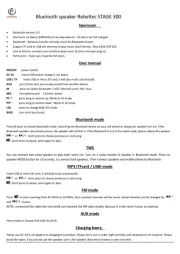
User manual
ON/OFF Power switch.
DC 5V Micro USB socket, charge Li-Ion battery.
USB / TF card Insert USB or micro SD card, it will play music automattically.
AUX IN Put 3,5mm mini jack to play sound from another device.
MIC Microphone socket 6,3mm.
MODE Press to switch mode. Press 5 seconds and the screen show ON or OFF. It can off/on the warning tone for mode switch.
LIGHT RGB Light Effect Switch, long press TURN OFF lights.
REC/DEL Record(short press to record) / Delete (long press and confirm )
EQ Sound effect mode (bass , treble). Set up/down by buttons
VOLUME Volume control knob . Works in all mode.
ECHO Microphone Echo control .
MIC VOL Microphone volume control.
1-9 MP3 -in can enter number of song to play it, FM- can enter number of FM station
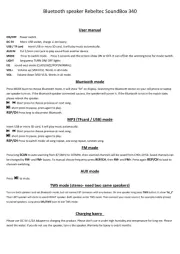
Bluetooth mode
Press MODE button to choose Bluetooth mode. It will show “bt” on display. Searching the Bluetooth device on your cell phone or laptop after speaker
turn on. If the Bluetooth speaker connected success, the speaker will confirm it. If the Bluetooth is not in the match state, please reboot the speaker.
Short press to choose previous or next song.
short press to pause, press again to play.
CH Press long to disconnect Bluetooth.
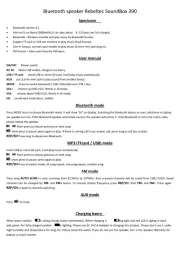
MP3 (TFcard / USB) mode
Insert USB or micro SD card, it will play music automattically.
Short press to choose previous or next song. Long press : fast forward or fast rewind.
short press to pause, press again to play.
CH Press to switch mode: all song repeat, one song repeat, random song.
short press REC/DEL to arrange the recording folder sequence, long press to delete the current recording file.
.FM mode
Press long AUTO SCAN to auto scanning from 87,5MHz to 107MHz, then scanned channels will be saved from CH01-CH50. Saved channels can be
changed by FM- and FM+ buttons. To manual choose frequency press CH, then FM- and FM+. Press again CH to back to channels switching.
AUX mode
Press to mute.
Recording
Insert USB/microSD and microphone. Under USB mode when you play press to pause music. Long press REC button. It is start recording. Press
button to finish.
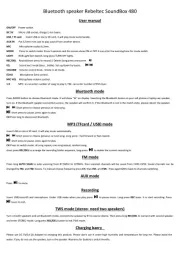
TWS mode (stereo- need two speakers)
Turn on both speakers and set Bluetooth mode, connect one speaker by BT to source device. Then press long REC/DEL to connect with second speaker
and enter STEREO mode. Long press REC/DEL button to exit TWS mode.
Charging battery
Please use DC 5V/1A-2A Adapter to charging this product. Please don't use it under high humidity and temperature for long time. Please avoid the
water. If you do not use the speaker, turn off the speaker. Warranty for battery is only 6 months.