TP-Link Kasa Smart HS200P3 Manual

TP-Link Ikke kategoriseret Kasa Smart HS200P3

Læs gratis den danske manual til TP-Link Kasa Smart HS200P3 (2 sider) i kategorien Ikke kategoriseret. Denne vejledning er vurderet som hjælpsom af 56 personer og har en gennemsnitlig bedømmelse på 4.4 stjerner ud af 28.5 anmeldelser. Har du et spørgsmål om TP-Link Kasa Smart HS200P3, eller vil du spørge andre brugere om produktet?

Side 1/2
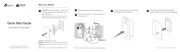
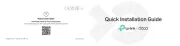
Wire Your Switch
Disconnect wires from the old switch.
Turn o the circuit breaker. Then remove
the old wallplate of the wall switch and
label the wires.
1
2
Connect the wires to the smart switch as
shown below.
3
Ground: Usually green or copper.
Neutral: Usually white, not connected to the dumb switch.
Line/Load: Usually black, and connected to the dumb
switch.
If you are unsure, consult a qualied electrician.
Line up the switch with the mounting
holes. Secure it with screws.
4
Attach the wallplate and turn on the
circuit breaker. Then the wiring is nished.
5
Power
Source
To Light
Set Up Your Switch
STEP 2
SET UP
Tap the button in the app.
If your device is white, select Smart
Switches > Smart Switch (Wi-Fi).
If your device is black or almond, select
Smart Switches > Smart Switch (BLE).
And then follow app instructions to complete
setup.
DOWNLOAD APP
Get the app from the App Store Kasa Smart
or Google Play.
STE 1P
OR


Produkt Specifikationer

Mærke: TP-Link
Kategori: Ikke kategoriseret
Model: Kasa Smart HS200P3

Har du brug for hjælp?

Hvis du har brug for hjælp til TP-Link Kasa Smart HS200P3 stil et spørgsmål nedenfor, og andre brugere vil svare dig


Ikke kategoriseret TP-Link Manualer

Ikke kategoriseret Manualer

Nyeste Ikke kategoriseret Manualer

Danby

Danby DBC031L1SS Manual

29 December 2026
Gaggenau

Gaggenau CG261210DE Manual

29 December 2026
Sterling

Sterling 71800116 Manual

29 December 2026
MediTub

MediTub 2747 Manual

29 December 2026
LevelOne

LevelOne FVT-1102 Manual

29 December 2026
WAC Lighting

WAC Lighting L-LED820 Manual

29 December 2026