TP-Link LS106P Manual


Læs gratis den danske manual til TP-Link LS106P (2 sider) i kategorien Ikke kategoriseret. Denne vejledning er vurderet som hjælpsom af 20 personer og har en gennemsnitlig bedømmelse på 4.9 stjerner ud af 10.5 anmeldelser. Har du et spørgsmål om TP-Link LS106P, eller vil du spørge andre brugere om produktet?
Side 1/2
Installation Guide
Desktop PoE+ Switch
LS106P/LS110P/LS1210P
© 2024 TP-Link 7106511332 REV1.0.0
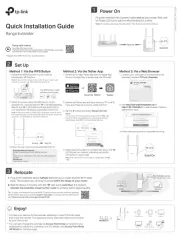
LED Explanation
Power
PoE
On: Providing PoE power
power
On: Power on
O: Power o
Link/Act; Uplink (LS110P) Uplink (LS1210P)
On:
Running at 10/100 Mbps, but no activity.
Flashing:
Running at 10/100 Mbps and
transmitting or receiving data.
O:
No device is linked to the corresponding
port.
On:
Running at 10/100/1000 Mbps, but no activity.
Flashing:
Running at 10/100/1000 Mbps and
transmitting or receiving data.
O:
No device is linked to the corresponding
port.
Switches Explanation
Isolation
O: Ports can transmit data with each other.
On: The corresponding ports cannot transmit data with other downlink ports. They can
transmit data only with the uplink port.
Extend
O: The corresponding ports run at 10/100 Mbps and support PoE power supply up to
100 m away.
On: The corresponding ports run at 10 Mbps and support PoE power supply up to 250 m
away.
Recovery
O: The PoE Auto Recovery function is disabled.
On: The switch will constantly detect the working status of a PoE powered device (PD).
When the switch nds that the PD works abnormally, the switch will reboot it.
Note: The numbers in brackets indicate the ports where the feature takes eect. For example, when Extend (Port 1-4) is toggled to On, the Extend mode will be enabled for
ports 1-4.
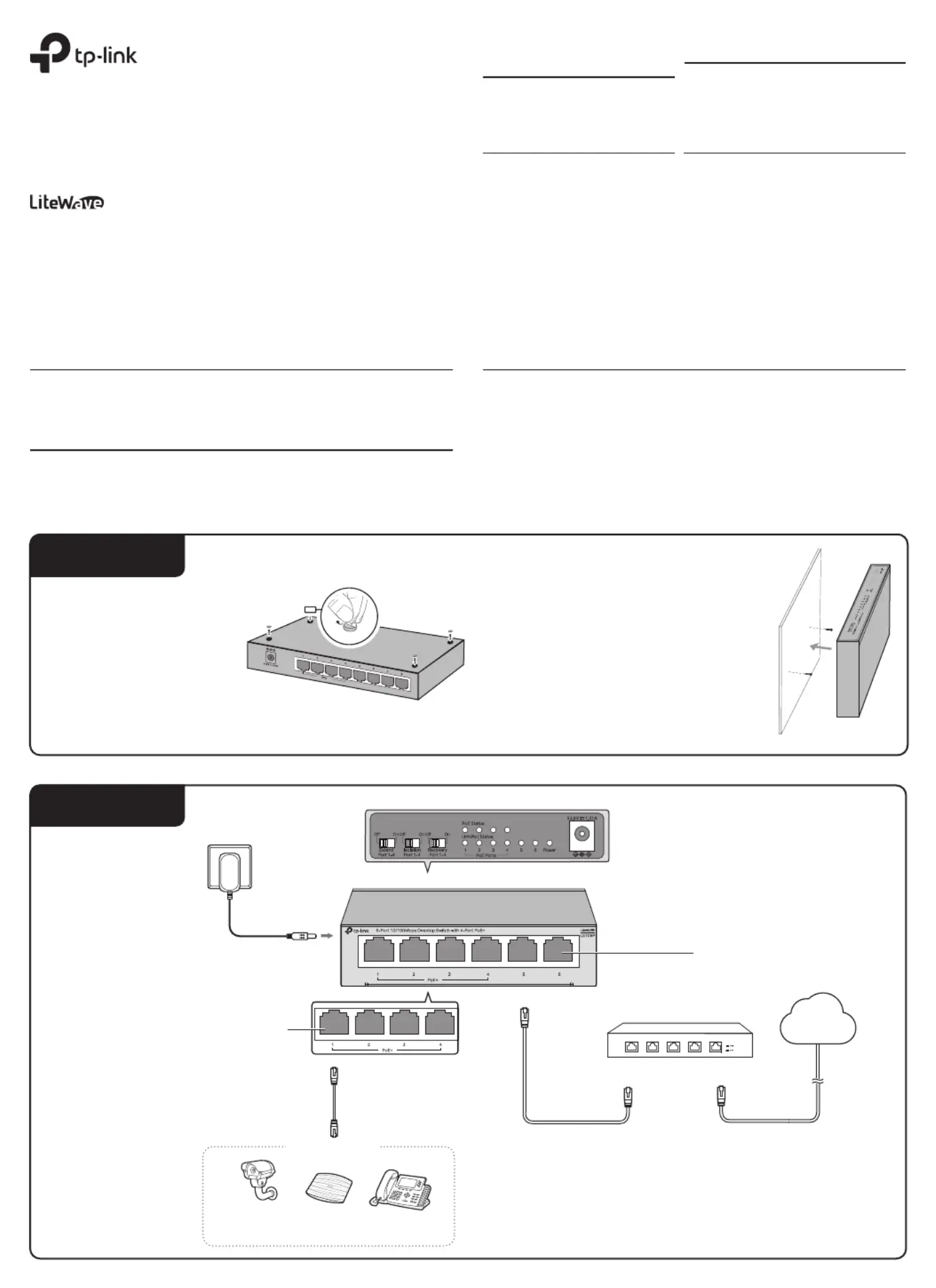
Installation
Connection
Desktop:
Attach the supplied feet to the
bottom of the switch to prevent it
from slipping when placed on a
desktop.
Note: For detailed information, please refer to
the Wall Mounting Guide on the devices
support page.
Wall-mounting:
Drill two holes on the wall according to
the mounting holes on the bottom of the
switch, then secure the switch to the wall
with two suitable screws (not provided).
Note:
1. PoE ports can also connect to non-PoE devices, but only transmit data.
2. Non-PoE ports are recommended to connect to uplink devices like routers/gateways.
3. For LS106P/LS110P:
Ports 1-2 have higher priority than other ports in transmitting data if network
congestion occurs. It is recommended to connect key network devices (network
cameras, APs, etc.) to ports 1-2.
IP Camera AP IP Phone
Router/Gateway
LAN Port WAN Port
Internet
PoE Ports (1-4)
PoE Devices
Power Adapter
Ethernet Ports (1-6)
Note: The images in this guide are for demonstration only and may dier from your actual product.
Note: For simplicity, we will take LS106P for example.
Flashing: Current-overload/Short-circuit


Produkt Specifikationer

Mærke: TP-Link
Kategori: Ikke kategoriseret
Model: LS106P

Har du brug for hjælp?

Hvis du har brug for hjælp til TP-Link LS106P stil et spørgsmål nedenfor, og andre brugere vil svare dig


Ikke kategoriseret TP-Link Manualer

Ikke kategoriseret Manualer

Nyeste Ikke kategoriseret Manualer

Waterstone

Waterstone 7800 Manual

11 December 2025
Kwikset

Kwikset 258 Manual

11 December 2025
Schlage

Schlage F170 Manual

11 December 2025
Moen

Moen Align 7565EV Manual

11 December 2025
ALNO

ALNO MC10244 Manual

11 December 2025
JET

JET TAK-ZX Manual

11 December 2025
Waterstone

Waterstone 1455 Manual

11 December 2025
Laica

Laica NE2015 Manual

11 December 2025