Xiaomi Smart Dog Button Tag Manual

Xiaomi Smartwatch Smart Dog Button Tag

Læs gratis den danske manual til Xiaomi Smart Dog Button Tag (4 sider) i kategorien Smartwatch. Denne vejledning er vurderet som hjælpsom af 15 personer og har en gennemsnitlig bedømmelse på 4.2 stjerner ud af 8 anmeldelser. Har du et spørgsmål om Xiaomi Smart Dog Button Tag, eller vil du spørge andre brugere om produktet?
Side 1/4
Smart Dog Button Tag
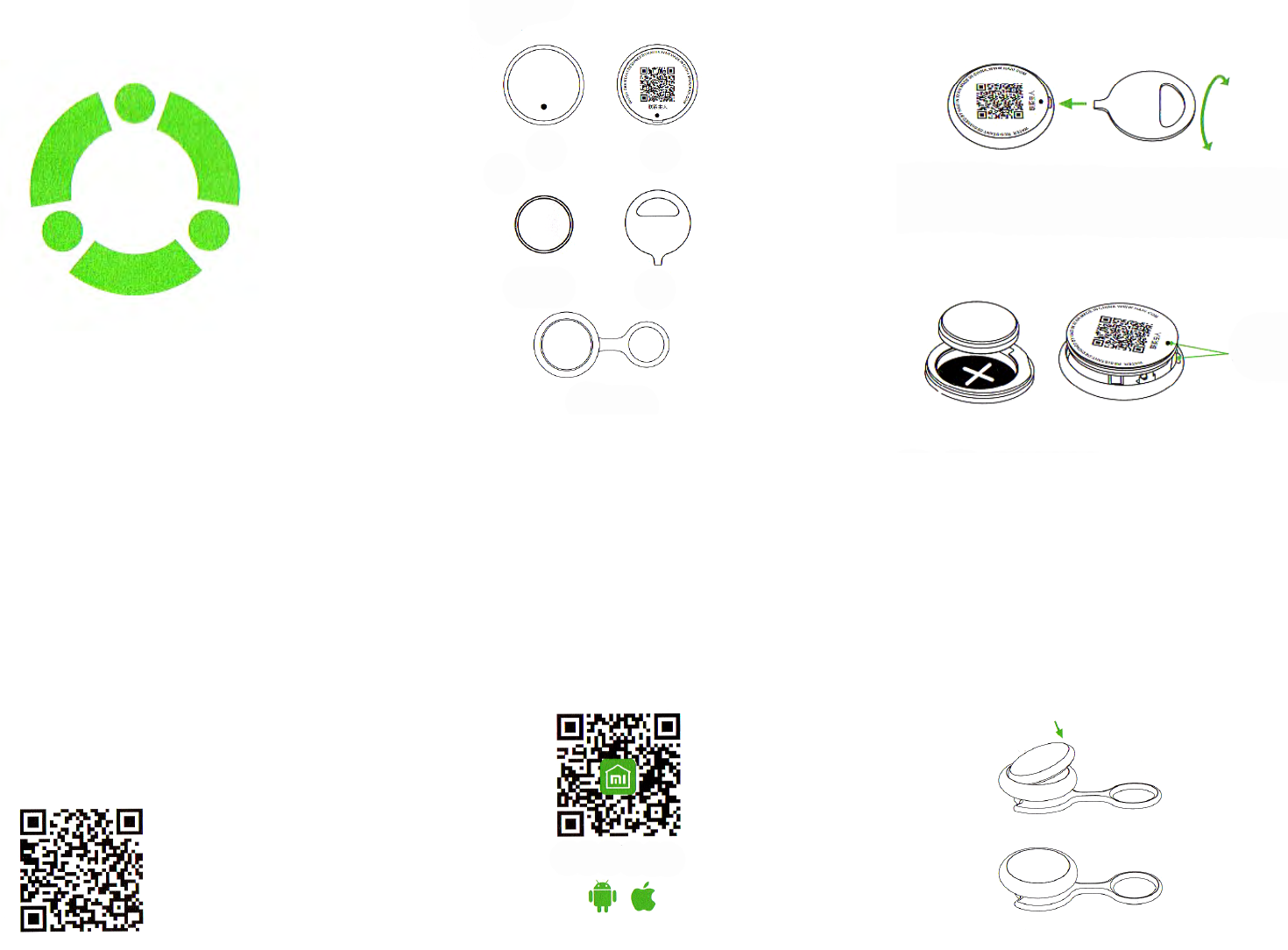
About the device 1. Installing a battery
User`s Guide
Front Back
Knob battery Open plate
Medallion holder
Place the opening plate in special chute to open
the battery cell
Place the battery positive pole «+» to battery cell
panel, then close a cell panel so that the location of
the black dots shown in it, coincided with the chute
location. Pull a panel and you hear a click.
When «red, green, blue» indicators light up one after
another, it will indicate the successful installation of
the device.
2. Installing mobile app and pairing devices.
Scan the QR-code to download «Smart Dog Button
Tag» application.
After successful installation of the device, open
mobile application and follow the recommendations
of the «Smart Dog Button Tag». When you see
«smartphone ash» in phone interface, you must
conrm a pairing. If you see a ash, it will indicate
that the connection is successfully completed.
3. Connecting to Мi Smart Home
Find «Mi Smart Home» app in App Store or scan the
QR code to download and installation the app.
To nd and buy more smart devices, visit and register
on Xiaomi-mi.com, or buy via Mi smart Home app.
Installing the device to holder
Easily push the device till it fully enters into the
holder.
Note: White side of the device must be outside.
XIAOMI-MI.COM


Produkt Specifikationer

Mærke: Xiaomi
Kategori: Smartwatch
Model: Smart Dog Button Tag

Har du brug for hjælp?

Hvis du har brug for hjælp til Xiaomi Smart Dog Button Tag stil et spørgsmål nedenfor, og andre brugere vil svare dig