1
Models
TFT15G
TFT1G
Wilbur Curtis Company, inC.
Service Manual – TFT FreshTrac™ Coffee Server
FreshTrac™ Combination Liquid
Level Gauge & Coffee Timer
The FreshTrac™ TFT coffee server uses a
lid that has a combination gauge. This lid
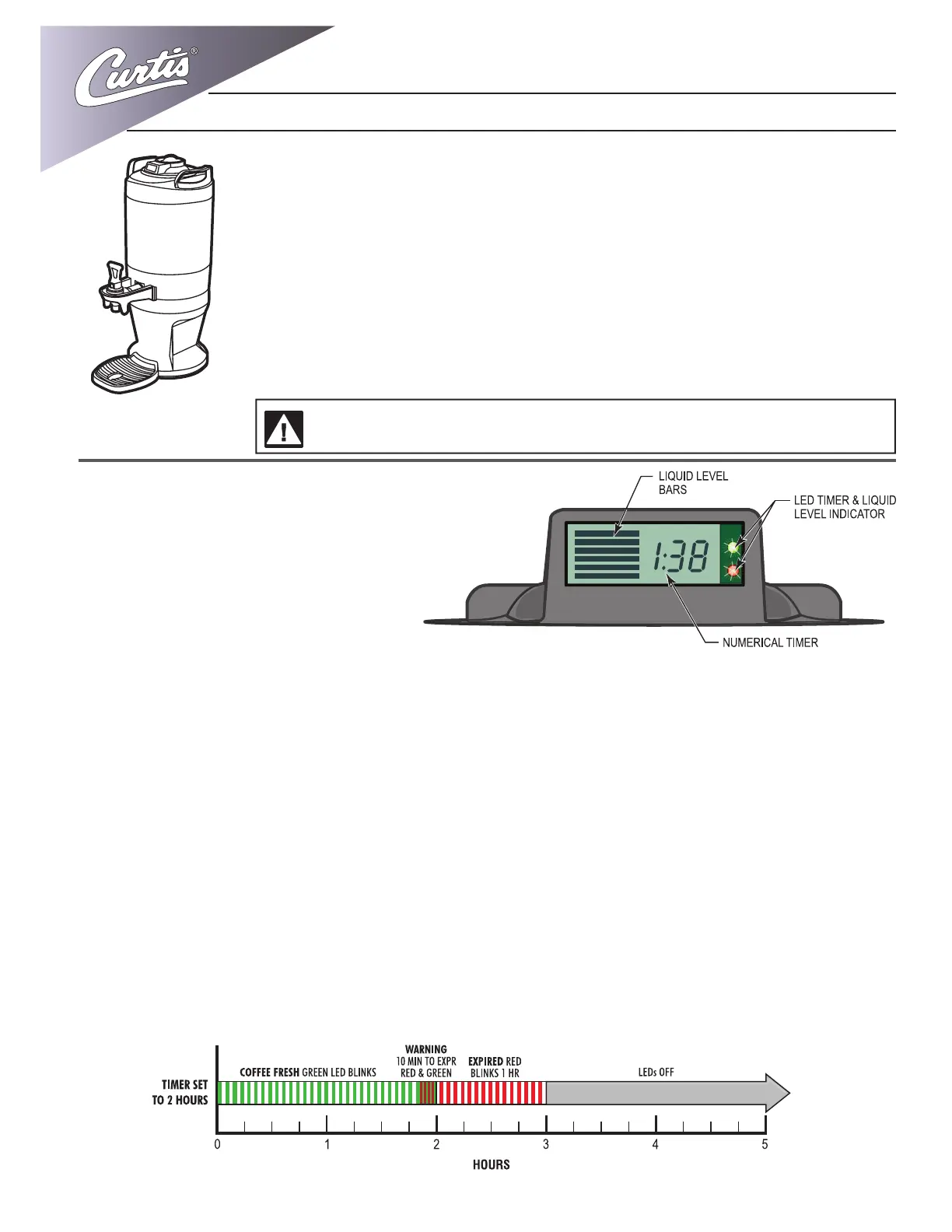
contains three indicators: A liquid level mea-
sure, a coffee quality timer, and LED lights.
The FreshTrac™ activates as soon as
brewed coffee starts owing into the server.
At this time the two indicator lights ash green-red-green and the numeric timer starts counting down. Sen-
sors within the lid measure the coffee as it lls the server. The segments of the liquid level gauge will start to
ll in as the volume increases.
WARNING – Servers may be heavy when lled.
Care must be taken when transporting to avoid dropping or spilling.
LED Lights
The two lights (Red & Green) are non-programmable.
1. Coffee is Fresh Mode — Green LED light blinks every 6 seconds to designate coffee is fresh. The Green
LED is set to blink for 1 hour and 50 minutes.
2. Warning Mode – The Green and Red LEDs blink alternately – 6 seconds Green, 6 seconds Red, when
either of these two conditions are true:
a. Digital Numeric Timer is 10 minutes or less from expiration.
b. Volume in server is between 12 and 24 ounces.
3. Timer Expired and/or Dispenser is (nearly) Empty – the Red LED blinks every 6 seconds for 60 minutes
once any of the conditions below are true:
a. Numeric Timer has expired.
b. Dispenser is (nearly) empty – 12 ounces or less of volume remains.
Brewing into the TFT Server
The TFT server is designed to be used exclusively with coffee and water.
1. Place the clean, empty server centered under the brew cone of the coffee brewer.
Remove the top cap from the FreshTrac™ lid
2. Fill brew cone with ground coffee. Insert it into the brew rails.
3. On the electronic controller of the brewer, press the brew button to start the brew
cycle.
4. Allow the coffee brewer to complete the brew cycle. Make sure the brew cone has
drained completely before removing the TFT server coffee server.


