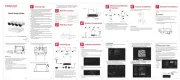
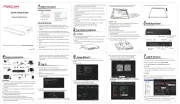
Foscam W5EP Manual


Læs gratis den danske manual til Foscam W5EP (2 sider) i kategorien Ikke kategoriseret. Denne vejledning er vurderet som hjælpsom af 4 personer og har en gennemsnitlig bedømmelse på 4.2 stjerner ud af 2.5 anmeldelser. Har du et spørgsmål om Foscam W5EP, eller vil du spørge andre brugere om produktet?

Side 1/2
V1.0
305503001191
Quick Setup Guide
Outdoor Security Camera
Setting Up Your Foscam
Security Camera
Quick Setup Guide
Network Cable
IP Camera
Quick Setup Guide
Outdoor Security Camera
2 Physical Description
Wired Connection
1. Connect the camera to your POE Switch or POE NVR with an
Ethernet cable, and please wait for a few seconds until hearing
the “Wired connection succeeded”.
2. Make sure your smart phone is connected to the same WiFi
network as the camera.
WPSWPS
POE Switch or POE NVR
Tips: Please make sure that the smartphone and camera are on
the same Wi-Fi.
To view this guide in other languages (e.g. Nederlands, Deutsch,
Français, Español), and for detailed manuals, tools, etc., please
visit foscam.com/downloads.
The cords on this product are
a potential strangulation
hazard. For child safety,
please keep these cords out
of the reach of children.
3. Open the Foscam APP and please register a Foscam account, or
sign in if you have one already.
Email address
Password
Sign Up
Forgot Password
Sign In
4. Follow the steps below:
My Device
Foscam_camera
9
Camera Login
New camera username
Re-enter new camera
password
New camera password
Submit
Next
Wired Connection
6
Please connect the network cablle to
the device and ensure that it is c
onnected to the same router as the
mobile network.
Connected network cable for
device
Next
Add Device
5
Please power on the device
Please do not exit this app or
turn off the device during this
process(requires approximately
2 minutes to complete)
Add Camera
<
Device Landing..
20%
7
Garden
Foscam_camera
11
WiFi
Router
WiFi connection
The device is power on
Model: XXX
FCC ID:XXXXX
IC:12558A-XX
S/N:FIAI1403000001
UID:XXXXXXXXXXX
FHD Wireless IP Camera
Accept Privacy Notices and Terms of Seervice
Tweezers
Waterproof Lid
Save
Set name
Garden
Living Room
Device added successfully
Please set the device name:
Doorway
Corridor
Garage
Kitchen
Balcony Bed Room
Garden
8
10
Save the body QR code
Save the device‘s QR code to the mobile system album
to help you re-add the device more conveniently
Tap to add a device
Add Device
<
Scan the QR code
Search in LAN
Others
My Device
1
3
Add Cameras
Add NVR/NVR kits
Add Device
2
3
Setting Up Your Camera:
Connection via the Foscam
App
(Recommended)
To ensure a smoother video experience on your smart phone, it is
recommended that your smart phone meet the following
specications:
iOS: version 12.1 or higher.
Android: 6.0 or higher, using a device with a Graphics
Processing Unit (GPU).
Scan the QR code below to download and install the Foscam APP.
Note: For the best experience, please update the APP to the
latest version!
Before You Get Started
Scan QR Code
Model: XXX
FCC ID:XXXXX
IC:12558A-XX
S/N:FIAI1403000001
UID:XXXXXXXXXXX
Wireless IP Camera
4
Please scan the QR code on the device or
share the QR to bind the device
Album Flash
Scan QR Code
Model: XXX
FCC ID:XXXXX
IC:12558A-XX
S/N:FIAI1403000001
UID:XXXXXXXXXXX
FHD Wireless IP Camera
Album
Flash
Please scan the QR code on the
device or share the QR to bind
the device
Please change the camera's password regularly, using a
combination of numbers, letters and special characters.
We recommend that you regularly update your camera with
the latest available software and rmware to ensure the best
experience with your camera.
Please ensure that the proper power supply is used before
using the camera.
Do not disassemble, repair or modify the product.
Do not use the product if the casing has been broken. Danger
of electric shock.
Please install the camera securely using the screws provided.
Change the default port in your camera to a port in the higher
range to improve the security of your connection.
To avoid the risk of re or electric shock, please keep your
camera connectors in a cool, dry place.
Please keep the camera out of reach of small children.
Operating Temperature: -20~50(-4~122).
Safety Tips
Package Contents
1
Getting Started
Speaker
Anti-theft screw
Red light
Blue light
Microphone
Lens
Spotlight &
Infrared LED
LAN
Power
Anti-theft screw
Light Sensor
Reset
Expansion Screws
Mounting Template
Drill Hole Position Template
Screw holes for installing camera
Micro SD Card Slot


Produkt Specifikationer

Mærke: Foscam
Kategori: Ikke kategoriseret
Model: W5EP

Har du brug for hjælp?

Hvis du har brug for hjælp til Foscam W5EP stil et spørgsmål nedenfor, og andre brugere vil svare dig


Ikke kategoriseret Foscam Manualer

Foscam

Foscam W5EP Manual

19 December 2025
Foscam

Foscam FN8108W-B4-1T Manual

19 December 2025
Foscam

Foscam SD8EP Manual

18 December 2025
Foscam

Foscam FNA108E-B4 Manual

4 August 2025
Foscam

Foscam FN9108W-B4 Manual

11 Februar 2025
Foscam

Foscam FNA216HE Manual

13 Januar 2025
Foscam

Foscam FNA216H Manual

13 Januar 2025
Foscam

Foscam FN9108E-B4 Manual

24 August 2024
Foscam

Foscam FNA108HE Manual

24 August 2024
Foscam

Foscam FN9108HE Manual

24 August 2024

Ikke kategoriseret Manualer

Nyeste Ikke kategoriseret Manualer

ProSelect

ProSelect PSTSN11AWH Manual

19 December 2025
WAC Lighting

WAC Lighting LT4 Manual

19 December 2025
WAC Lighting

WAC Lighting HTK-720 Manual

19 December 2025
Vaxcel

Vaxcel T0079 Manual

19 December 2025
Vaxcel

Vaxcel T0351 Manual

19 December 2025
WAC Lighting

WAC Lighting L-LED009 Manual

19 December 2025
ProSelect

ProSelect PSTSP11AWH Manual

19 December 2025
WAC Lighting

WAC Lighting BA-AC24 Manual

19 December 2025