HANNLOMAX HX-108CR Manual


Læs gratis den danske manual til HANNLOMAX HX-108CR (2 sider) i kategorien Clockradio. Denne vejledning er vurderet som hjælpsom af 18 personer og har en gennemsnitlig bedømmelse på 4.3 stjerner ud af 9.5 anmeldelser. Har du et spørgsmål om HANNLOMAX HX-108CR, eller vil du spørge andre brugere om produktet?

Side 1/2
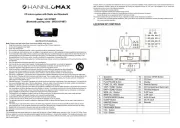
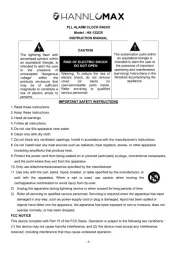
PLL ALARM CLOCK RADIOWITH BLUETOOTH,
PROJECTOR AND USB CHARGING
Model : HX-108CR
(Bluetooth pairing code: HX-108CR HANNLOMAX)
IMPORTANT SAFETY INSTRUCTIONS
2. Keep these instructions.
3. Heed all warnings.
4. Follow all instructions.
5. Do not use this apparatus near water.
6. Clean only with dry cloth.
7. Do not block any ventilation openings. Install in accordance with the manufacturer’s instructions.
8. Do not install near any heat sources such as radiators, heat registers, stoves, or other apparatus (including amplifiers)
that produce heat.
9. Do not defeat the safety purpose of the polarized or grounding-type plug. A polarized plug has two blades with one wider
than the other. A grounding type plug has two blades and a third grounding prong. The wide blade or the third prong are
provided for your safety. If the provided plug does not fit into your outlet, consult an electrician for replacement of the
obsolete outlet.
10. Do not defeat the safety purpose of the polarized or grounding-type plug. A polarized plug has two blades with one wider
than the other. A grounding type plug has two blades and a third grounding prong. The wide blade or the third prong are
provided for your safety. If the provided plug does not fit into your outlet, consult an electrician for replacement of the
obsolete outlet.
11. Protect the power cord from being walked on or pinched particularly at plugs, convenience receptacles, and the point
where they exit from the apparatus.
12. Only use attachments/accessories specified by the manufacturer.
13. Use only with the cart, stand, tripod, bracket, or table specified by the manufacturer, or sold with the
apparatus. When a cart is used, use caution when moving the cart/apparatus combination to avoid injury
from tip-over.
14. Unplug this apparatus during lightning storms or when unused for long periods of time.
15. Refer all servicing to qualified service personnel. Servicing is required when the apparatus has been damaged in any way,
such as power-supply cord or plug is damaged, liquid has been spilled or objects have fallen into the apparatus, the
apparatus has been exposed to rain or moisture, does not operate normally, or has been dropped.
FCC NOTICE
This device complies with part 15 of the FCC Rules. Operation is subject to the following two conditions :
(1) This device may not cause harmful interference, and (2) this device must accept any interference received, including
interference that may cause undesired operation.
SPECIFICATIONS
Frequency Range: FM 87.5 – 108 MHz
Power Supply: AC 100V-240 ~ 60/50 Hz
Rated Output DC5V 1.5A
Backup Battery: CR2032 X 1 pc
Specifications are subject to change without prior notice.
-1-
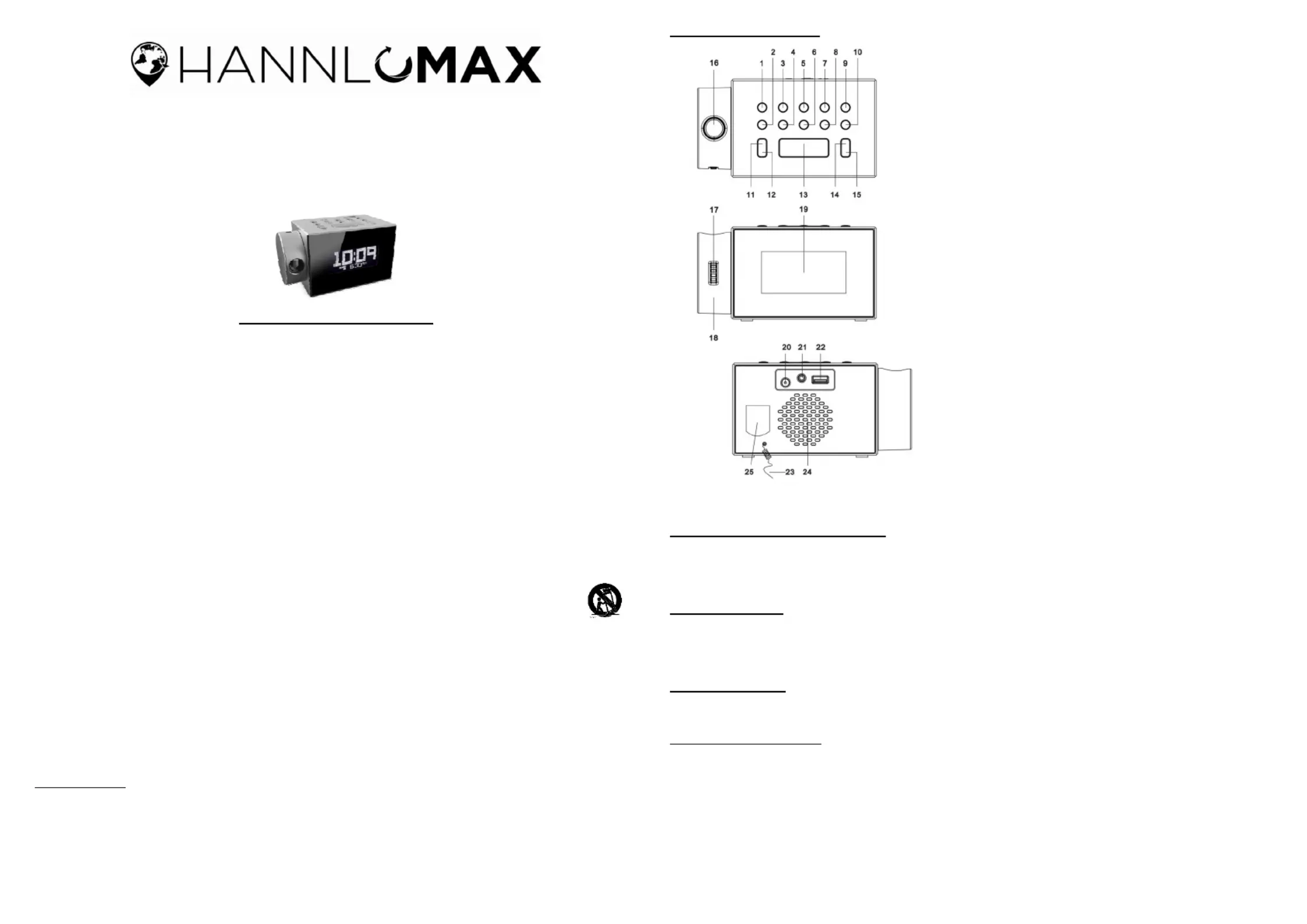
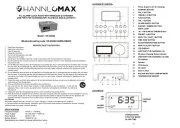
LOCATION OF CONTROL
1
CLOCK BUTTON
2
ALARM BUTTON
3
TIME BUTTON +
4
TIME BUTTON
5
PRESET/PLAY BUTTON
6
DIMMER BUTTON
7
TUN /SKIP BUTTON + +
8
TUN /SKIP BUTTON
9
POWER BUTTON
10
FUNCCTION BUTTON
11
PROJECTION ON/OFF BUTTON
12
PROJECTION ROTATE 180° BUTTON
13
SNOOZE/SLEEP BUTTON
14
VOL BUTTON +
15
VOL BUTTON
16
PROJECTOR LENS
17
PROJECTION FOCUS KNOB
18
PROJECTOR WHEEL
19
DISPLAY
20
DC JACK
21
AUX-IN JACK
22
USB CHARGING PORT (1A)
23
FM WIRE ANTENNA
24
25
SPEAKER
BACKUP BATTERY COMPARTMENT
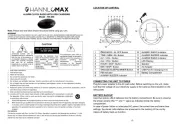
CONNECTING THE UNIT TO POWER
Plug one end of the AC adaptor into the DC power Input, and then plug the other end into AC wall outlet.
Before switching on the unit, make sure that the voltage of your electricity supply is the same as that indicated
on the rating plate.
BATTERY BACKUP
There is a built-in CR-2032 battery inside the battery compartment.
In case of power failure or interrupted AC power, the current time and alarm time settings, the stored radio
stations are preserved in the memory of the unit by means of battery back-up function.
DIMMER CONTROL
Press the DIMMER button to select the brightness of the display
CHARGE YOUR DEVICES
Connect the standard size end of a USB cable (not included) to the USB port on the unit and connect the other
end to the charging port of your device.
The unit contains one USB port with 5V ~ 1A charging.
Remarks: Some devices may not support USB charging or may require a higher power rating than this
product provides. Observe the charging status on your device. Ensure your device is working properly before
attempting to charge. Charging function may not be supported for all phones or electronic devices
-2-


Produkt Specifikationer

Mærke: HANNLOMAX
Kategori: Clockradio
Model: HX-108CR

Har du brug for hjælp?

Hvis du har brug for hjælp til HANNLOMAX HX-108CR stil et spørgsmål nedenfor, og andre brugere vil svare dig


Clockradio HANNLOMAX Manualer

Clockradio Manualer

Nyeste Clockradio Manualer

Kienzle

Kienzle 15374 Manual

17 November 2025
Johnson

Johnson RSV135 Manual

16 November 2025
Kienzle

Kienzle 14989 Manual

15 November 2025
Kienzle

Kienzle 14987 Manual

13 November 2025
Kienzle

Kienzle 14985 Manual

13 November 2025
Kienzle

Kienzle 15364 Manual

13 November 2025
Techno Line

Techno Line XXL Manual

12 November 2025
Johnson

Johnson RSV125 Manual

12 November 2025
Kienzle

Kienzle 14988 Manual

12 November 2025
Kienzle

Kienzle 14986 Manual

12 November 2025