Insignia NS-S6CCBK2 Manual

Insignia Papirhugger NS-S6CCBK2
Læs gratis den danske manual til Insignia NS-S6CCBK2 (2 sider) i kategorien Papirhugger. Denne vejledning er vurderet som hjælpsom af 17 personer og har en gennemsnitlig bedømmelse på 4.4 stjerner ud af 9 anmeldelser. Har du et spørgsmål om Insignia NS-S6CCBK2, eller vil du spørge andre brugere om produktet?

Side 1/2
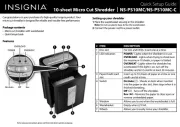
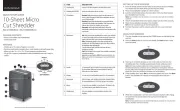
SETTING UP YOUR SHREDDER
1 Place the wastebasket upright on a level surface.
2 Attach the shredder head to the basket. Make sure that it
ts correctly.
Note: Do not use plastic bags to line the wastebasket.
3 Connect the power cord to a power outlet. Do not use an
extension cord.
USING YOUR SHREDDER
1 Slide the power switch to AUTO.
2 Insert paper (up to six pages) or one credit card into the
shredding slot. Your shredder automatically shreds what
you insert.
Note: Don’t put envelopes, adhesive material, newsprint,
transparencies, laminated documents, continuous forms,
cardboard, or hard and plastic materials (except credit cards)
through the shredder. You can shred small staples and small
paper clips, if they are attached to the paper you are shredding.
3 If the shredder jams, slide the switch to REV to return the
paper, then slide the switch to AUTO. The shredder can be
used again when the jam is cleared.
4 When the wastebasket is 2/3 full, slide the switch to OFF,
unplug the cord from the power outlet, then lift o the
shredder head and empty the wastebasket.
PACKAGE CONTENTS
Cross cut shredder with wastebasket
Quick Setup Guide
FEATURES
Shreds up to six sheets of paper at one time
Destroys credit cards, small staples, and small paper clips
Cross-cut size .2 × 1.3 in. (5 × 34 mm) protects sensitive data
3.2 gal. (12 l) capacity wastebasket holds shredded waste and
is easy to empty
Before using your new product, please read these instructions to prevent any damage.
QUICK SETUP GUIDE
6-Sheet Cross
Cut Shredder
NS-S6CCBK2 / NS-S6CCBK2-C
Final at size (W×H): 12 × 9.25 in. (304.8 × 234.95 mm)
Final folded size (W×H): 4 × 9.25 in. (101.6 × 234.95 mm)
AUTO
REV
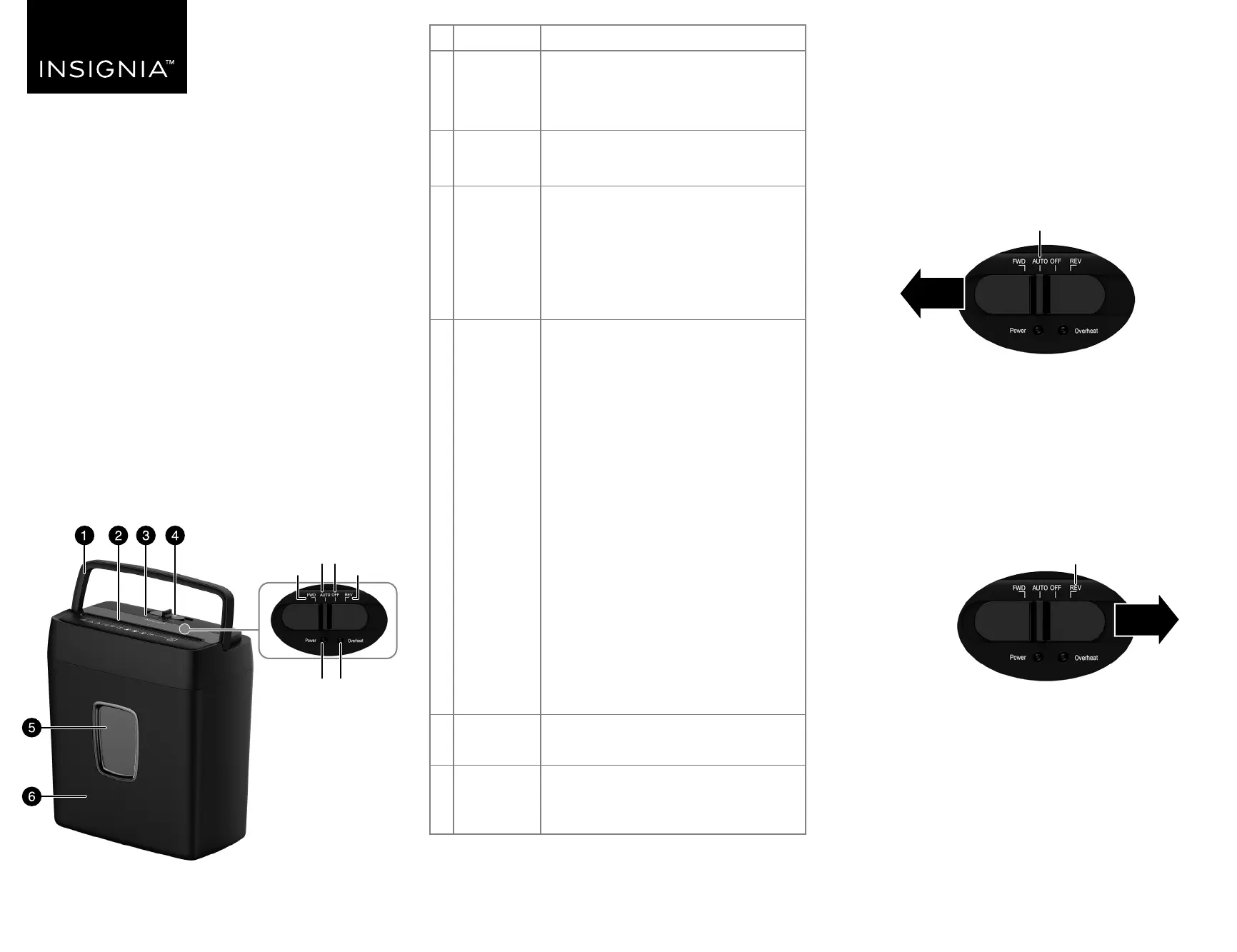
# ITEM
1 Handle
2 Shredding
slot
3 LED
indicators
4 Switch
5 Window
6 Wastebasket
DESCRIPTION
Lets you easily lift up the shredder head
to empty the paper inside the
wastebasket . Make sure that your
shredder is turned o before you move it.
Insert up to six sheets of paper at a time
or one credit card at a time.
Overheat: Lights when your shredder
has overheated. When overheated, the
shredder stops shredding. After 30
minutes, the indicator turns o and the
shredder can shred again.
Power: Lights when your shredder is in
use.
FWD: Sends an item through your
shredder. The Power indicator lights
green.
Note: When you slide the power switch to
FWD, the cutters run forward continuously. To
stop the cutters, you have to move the switch
to a dierent position.
Only use FWD to make sure that the
remaining paper in the slot gets shredded or
that you want to clear the slot.
AUTO: Automatically shreds an item
when inserted into the shredding slot.
The Power indicator lights green. After
shredding, the shredding stops
automatically.
OFF: Turns o your shredder.
REV: Reverses the paper in the slot to
clear a jam or remove unshredded paper.
The power indicator light turns green
when REV is being used, similar to FWD.
Let you see how much shredded material
is in the wastebasket.
Holds the paper and credit cards that you
have shredded. Empty the basket when it
is 2/3 full.
OverheatPower
FWD REV
OFFAUTO
Switch
LED indicators
NS-S6CCBK2_-C_21-0547_QSG_V3_EN.ai 1 6/3/2021 10:15:11 AMNS-S6CCBK2_-C_21-0547_QSG_V3_EN.ai 1 6/3/2021 10:15:11 AM


Produkt Specifikationer

Mærke: Insignia
Kategori: Papirhugger
Model: NS-S6CCBK2

Har du brug for hjælp?

Hvis du har brug for hjælp til Insignia NS-S6CCBK2 stil et spørgsmål nedenfor, og andre brugere vil svare dig


Papirhugger Insignia Manualer
Insignia

Insignia NS-PS10MC Manual

30 September 2025
Insignia

Insignia NS-S10MCBK2 Manual

29 September 2025

Papirhugger Manualer

Nyeste Papirhugger Manualer

Hama

Hama Safe Auto M1200 Manual

30 November 2025
Hama

Hama Prime M100 Manual

29 November 2025
Hama

Hama Prime M50CD Manual

29 November 2025
Rexel

Rexel RLWM26 Manual

13 November 2025
SEM

SEM 5140C/4 Manual

13 November 2025
Rexel

Rexel ProStyle+ 5 Manual

13 November 2025
HP

HP AF1512 Manual

10 November 2025
Rexel

Rexel Momentum P420+ Manual

8 November 2025