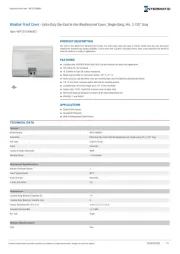
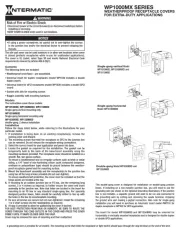
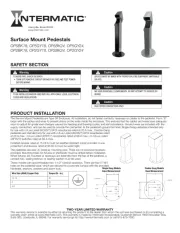
Intermatic IG2240-PK Manual


Læs gratis den danske manual til Intermatic IG2240-PK (6 sider) i kategorien Ikke kategoriseret. Denne vejledning er vurderet som hjælpsom af 8 personer og har en gennemsnitlig bedømmelse på 4.4 stjerner ud af 4.5 anmeldelser. Har du et spørgsmål om Intermatic IG2240-PK, eller vil du spørge andre brugere om produktet?

Side 1/6
IMPORTANT SAFETY INSTRUCTIONS • SAVE THESE INSTRUCTIONS
INSTALLATION INSTRUCTIONS
APPLICATION NOTES
1. Thoroughly read instructions before installing SPD unit.
2. This product is designed to protect against momentary transient overvoltage events.
3. This product may not protect against nearby lightning strikes.
4. This device features internal protection that will disconnect the surge protective component at the end of its useful life but will maintain power to the load-now unprotected. If this situation is undesirable
for the application, follow the manufacturers instructions for replacing Module™ units.I
5. Observe warnings and instructions on front panel and unit label of product.
Type 2 SPD: A typical type 2 SPD installation will be connected to the load side of the service panel and is intended to be installed with overcurrent protection to the SPD.
INSTALLATION:
1. Verify system voltage.
2. Make sure SPD is correctly rated for your system.
3. Determine mounting location of SPD unit.
The SPD unit should be located as close as possible to the load to be protected.
4. Mount enclosure
- Remove dead front from SPD unit.
- Disconnect power to SPD unit at power source before installation.
- Remove needed knockout from SPD unit once wire routing has been determined.
- Only one conduit connection may be made to the SPD enclosure.
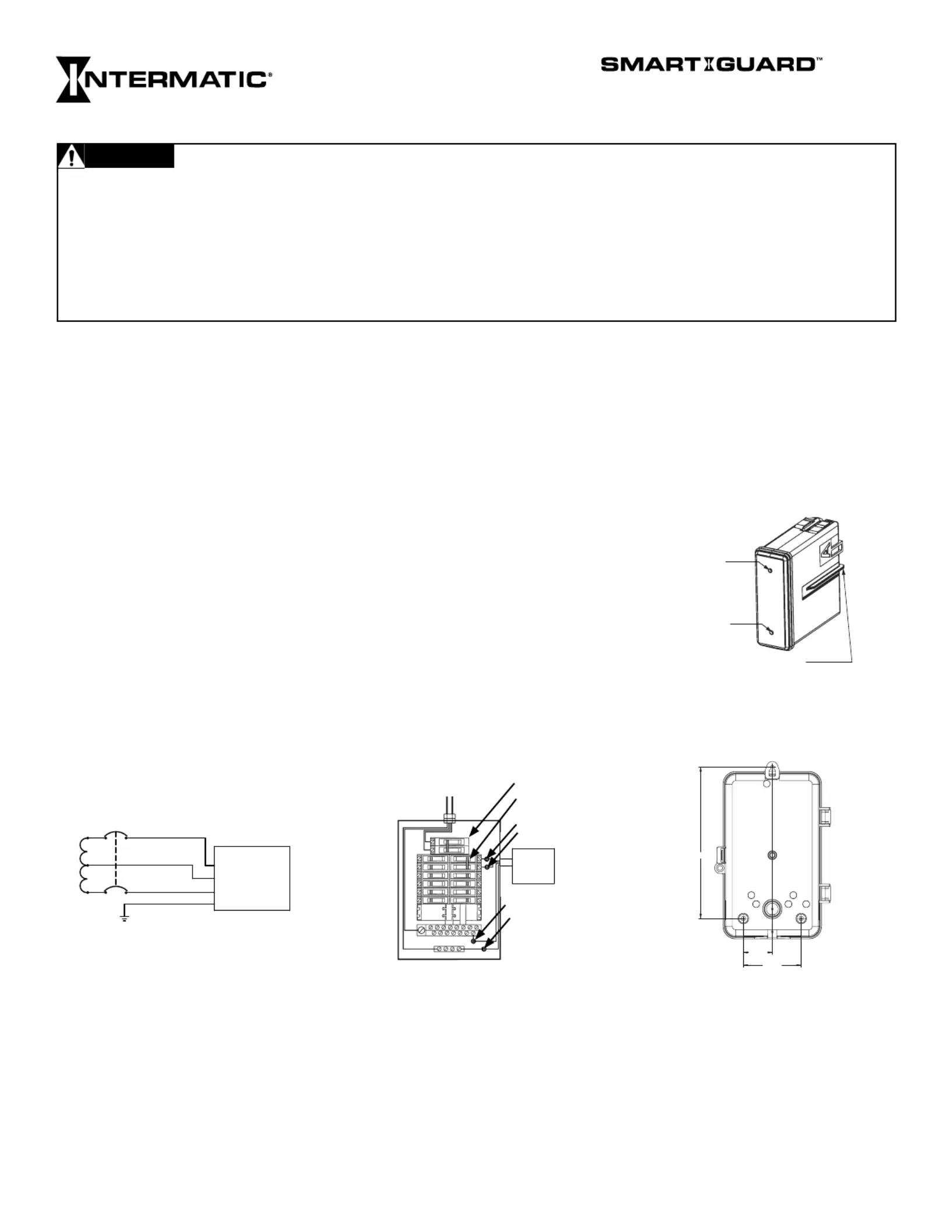
- Mount enclosure using suitable fasteners in locations shown below. Do not rely on conduit fitting to support SPD unit.
5. Follow wiring diagram for all connections. (located within instruction sheets and SPD unit).
- Lead lengths can be replaced at terminal; splicing of leads is not recommended.
- Cut all wires to a minimum suitable length while maintaining a 4” recommended bend radius.
- Do not coil excess wire.
- Make sure all connections are secure.
- Replace dead front.
6. Energize SPD unit
- Flip circuit breaker to ON position at service panel or disconnect switch(es).
- Indicators: Each Module™ has a blue LED to indicate the SPD unit has power and a green LED to indicate that the Module™ is providing protection.I I
8 1/2"
3 1/4"
1 5/8"
Plastic outdoor enclosure
SERVICING INSTRUCTIONS:
The IModule™ units will absorb the energy of the surges to protect the connected load. If the green LED is OFF, the is no longer providing protection and should be replaced as soon as possible. IModule™
All three of the removable Module™ units must be replaced every three years to maintain the connected equipment warranty.I
TO REPLACE I UNITS: Module™
1. POWER MUST BE REMOVED FROM THE Module™ BEFORE REPLACING.I
2. Disconnect power to SPD unit at service panel and/or disconnect switch(es) before servicing.
3. Remove Module™ to be replaced by firmly pulling straight out from SPD unit. The module door within the unit will close once the Module™ is removed.I I
4. Make sure Module™ is correctly rated for system.I
5. Place new Module™ back into SPD unit. Make sure Module™ alignment key is oriented correctly when inserting.I I
6. Make sure the Module™ is fully seated.I
7. Re-energize SPD unit.
8. Verify the blue and green LED’s within each Module™ are lit.I
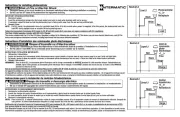
SPD
UNIT
Main Breaker
2-Pole, 30A circuit
breaker
Green (Ground)
Type 2 Installation
Black (Line)
Black (Line)
Neutral (White)
*C/B
GND (green)
Neutral (white)
Line (black)
Line (black)
SPD TYPE 2 WIRING DIAGRAM
120/240 VAC SINGLE-PHASE
SPD
*2 Pole 30 A circuit breaker in Service Panel.
IG2240-PK
TYPE 2 SURGE PROTECTIVE DEVICES
Blue LED: Power indicator
Green LED: Status indicator
Alignment key of module
ON: Protection is being provided.
OFF: IModule™ is no longer providing
protection. Replace IModule™ as soon
as possible.
IModule™
Risk of Fire or Electric Shock
Disconnect power at the circuit breaker(s) or disconnect switch(es) before installing or servicing.
Confirm Smart Guard ™ is rated for the correct voltage per part number specified on your SPD enclosure.
Installation and/or wiring must be in accordance with national and local electrical code requirements.
Installation and service to be performed by a qualified licensed technician or electrician.
For outdoor locations or wet locations (rain-tight), conduit hubs that comply with requirements of the UL514B (standard for fitting conduit
and outlet boxes) are to be used.
Bonding between conduit connections is not automatic and must be provided as part of the installation.
KEEP DOOR CLOSED AT ALL TIMES when not servicing.
WARNING


Produkt Specifikationer

Mærke: Intermatic
Kategori: Ikke kategoriseret
Model: IG2240-PK

Har du brug for hjælp?

Hvis du har brug for hjælp til Intermatic IG2240-PK stil et spørgsmål nedenfor, og andre brugere vil svare dig


Ikke kategoriseret Intermatic Manualer
Intermatic

Intermatic EK4536 Manual

12 November 2025
Intermatic

Intermatic LC4521C Manual

11 November 2025
Intermatic

Intermatic OP2GY24 Manual

8 November 2025
Intermatic

Intermatic OP2BK24 Manual

6 November 2025
Intermatic

Intermatic WP1250MXD Manual

5 November 2025
Intermatic

Intermatic OP2BK18 Manual

4 November 2025
Intermatic

Intermatic WP1030MXD Manual

4 November 2025
Intermatic

Intermatic OP5BK24 Manual

4 November 2025
Intermatic

Intermatic OP5GY24 Manual

4 November 2025

Ikke kategoriseret Manualer

Nyeste Ikke kategoriseret Manualer

Topping

Topping DX5 Manual

4 December 2025
CyberPower

CyberPower GX150C2 Manual

4 December 2025
SPT

SPT SM-1024K Manual

4 December 2025
Novy

Novy 990037 Manual

4 December 2025
D&R

D&R Hybrid-2 Manual

4 December 2025
Iogear

Iogear GHDSW4K3 Manual

4 December 2025
Vevor

Vevor WK320016-1 Manual

4 December 2025
ELO

ELO E426554 Manual

4 December 2025