JLab JBuds Talk Manual

JLab Mikrofon JBuds Talk

Læs gratis den danske manual til JLab JBuds Talk (3 sider) i kategorien Mikrofon. Denne vejledning er vurderet som hjælpsom af 25 personer og har en gennemsnitlig bedømmelse på 4.8 stjerner ud af 13 anmeldelser. Har du et spørgsmål om JLab JBuds Talk, eller vil du spørge andre brugere om produktet?
Side 1/3
JBUDS TALK USB
MICROPHONE
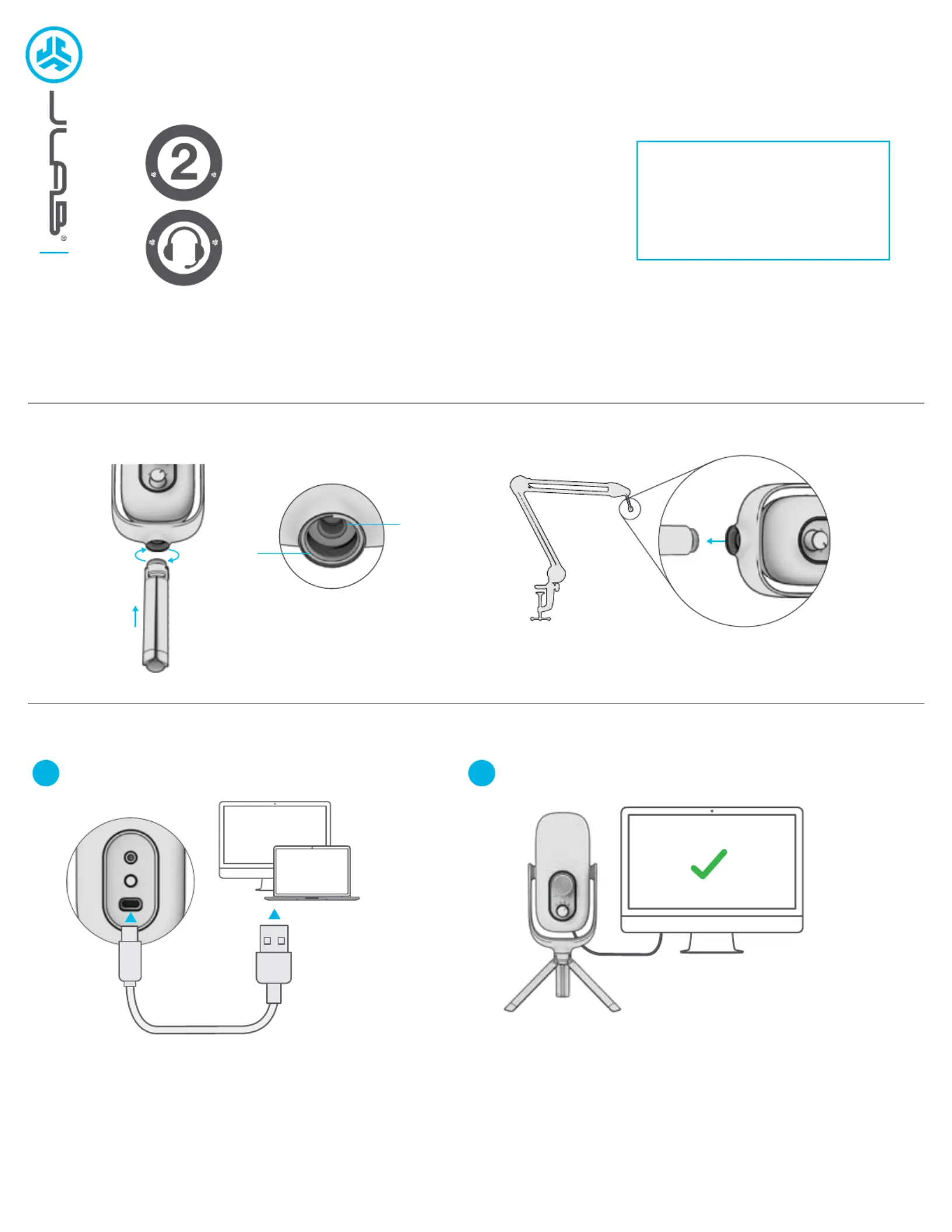
ASSEMBLY
SETUP
SETUP JBUDS TALK WITH PC (WINDOWS 7, 8, or 10)
1. From the Start menu, select the Control Panel.
2. From the Control Panel, select the Sound icon.
3. Select the Recording tab and select JLab JBuds Talk.
4. Select the Playback tab and select JLab JBuds Talk.
SETUP JBUDS TALK WITH MAC (macOS 10.10 or HIGHER)
2. Select the Input tab and select JLab JBuds Talk.
3. Select Output tab and select JLab JBuds Talk.
4. From this screen, set the Output volume to desired level.
1 2
We love that you are rocking JLab!
We take pride in our products and fully stand behind them.
YOUR WARRANTY
All warranty claims are subject to JLab authorization
and at our sole discretion. Retain your proof of
purchase to ensure warranty coverage.
CONTACT US
Reach out to us at support@jlab.com
or visit jlab.com/contact
REGISTER TODAY
jlab.com/register
Product updates How-to tips|
Enter your PC or Mac settings to make sure
connection is established.
Connect to your PC or Mac USB INPUT.
L
I
M
I
T
E
D
T
W
O
Y
E
A
R
W
A
R
R
A
N
T
Y
S
U
P
P
O
R
T
T
E
A
M
#
T
E
A
M
J
L
A
B
BASE
ASSEMBLY
5/8 & 1/4 ASSEMBLY
1/4 INSET
5/8


Produkt Specifikationer

Mærke: JLab
Kategori: Mikrofon
Model: JBuds Talk

Har du brug for hjælp?

Hvis du har brug for hjælp til JLab JBuds Talk stil et spørgsmål nedenfor, og andre brugere vil svare dig