Moman H2 Manual


Læs gratis den danske manual til Moman H2 (2 sider) i kategorien Headset. Denne vejledning er vurderet som hjælpsom af 24 personer og har en gennemsnitlig bedømmelse på 4.8 stjerner ud af 12.5 anmeldelser. Har du et spørgsmål om Moman H2, eller vil du spørge andre brugere om produktet?

Side 1/2
MOMAN
MOMAN
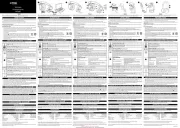
On/Off Key
Indicator Light
Function Key
Charging Interface
Knob
Headset Interface
Buckle Flap
Speaker
Headset Plug
Butterfly
sticker
Microphone
Press the On/Off Key for 2 seconds. When you
hear voice prompt, the blue indicator flashes twice.
The system enters the standby mode.
Press the On/Off Key for 2 seconds. When you
hear voice prompt, the red indicator flashes twice.
(1)Power on two intercoms and the blue indicators flash twice. The red and
blue indicators flash alternatively, which means two intercoms wait to be
Bluetooth paired.
(2)Then, press the On/Off Key of any one of them while the blue indicator
flashes quickly with voice prompting “Intercom Search”; the red and blue
indicator of the other keeps flashing alternatively. After few minutes, they are
paired automatically with blue indicator flashing slowly.
Press the Function Key for 2 seconds to disconnect the intercoms. Press it
again to reconnect.
The distance between intercom and mobile phone should be within 1 meter.
When two intercoms are paired successfully, there is no need to pair them
repeatedly. Under standby mode, they will be paired automatically after a few
seconds.
The automatic connection function is available within five minutes after
disconnection. If the connection fails again, you can manually press the
Function Key once for searching and matching.
(1) After power on, the blue indicator flashes twice. The red and blue indicator
flashes alternatively, which means the intercom waits to be Bluetooth paired.
(2) Turn on the Bluetooth function of the mobile phone, search and select
“MOMAN H2” to connect and pair. The voice will prompt “Bluetooth
connected”.
The distance between intercom and mobile phone should be within 1 meter.
If the intercom has pairing record with the mobile phone, they will be
connected after power on, provided that the Bluetooth is turned on.
press the Function Key
When the phone calls and there
is no operation after 8 seconds, it will answer the call
automatically.
press and hole the Function Key for 3
seconds until you hear the “beep” sound.
(1) Under Bluetooth connection mode, press the
Function Key to play/pause music.
(2) turn the Knob counterclockwise.
(3) turn the Knob clockwise.
When it is on, press On/Off Key and rotate the Knob to
change the language of voice prompt.
(1)In intercom mode, press the Function Key for 2 seconds and you hear “beep”,
indicating the intercom mode exits, and enter the switch between Music/FM
radio;
(2) Press the Function Key twice;
short press the Function Key;
long press the Function Key.
(1) If the machine is connected with mobile phone, the intercom will disconnect
when there is call. When the call ends, it will get back to the intercom mode,
which takes 5 seconds.
Mobile Phone
Intercom
Music/FM Radio
(1) continuously turn the Knob
counterclockwise.
(2) continuously turn the Knob clockwise.
There is voice alarm for two high or two low volume.
(1) under standby mode, press the Function
Key twice to switch to the FM radio.
(2) quickly rotate the Knob and
release to adjust and select channels. Continuously
rotate the Knob to select different channels. Rotate
the Knob continuously to enter volume adjustment.
(3) press the Function Key twice to get back
press the Function Key.
In standby mode, press the On/Off Key twice to dial the last call number.
to the previous mode.
If the signal is weak indoor, you could try to turn on the FM radio near
window or in the open area.
When FM radio is turned on and there is a phone calling, the machine will
cut off FM radio automatically and connect to the mobile phone. It gets back to
the FM radio when the call ends.


Produkt Specifikationer

Mærke: Moman
Kategori: Headset
Model: H2

Har du brug for hjælp?

Hvis du har brug for hjælp til Moman H2 stil et spørgsmål nedenfor, og andre brugere vil svare dig


Headset Moman Manualer

Moman

Moman H2 Manual

14 December 2024
Moman

Moman H3 Manual

14 December 2024

Headset Manualer

Nyeste Headset Manualer

Newskill

Newskill Aton V2 Manual

28 November 2025
Dell

Dell EB525 Manual

26 November 2025
Defender

Defender Mamba Manual

18 November 2025
Trust

Trust Altus GXT 1323 Manual

18 November 2025
Trust

Trust Roha II 25388 Manual

16 November 2025
TDK

TDK WR680 Manual

14 November 2025
JLab

JLab Epic Work ANC Manual

13 November 2025
Trust

Trust Carus GXT 323 Manual

12 November 2025
HyperX

HyperX Cloud Jet Manual

12 November 2025