Dempa Bldg,Sotokanda2-Chome
Digital Display: 3 3/4 digits LCD display with maximum reading 3999
Analog Display: 42 segments fast analog bar display
adjust automatically according range and input signal
When negative signal in apply to the meter, will show.
When the signal larger than the maximum will be show
Sample Rate: 2 times/sec for digital data
20 times/sec for analog bar
When the battery is under the proper operation range, will appear on the
Power Source: LR03 or AAA 1.5V battery 2.x
If there is no key or dial operation for 30 minutes, the meter will power itself
off to save battery consumption.
Battery Life: Approx. 50hr (Alkaline Battery)
Operating temperature: 0 C 40 C,<80% RH, No condensation˚~ ˚
Storage temperature: -10 C 60 C,<70% RH, No condensation˚~ ˚
Approvals: IEC61010-2-32 300V CAT.III 600V CAT.II
Environmental conditions:
Altitude up to 2000 meters, indoor use, pollution degree2
Withstand voltage: AC3.7kV (50/60Hz) for a minute.
Dimension (L x x W H) :193 50 x x 28mm
Instruction Manual, Carrying case (C-DCM400), Test lead (TL-23a)
The accuracy specification is defined as ±( …%reading+…count )
DCV (Auto range, Manual range)
ACV (Auto range, Manual range)
ACA (Auto range, Manual range)
⑦ Positive input terminal
⑧ Data hold & Manual range button
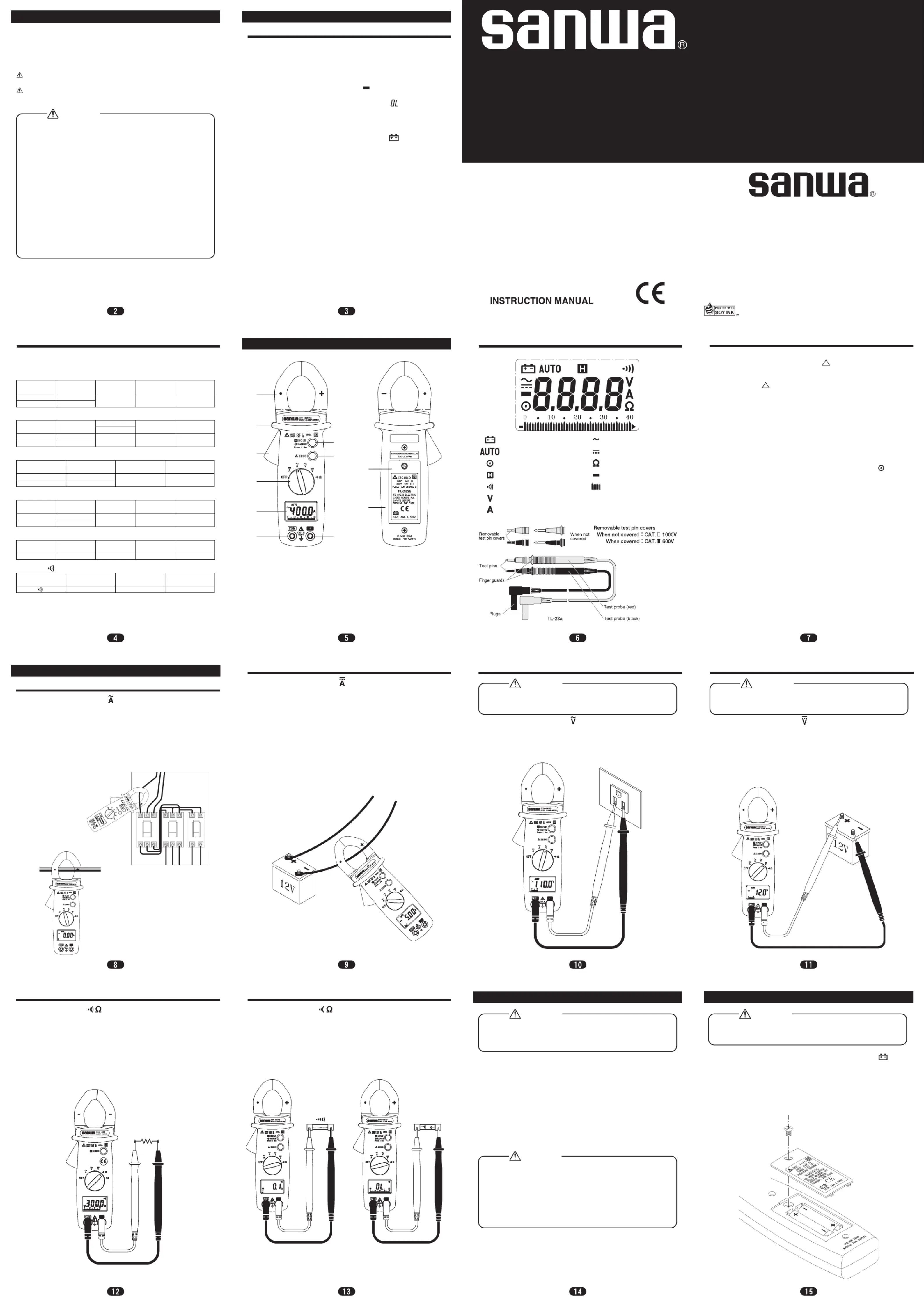
Instrument Familiarization
DCA (Auto range, Manual range)
Press Zero button to enter the Zero mode, " " annunciate turn on and Zero
the display and the reading is stored as reference value for subsequent
Press it again, the " " annunciate blinking and memorized reference value
Press and hold down zero button for 2 second to exit the zero mode.
When the tester is under zero mode the auto range function will be disabled.
Data Hold & Manual Range Button
The user may hold the present reading and keep it on the display by pressing
When the hold data is no longer needed, one may release the data-hold
operation by press "Hold" button again.
One may hold present reading by press the hold button instantaneously. One
may also change the measuring scale range by press and hold the RANGE
button. When the decimal point changes, the user should release the button and
scale range will stay at the setting range. If the user press and hold the button
for more than 2 seconds, the tester will be in auto range mode again.
Press and hold "ZERO" button and then the power on the meter.
Switch the main function selector to range.
Open the clamp by pressing the jaw-opening handle and insert the cable to be
Close the clamp and get the reading from the LCD display.
Before this measurement, disconnect the test lead with the meter for safety.
In some occasion that the reading is hard to read, push the HOLD button and
Switch the main function selector to range.
Press ZERO button to enter the zero reading.
Before measuring current larger than 40A, adjust the scale to 400A range by
press the range button and press ZERO button again.
Open the clamp by pressing the jaw-opening handle and insert the cable to be
Close the clamp and get the reading from the LCD display.
Before this measurement, disconnect the test lead with the meter for safety.
In some occasion that the reading is hard to read, push the HOLD button and
Switch the main function selector to range.
Connect red test lead to “+” terminal and black one to the “ COM “ terminal.
Measure the voltage by touch the test lead tips to the test circuit where the
value of voltage is needed.
Read the result from the LCD display.
Switch the main function selector to range.
Connect red test lead to “+” terminal and black one to the “ COM “ terminal.
Measure the voltage by touch the test lead tips to the test circuit where the
value of voltage is needed.
Read the result from the LCD display.
Maximum Input Voltage is 600V AC/DC. Do not attempt to take any
voltage measurement that may exceed to avoid Electrical shock hazard
and/or damage to this instrument.
Maximum Input Voltage is 600V AC/DC. Do not attempt to take any
voltage measurement that may exceed to avoid Electrical shock hazard
and/or damage to this instrument.
Switch the main function to range.
Connect red test lead to “+” terminal and black one to the “ COM ” terminal.
Connect tip of the test leads to the points where the value of the resistance is
Read the result from the LCD display.
When take resistance value from a circuit system, make sure the power is cut
off and all capacitors need to be discharged.
Switch the main function to range.
Connect red test lead to “+” terminal and black one to the “ COM ” terminal.
Connect tip of the test leads to the points where the conduction condition
If the resistance is under 40 , the beeper will sound continuously.Ω
Short circuit Open circuit
When the battery voltage drop below proper operation range the symbol
will appear on the LCD display and the battery need to changed.
Before changing the battery, switch the main dial to “OFF ”and disconnect
test leads. Open the battery lid by a screwdriver.
Replace the old batteries with two LR03 or AAA size batteries.
Close the battery lid and fasten the screw.
To prevent electrical hazard or shock, turn off clamp meter and disconnect
test leads before removing battery lid.
Never uses the meter before the battery lid is closed.
This product has been designed and manufactured in accordance with the safety
standards applicable to IEC 61010-2-32 Electronic Measuring Equipment and
has passed the inspection. Using this product in ways not specified in this manual
may damage its protection function. The instructions given under the heading of
“WARNING” and “CAUTION” must be followed to prevent accidents.
CAUTION : Intended to prevent personal injury such as burn and
electric shock and other serious accidents.
WARNING : Intended to prevent misuse that could result in personal
injury and damage to equipment including this instrument.
Before use, read the manual
1. This is a clamp meter for low-voltage circuits. Never use it on the
power line that exceeds 600VAC to ground. The measurement
classification category of this instrument is 300 V CAT. III, 600V
2. Use the meter only as described in this manual.
3. Do not apply more than the rated maximum input (400VAC).
4. Pay special attention to voltages above 33VAC (46.7 Vpeak) and
70VDC that are hazardous to the human body.
5. Do not use the meter if it is damaged or broken.
6. Do not use the meter the battery lid or rear case removed.
7. During measurement, keep your fingers behind the barrier (finger
8. When measuring un-insulated counductors, be careful not to touch
them. Otherwise you will suffer electric shock.
9. Do not use the meter near flammable gases or solvents.
10. Do not use the meter with wet hands or in a damp environment.
11. Do not disassemble or modify the meter nor use components not
specified by the manufacturer.
12. Inspect the meter at least once a year.
13. The meter is for indoor use.
1. Maintenance and Inspection
1) Appearance: Is the meter not damaged due to falling or other cause?
• Are the core wires not exposed from the test leads?
• Is the plug when inserted to the input terminal not loose?
If any of the above problems exists, stop using the meter and request for
Inspect the meter at least once a year.
4. Battery when the meter is shipped:
A battery for monitoring has been installed prior to shipment from the
factory. It may be discharged before the expiration of the described battery
*The battery for monitoring is a battery used to check the functions and
performance of the product.
1. The following instructions are very important for safety. Read this
manual thoroughly to ensure correct maintenance.
2. Calibrate and inspect the meter at least once a year to ensure safety
and maintain its accuracy.
1. The panel and case are not resistant to volatile solvent and must not
be cleaned with thinner or alcohol.
2. The panel and case are not resistant to heat. Do not place the meter
near heat-generating devices.
3. Do not store the meter in a place where it may be subjected to
vibration or where it may fall.
4. Do not store the meter in places under direct sunlight, or hot, cold or
humid places or places where condensation is anticipated.
5. If the meter will not be used for a long time, remove the batteries.
Continuity function indication
Voltage measurement indication
Current measurement indication
Alternative source indication
Analog bar graph indication