StarTech.com PR22GI-NETWORK-CARD Manual
Læs gratis den danske manual til StarTech.com PR22GI-NETWORK-CARD (2 sider) i kategorien Netværkskort/adapter. Denne vejledning er vurderet som hjælpsom af 50 personer og har en gennemsnitlig bedømmelse på 4.3 stjerner ud af 25.5 anmeldelser.
Har du et spørgsmål om StarTech.com PR22GI-NETWORK-CARD, eller vil du spørge andre brugere om produktet?

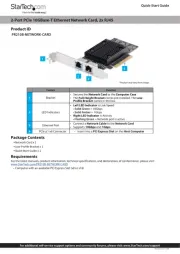
Produkt Specifikationer
| Mærke: | StarTech.com |
| Kategori: | Netværkskort/adapter |
| Model: | PR22GI-NETWORK-CARD |
| Bredde: | 112 mm |
| Dybde: | 120 mm |
| Højde: | 18 mm |
| Vægt: | 60 g |
| Produktfarve: | Sort |
| Pakkevægt: | 66 g |
| Pakkedybde: | 142 mm |
| Pakkebredde: | 170 mm |
| Pakkehøjde: | 30 mm |
| Opbevaringstemperatur (T-T): | -10 - 70 °C |
| Relativ luftfugtighed ved drift (H-H): | 5 - 90 % |
| Ethernet LAN-porte (RJ-45): | 2 |
| Ethernet LAN: | Ja |
| Driftstemperatur (T-T): | 0 - 55 °C |
| Ethernet LAN-datahastigheder: | 10,1000,2500,100,2000 Mbit/s |
| Hurtig installationsvejledning: | Ja |
| Forbindelsesteknologi: | Ledningsført |
| Netværksstandarder: | IEEE 1588, IEEE 802.3ab, IEEE 802.3bz, IEEE 802.3i, IEEE 802.1as, IEEE 802.1p, IEEE 802.3u, IEEE 802.1Q, IEEE 802.3az, IEEE 802.1x |
| Servicekvalitet support (QoS): | Ja |
| LED-indikatorer: | Activity, Link |
| Understøttede Windows-operativsystemer: | Windows 11 Enterprise x64, Windows 10, Windows 11 Home, Windows 10 Education, Windows 11 Pro, Windows 10 Education x64, Windows 11 x64, Windows 10 Enterprise, Windows 10 Enterprise x64, Windows 10 Home, Windows 10 Home x64, Windows 10 IOT Core, Windows 10 IoT Enterprise, Windows 10 Pro, Windows 10 Pro x64, Windows 10 x64, Windows 11, Windows 11 Enterprise |
| Understøttede Linux-operativsystemer: | Ja |
| Hovedkassen højde (udvendigt): | 385 mm |
| Hovedkassens længde (udvendigt): | 325 mm |
| Hovedkassens bredde (udvendigt): | 605 mm |
| Værtsgrænseflade: | PCI Express |
| Grænseflade: | Ethernet |
| Intern: | Ja |
| Maksimal dataoverførselshastighed: | 2500 Mbit/s |
| Produkter pr. hovedkasse (udvendigt): | 80 stk |
| Ethernet-grænsefladetype: | Gigabit Ethernet, 2.5 Gigabit Ethernet, Fast Ethernet |
| Komponent til: | PC/server |
| Understøttede operativsystemer til servere: | Windows Server 2019, Windows Server 2022 |
| Kobber ethernet kabelteknologi: | 100BASE-TX, 10BASE-TX, 1000BASE-T, 2500BASE-T |
| Jumbo Frames support: | Ja |
| Jumbo rammer: | 9000 |
| Auto MDIX IEEE: | Ja |
| Wake-on-LAN klar: | Ja |
| VLAN mærkning: | Ja |
| Simpelt beslag: | Ja |
| Chipsæt: | Intel I225-V |
| PCI version: | 2.0 |
Har du brug for hjælp?
Hvis du har brug for hjælp til StarTech.com PR22GI-NETWORK-CARD stil et spørgsmål nedenfor, og andre brugere vil svare dig
Netværkskort/adapter StarTech.com Manualer
Netværkskort/adapter Manualer
- Klipsch
- Eaton
- SIIG
- Speed-Link
- Digium
- Lindy
- EverFocus
- Moxa
- Marmitek
- Airlive
- Hughes & Kettner
- Mach Power
- Simply45
- I-Tec
- Intermec
Nyeste Netværkskort/adapter Manualer


