StarTech.com VID2HDCON2 Manual
Læs gratis den danske manual til StarTech.com VID2HDCON2 (2 sider) i kategorien Audio/video konverter. Denne vejledning er vurderet som hjælpsom af 23 personer og har en gennemsnitlig bedømmelse på 4.5 stjerner ud af 12 anmeldelser.
Har du et spørgsmål om StarTech.com VID2HDCON2, eller vil du spørge andre brugere om produktet?

Produkt Specifikationer
| Mærke: | StarTech.com |
| Kategori: | Audio/video konverter |
| Model: | VID2HDCON2 |
| Bredde: | 71 mm |
| Dybde: | 155 mm |
| Højde: | 23 mm |
| Vægt: | 251 g |
| Produktfarve: | Sort |
| Pakkevægt: | 578 g |
| Pakkedybde: | 255 mm |
| Pakkebredde: | 200 mm |
| Pakkehøjde: | 60 mm |
| Understøttede videotilstande: | 720p |
| Opbevaringstemperatur (T-T): | -10 - 80 °C |
| Relativ luftfugtighed ved drift (H-H): | 10 - 85 % |
| Format til analogt signal: | NTSC 3.58, PAL |
| Strømforbrug (typisk): | 2.5 W |
| Driftstemperatur (T-T): | 0 - 45 °C |
| Husmateriale: | Plast |
| Hurtig installationsvejledning: | Ja |
| Certificering: | CE, FCC, REACH |
| LED-indikatorer: | Ja |
| AC-adapter inkluderet: | Ja |
| Harmoniseret systemkode (HS): | 85176990 |
| Bæredygtighedscertifikater: | RoHS |
| Indgangsspænding: | 100 - 240 V |
| Understøttede Windows-operativsystemer: | Ja |
| Understøttede Mac-operativsystemer: | Ja |
| Maksimal videoopløsning: | 1280 x 720 pixel |
| Indgangsstrøm: | 1 A |
| Driftsspænding: | 5 V |
| Maksimal opdateringshastighed: | 60 Hz |
| Ekstern strømadapter: | Ja |
| Strømstiktype: | Type M |
| Videoudgang: | HDMI/S-Video/2 x RCA |
| Video indgang: | Sammensat |
| Konverter type: | Aktiv videoomformer |
Har du brug for hjælp?
Hvis du har brug for hjælp til StarTech.com VID2HDCON2 stil et spørgsmål nedenfor, og andre brugere vil svare dig
Audio/video konverter StarTech.com Manualer
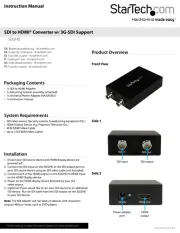


Audio/video konverter Manualer
- Grimm Audio
- Atlantis Land
- Evolution
- BZBGear
- Micro Connect
- Ferrofish
- WyreStorm
- Steinberg
- Joy-It
- MSolutions
- Bose
- Decimator
- Renkforce
- Elecom
- NAD
Nyeste Audio/video konverter Manualer


