Taylor 5262313 Manual


Læs gratis den danske manual til Taylor 5262313 (2 sider) i kategorien Vejrstation. Denne vejledning er vurderet som hjælpsom af 36 personer og har en gennemsnitlig bedømmelse på 4.0 stjerner ud af 18.5 anmeldelser. Har du et spørgsmål om Taylor 5262313, eller vil du spørge andre brugere om produktet?
Side 1/2
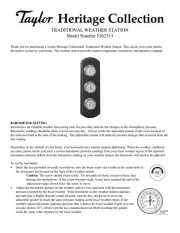
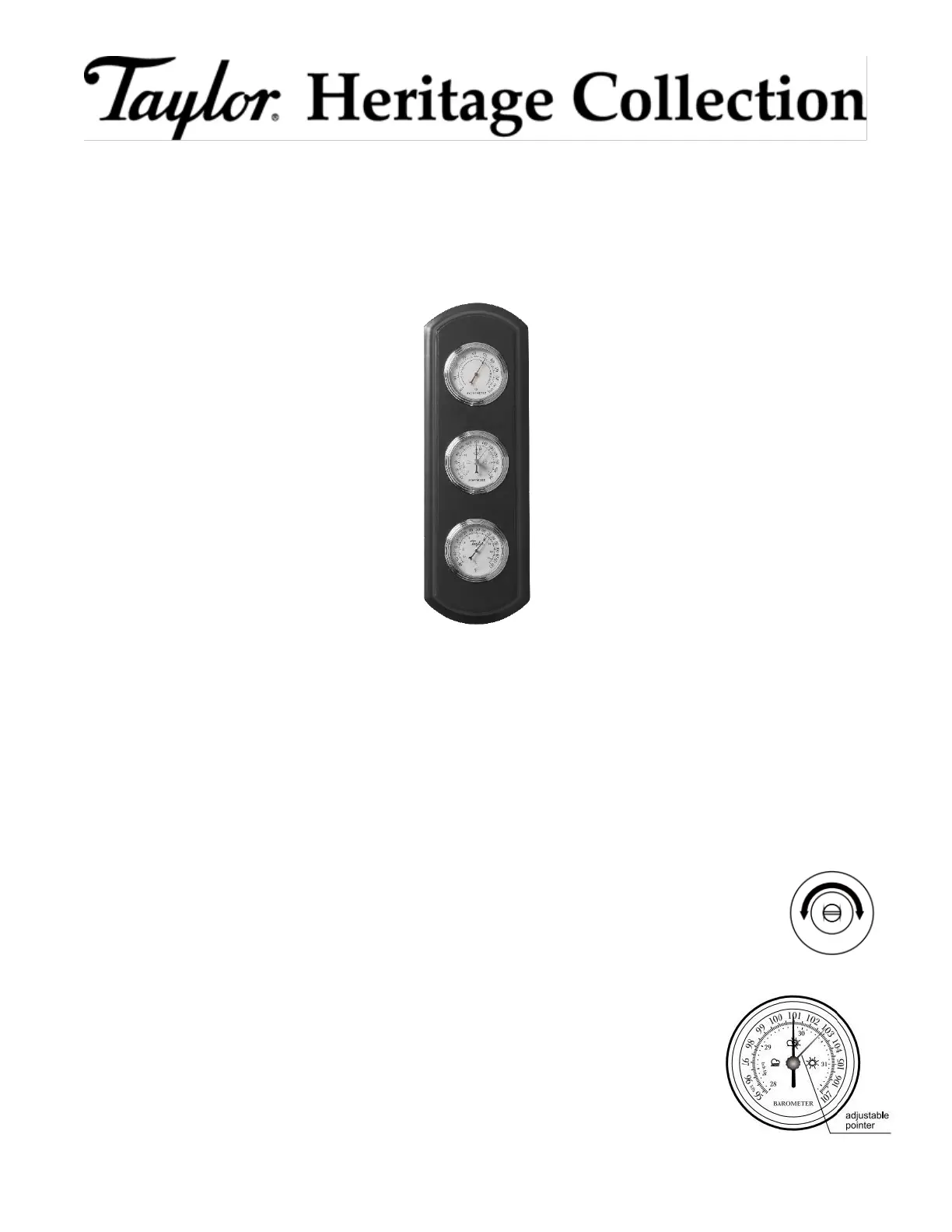
TRADITIONAL WEATHER STATION
Model Number 5262313
Thank you for purchasing a Taylor Heritage Collection® Traditional Weather Station. This classic icon is the perfect
decorative accent for your home. The weather station provides indoor temperature, barometric and humidity readings.
BAROMETER SETTING
Barometers are valuable weather forecasting tools because they indicate the changes in the atmospheric pressure.
Barometric readings should be taken at least once per day. Always rotate the adjustable pointer to the exact location of
the indicator hand at the time of the reading. The adjustable pointer will indicate pressure changes that occurred from the
last reading.
Depending on the altitude of your home, your barometer may require manual adjustment. When the weather conditions
are calm, please check your area’s current barometric pressure readings from your local weather report. If the reported
barometric pressure differs from the barometric reading on your weather station, the barometer will need to be adjusted.
To set the barometer:
Insert the key provided (or small screwdriver) into the brass screw slot visible in the center hole of
the barometer dial located on the back of the weather station.
Caution: The screw should rotate easily. Do not push too hard, excessive force may
damage the mechanism. If the screw becomes tight, it may have reached the end of the
adjustment range, do not force the screw to move.
Adjust the barometric pointer on the weather station to be consistent with the barometric
pressure reported by the local weather. If the barometer on the weather station indicates
pressure that is higher than the actual pressure, turn the key clockwise to move the
adjustable pointer to reach the same pressure reading as the local weather report. If the
weather station barometer indicates pressure that is below the local weather report or is out
of scale (below 28”), slowly turn the key counterclockwise while watching the pointer
reach the same value reported by the local weather.


Produkt Specifikationer

Mærke: Taylor
Kategori: Vejrstation
Model: 5262313

Har du brug for hjælp?

Hvis du har brug for hjælp til Taylor 5262313 stil et spørgsmål nedenfor, og andre brugere vil svare dig


Vejrstation Taylor Manualer
Taylor

Taylor 1526 Manual

5 Oktober 2025
Taylor

Taylor 1513 Manual

5 Oktober 2025
Taylor

Taylor 1743 Manual

5 Oktober 2025
Taylor

Taylor 5156 Manual

8 Januar 2025
Taylor

Taylor 5566 Manual

24 August 2024
Taylor

Taylor 5504 Manual

24 August 2024
Taylor

Taylor 5537 Manual

24 August 2024
Taylor

Taylor 5262313 Manual

24 August 2024
Taylor

Taylor 1383-21 Manual

23 August 2024
Taylor

Taylor 1511 Manual

23 August 2024

Vejrstation Manualer

Nyeste Vejrstation Manualer

Avidsen

Avidsen 107254 Manual

16 December 2025
TFA

TFA WLAN Gateway D-01 Manual

26 November 2025
Johnson

Johnson SVM130 Manual

17 November 2025
Johnson

Johnson SVD080 Manual

14 November 2025
Johnson

Johnson SVD065 Manual

13 November 2025
Johnson

Johnson STM185 Manual

13 November 2025
Johnson

Johnson SVM078 Manual

12 November 2025
Johnson

Johnson SVD075 Manual

12 November 2025
Johnson

Johnson SVD205 Manual

11 November 2025
TFA

TFA 35.1170.01 Manual

8 November 2025