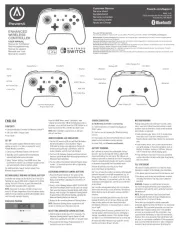
Victrix Pro FS-12 Manual

Victrix Controller Pro FS-12

Læs gratis den danske manual til Victrix Pro FS-12 (2 sider) i kategorien Controller. Denne vejledning er vurderet som hjælpsom af 9 personer og har en gennemsnitlig bedømmelse på 4.8 stjerner ud af 5 anmeldelser. Har du et spørgsmål om Victrix Pro FS-12, eller vil du spørge andre brugere om produktet?

Side 1/2
Images may dier from your actual product
©2024 MERCUSYS 7107500315 REV1.1.0
Connect to a Computer
Quick Installation Guide
Bluetooth Nano USB Adapter
2 Install Bluetooth Driver
c. Select your Bluetooth device from the list and
follow the onscreen instructions to complete
pairing.
Note:
Make sure your device’s Bluetooth is enabled and discoverable.
b. Select Add a Bluetooth Device or Add a Device
to scan for available devices.
a. Right click the (Bluetooth) icon on the taskbar.
Note:
If the Bluetooth icon is not displayed, refer to FAQ > .Q1
3 Pair With Bluetooth Devices
Add a device
Mouse
Connect Cancel
Headset
a. Download the latest driver at
https://www.mercusys.com/support
Tip:
For Windows 11/10/8.1 system, the driver installation will
automatically start when connected to the internet.
If not, please download the driver manually.
b. Extract the downloaded le and run the
setup.exe to start driver installation.
c. Follow the instructions to complete installation.
d. Once the process is nished, restart your
computer.
Note:
Your Bluetooth USB adapter will be listed in the Device Manager
when the driver is installed correctly.
If the driver installation fails, disable the antivirus software and
firewall, then try again.
In Windows 7, if a Windows Security message pops up, refer to
https://www.mercusys.com/faq-912
b. Insert the adapter into a USB port on your
computer directly.
a. Disable all existing Bluetooth devices
(both built-in and third party) from the
Device Manager on Windows.


Produkt Specifikationer

Mærke: Victrix
Kategori: Controller
Model: Pro FS-12

Har du brug for hjælp?

Hvis du har brug for hjælp til Victrix Pro FS-12 stil et spørgsmål nedenfor, og andre brugere vil svare dig