I N S TA L L AT I O N I N S T R U C T I O N S
AxxessInterfaces.com © COPYRIGHT 2022 METRA ELECTRONICS CORPORATION REV. 12/19/22 INSTAXDIS-HK3
Attention! Let the vehicle sit with the key
out of the ignition for a few minutes before
removing the factory radio. When testing the
aftermarket equipment, ensure that all factory
equipment is connected before cycling the
• Crimping tool and connectors, or solder gun,
solder, and heat shrink • Tape • Wire cutter
• Zip ties • Small flat-blade screwdriver
Connections .........................................................2-3
Installation .............................................................4
Programming .........................................................4
Audio Level Adjustment ........................................4
Steering Wheel Control Settings
- L.E.D. feedback ....................................................5
- Changing radio type ...........................................5
- Remapping the steering wheel control buttons 5-6
- Dual assignment instructions (long button press) .7-8
Troubleshooting .....................................................8
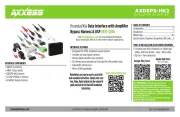
Hyundai/Kia Data Interface with SWC 2016-Up*
• Provides accessory power (12-
• Provides NAV outputs (park
brake, reverse, speed sense)
• Retains audio controls on the
• Designed for amplified‡ and
• Retains the factory AUX-IN jack
• Retains the factory backup camera
• Includes an AXCSD-6V 12-to-6V
step-down for the factory camera
• Retains balance and fade†
• AXDIS-HK3 interface • AXDIS-HK3 harness
• AXCSD-6V • 16-pin harness with stripped leads
• Female 3.5mm connector with stripped leads
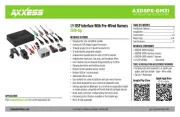
SPDIF Interface: AXSP-HK interface
Visit AxxessInterfaces.com for more detailed information about the product and up-to-date vehicle
‡ Requires the AXSP-HK (sold separately)
† Non-amplified models only