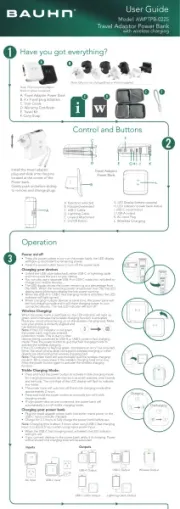
Bauhn ASPBWC-0725 Manual
Bauhn PowerBank ASPBWC-0725

Læs gratis den danske manual til Bauhn ASPBWC-0725 (2 sider) i kategorien PowerBank. Denne vejledning er vurderet som hjælpsom af 15 personer og har en gennemsnitlig bedømmelse på 3.8 stjerner ud af 8 anmeldelser. Har du et spørgsmål om Bauhn ASPBWC-0725, eller vil du spørge andre brugere om produktet?

Side 1/2
Cannot charge
device
Make sure the USB cable is plugged into the output port; unplug the USB cable
and try again.
Try another USB cable and/or USB port.
Some devices require higher outputs to charge. Please check with your devices
The power bank will turn off automatically when an minimum load (about 80mA)
is not detected.
away from heat and high temperatures.
Wireless
charging not
working
Check that your smart phone supports wireless charging.
If you have a smart phone case, you must remove when charging.
Ensure your smart phone is facing up and aligned to the centre of the wireless
charging pad, and remove any metal or other objects between the smart phone
and the wireless charging pad.
No indicator
when charging
device
Connect the power bank to your power source to ensure the power bank has
Pre t b terss he at y stat utton to ter sta .us b check bat y tus
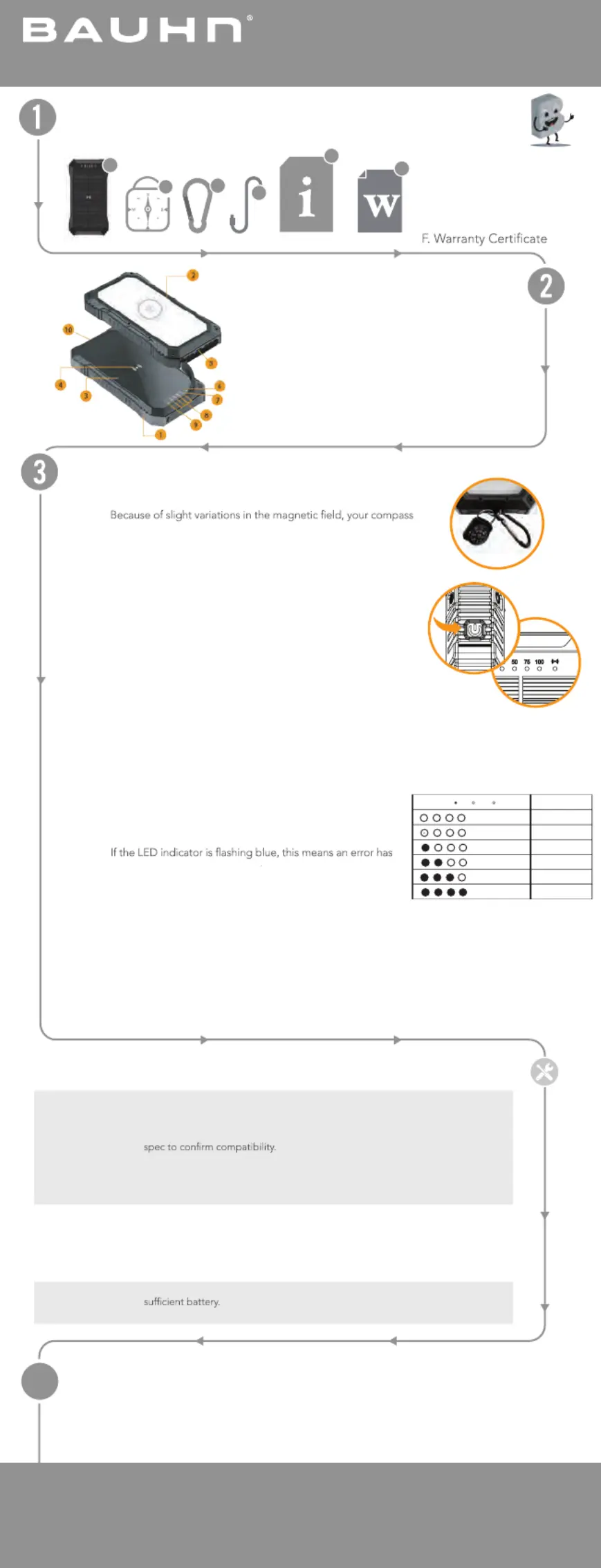
Product Overview
Operation
A. Solar Powerbank
20000mAh
B. Compass
C. Detachable Hook
D. USB-C Cable
E. User Guide
1. Power Button
2. Camping & SOS Light
3. Solar Panel
4. Wireless Charging Pad
5. USB I/O Ports
6. Solar Charging LED Indicatror
(Red)
Enjoy using your product!
Well done, you made it.
Now sit back and relax... your product is automatically covered by a 1-year warranty.
How nice!
Troubleshooting
User Guide
Model: ASPBWC-0725
Solar Powerbank 20000mAh
E
F
A
7. Fast Charging LED Indicator
(Green)
8. Battery LED Indicators (White)
9. Wireless Charging LED
Indicator (Blue)
10. Hook
B
C
D
In l stal the Hook
e ompTh c as nd ook n talled a h ca be ns i on your power bank.
Note:
ma poiy t no nt to or N th on your p l net . ma , it wi l poi to Magnt ic North
C rgi y iceha ng our dev
Press er utt the pow b on to turn wthe po er bank on.
Connect the supplie - a d USB C c bl devicese or your cable to the relevant
port and e o to th the enr d you der vice.
Press e and o h h ld t power secondbutton r fo 3 s to turn power b the ank
of f. If vicno de es are b g arge arg dein ch d or the ch ing loa is too low, e th
power ba ff o .nk will turn o afte abr ut 30 seconds
C rgi y kha ng our power ban
Connect the supplie - a wer d USB C c ble to the USB port of the po-C
bank and e other end to your we r th po r sou ce. e D The batt ry LE
indic s ator wil .l blink
e SB-Th U C rt can e po b us bed for oth cha ging the r p nower ba k and
dev e.ic
S c rolar ha gin n rect sunlig rg i di ht envi onmen
t. A ho k has bo
e r den p ovi ed for attachment
to back ack or ookp h .
Note: Th uilt-ie b n 1.5W solar cha l i us d trging pane s e o ext usable chaend the rging
environ t me u nt a snd ho ld no be ied rel on as the onl chay rging method. It is alway s
re end - o a rg . comm ed to use USB C f r f st cha ing
Wireles has C rging
ac y rPl e ou smart phone fa up wir harcing on the eless c gin . g pad
O the one corre y al rg r s l o nce ph is ctl igned, the cha ing p oce s wi l aut
start.
No e:t
o rred er t artccu . Eith he sm phone does not support wireless
ch giar ng b ts ror other o jec a e obstructing the eless cwir har ad.ging p
Fa hast C rging
en arWh ch gi r vice orng ou y de s char a e ging you power br nk, th
fa chst argi D n tor w ligng LE i dica ill ht up if fas is activatet charging d.
e weTh po r bank will auto q fast ruit cha ging m de if u ing moo s re
th ouan on e tput.
Charge t d e hevic w ils charging power b k wi l auto quit fa t cha g modean l s rgin .
Campi i tng & SOS L gh
Dou ebl cl power bick ut tu he ton to rn t LED campi ight ON/ng l OFF.
Press in o itc aga t sw h od m es n (Always o / ECO m de / SOo S lig a .ht / Fl shing)
en n,Wh o p tr ldes an hos d he ow to p er button inc or decrease rease the lamp brightness.
CARE & CLEANING
4
Cl n th e p o ea e larso pan l with a dam cl th. Do n u a rot se ny chemicals or ab asives.
Ke re r d o bep the l fsola par ne e f om ebris t allow the att rye hargeto c pr y.operl
Capacity
75%-100%
50%-75%
25%-50%
5%-25%
<5%
0%
LED Light ( ON OFF Flashing)
Have you got everything?


Produkt Specifikationer

Mærke: Bauhn
Kategori: PowerBank
Model: ASPBWC-0725

Har du brug for hjælp?

Hvis du har brug for hjælp til Bauhn ASPBWC-0725 stil et spørgsmål nedenfor, og andre brugere vil svare dig


PowerBank Bauhn Manualer
PowerBank Manualer

Nyeste PowerBank Manualer

Intenso

Intenso MC10000 Manual

15 December 2025
Intenso

Intenso B10000 Manual

15 December 2025
Elecom

Elecom EC-C10L Manual

6 December 2025
BLAVOR

BLAVOR PN-W05 Manual

6 December 2025
Elecom

Elecom DE-C35L-5000 Manual

6 December 2025
Hichain

Hichain T179LF Manual

5 December 2025
CUKTECH

CUKTECH PB100 Manual

4 December 2025
VRURC

VRURC T18 Manual

4 December 2025
Euker

Euker PB5 Manual

4 December 2025
CUKTECH

CUKTECH P23 Manual

4 December 2025