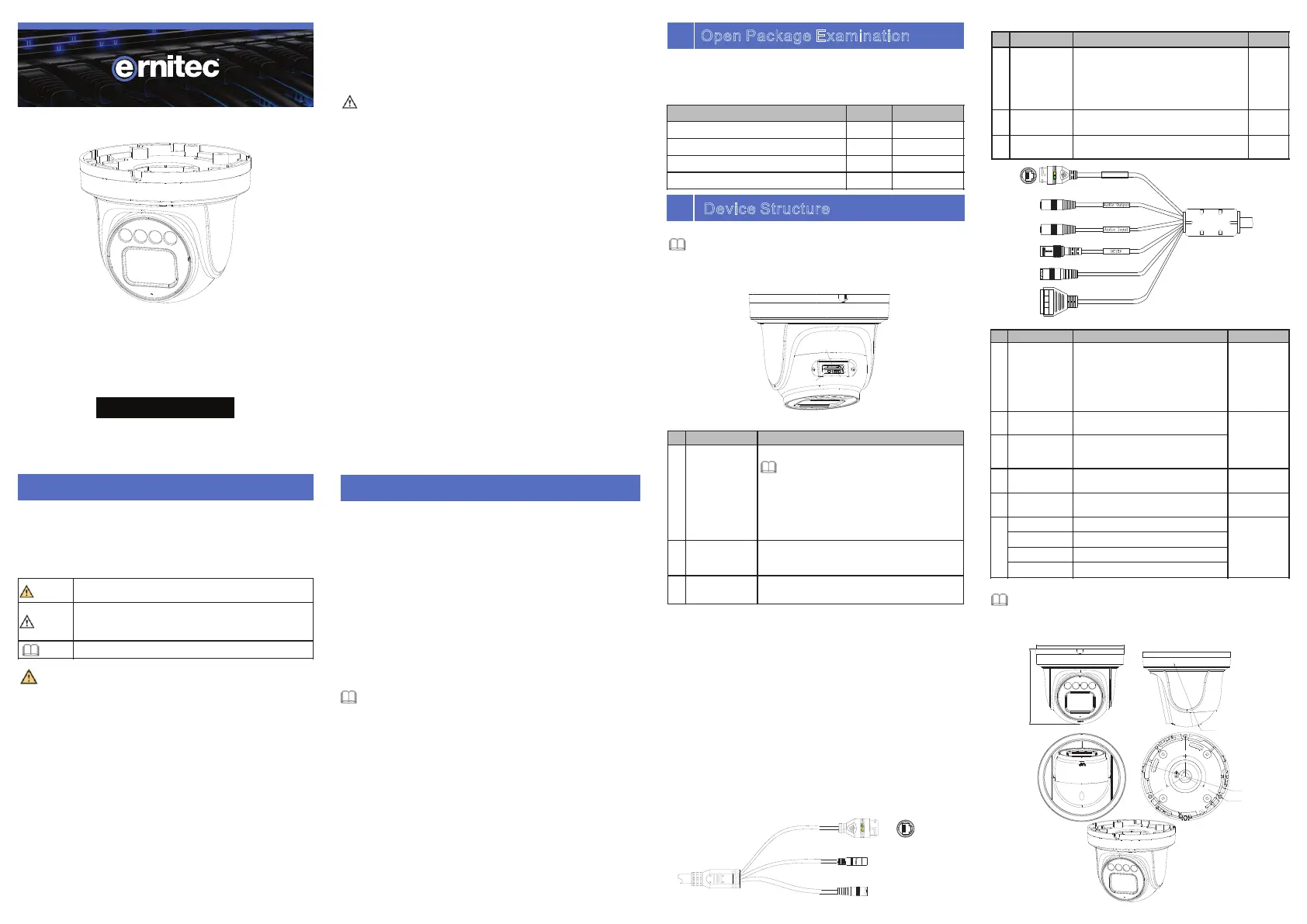
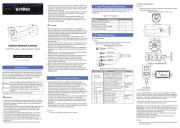
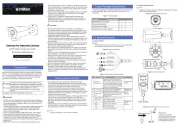
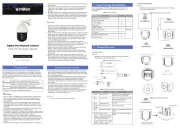
Ernitec Wolf Pro Manual


Læs gratis den danske manual til Ernitec Wolf Pro (2 sider) i kategorien Overvågningskamera. Denne vejledning er vurderet som hjælpsom af 45 personer og har en gennemsnitlig bedømmelse på 4.1 stjerner ud af 23 anmeldelser. Har du et spørgsmål om Ernitec Wolf Pro, eller vil du spørge andre brugere om produktet?

Side 1/2
Special Announcement
For more information, please refer to website.
Fully understand this document before using this device, and
strictly observe rules in this document when using this device. If
you install this device in public places, provide the tip "You have
entered the area of electronic surveillance" in an eye-catching
place. Failure to correctly use electrical products may cause fire
and severe injuries.
It alerts you to moderate dangers which, if not
avoided, may cause minor or moderate injuries.
It alerts you to risks. Neglect of these risks may
ca
use device damage, data loss, device
performance deterioration, or unpredictable results.
It provides additional information.
Ÿ Strictly observe installation requirements when installing the
device. The manufacturer shall not be held responsible for
device damage caused by users' non-conformance to these
requirements.
Ÿ Strictly conform to local electrical safety standards and use
power adapters that are marked with the LPS standard when
installing and using this device. Otherwise, this device may be
damaged.
Ÿ Use accessories delivered with this device. The voltage must
meet input voltage requirements for this device.
Ÿ If this device is installed in places with unsteady voltage, ground
this device to discharge high energy such as electrical surges in
order to prevent the power supply from burning out.
Ÿ When this device is in use, ensure that no water or any liquid
flows into the device. If water or liquid unexpectedly flows into
the device, immediately power off the device and disconnect all
cables (such as power cables and network cables) from this
device.
Ÿ Do not focus strong light (such as lighted bulbs or sunlight) on
Ÿ Avoid heavy loads, intensive shakes, and soaking to prevent
damages during transportation and storage. The warranty does
not cover any device damage that is caused during secondary
packaging and transportation after the original packaging is
taken apart.
Ÿ Protect this device from fall-down and intensive strikes, keep the
device away from magnetic field interference, and do not install
the device in places with shaking surfaces or under shocks.
Ÿ Clean the device with a soft dry cloth. For stubborn dirt, dip the
cloth into slight neutral c
leanser, gently wipe the dirt with the
cloth, and then dry the device.
Ÿ Do not jam the ventilation opening. Follow the installation
instructions provided in this document when installing the device.
Ÿ Keep the device away from heat sources such as radiators,
electric heaters, or other heat equipment.
Ÿ Keep the device away from moist, dusty, extremely hot or cold
places, or places with strong electric radiation.
Ÿ If the device is installed outdoors, take insect- and moisture-
proof measures to avoid circuit board corrosion that can affect
monitoring.
Ÿ Remove the power plug if the device is idle for a long time.
Ÿ Before unpacking, check whether the fragile sticker is damaged.
If the fragile sticker is damaged, contact customer services or
sales personnel. The manufacturer shall not be held responsible
for any artificial damage of the fragile sticker.
Ÿ All complete products sold by the manufacturer are delivered
along with nameplates, quick setup guide and accessories after
strict inspection. The manufacturer shall not be held responsible
for counterfeit products.
Ÿ The manufacturer will update this manual according to product
function enhancement or changes and regularly update the
software and hardware described in this manual. Update
information will be added to new versions of this manual without
prior notice.
Ÿ This manual may contain misprints, technology information that
is not accurate enough, or product function and operation
description that is slightly inconsistent with the actual product,
the final interpretation of company is as a standard.
Ÿ This manual is only for reference and does not ensure that the
information is totally consistent with the a
ctual product. For
consistency, see the actual product.
Precautions
Open the package, check the appearance of product for no
obvious damage, and confirm the item list for table 1-1 is
consistent.
Table 1-1 Packing list
2.1 Device Ports
Component
Quantity
Remark
Eyeball Network Camera
1
Quick Setup Guide
1
Accessory package
1
Location sticker
1
Different devices may have different ports, multi-head cables, and
fill lights; Please refer to the actual product.
Figure 2-1 Hardware ports
Long press the reset button for 5s to restore
the original settings.
1
ID
Port Name
Table 2-1 Hardware ports description
CVBS video
out
Output an analog video signal. You can
connect the camera to a TV monitor through
this port to view the analog video.
Description
NOTE
NOTE
NOTE
this device. Otherwise, the service life of the image sensor may
be shortened.
Ÿ If this device is installed in places where thunder and lightning
frequently occur, ground the device nearby to discharge high
energy such as thunder strikes in order to prevent device
damage.
Reset button
2
3
SD card slot
Install a SD card.
NOTE
Ÿ Before installing a SD card, make sure the
card not in write protection state.
Ÿ Before removing the SD card. make sure
the card not in write protection state.
Otherwise, the data may be lost ,or the SD
card may be damaged.
CAUTION
WARNING
WARNING
CAUTION
Open Package Examination
1
Device Structure
2
Reset button
SD
card slot
CVBS video out
Fill light settings
Cameras fill light has four modes, they are intelligent dual light (
current fill light will switch to warm light after an alarm is triggered,
and will switch back to the original fill light for 30s after the alert is
released.), warm light, infrared lamp and none (Close the fill light
and the color of image will stay in previous mode).
The different cameras can be set different fill light modes, please
set fill light modes according to the actual scene.
Day mode: It can be used in the scene with sufficient ambient light
fo
r 24 hours, do not turn on the fill light, and the image is in color.
Night mode: it can be used in the scene where there is insufficient
ambient light for 24 hours, turn on the fill light (it can be selected
according to the four modes of the fill light).
Auto mode: Automatically switch the fill light mode according to
the luminance of the environment.
Timing mode: Set the start and end time of the day, this time
period is day mode for camera.
2.2 Camera Dimensions
Figure 2-4 Dimensions Unit: mm
Different devices may have different dimensions; Please refer to
the actual product.
NOTE
φ128
3xφ4.5
120°
120°
φ140
119.24
φ100
1
2
3(Some models
may not have)
Reset
P
o
w
e
r
Figure2-2 Multi-head cable 1
Figure 2-3 Multi-head cable 2
Res et
Por t
2
3
4
5
6
I
N
OUT
G
G
(Some models may not have)
Table 2-2 Multi-head cable 1 description
1
Table 2-3 Multi-head cable 2 description
ID
Core
Description
Remark
1
Network
access
interface
Connect to a standard Ethernet
cable or PoE. The green light is on,
the network connection is normal;
The yellow light flashes when the
data is transmitted. Some models
maybe not have the lights; Please
refer to the actual product.
Support PoE
supply.
2
Audio output
Connect to an external audio
device such as a speaker.
Applied for
camera with
audio
function
3
Audio input
port
Receive an analog audio signal
from devices such as a sound
pickup device.
4
Power supply
(DC 12V)
Connect to a 12V direct current
(DC) power supply.
5
Reset button
Long press the reset button for 5s
to restore the original settings.
Applied for
some models
6
G
Alarm output COM
Applied for
alarm
function
OUT
Alarm output
G
Alarm input COM
IN
Alarm input
2
1
Network
access
interface
Connects to a standard Ethernet cable or
PoE. The green light is on, the network
connection is normal; The yellow light
flashes when the data is transmitted.
Some models maybe not have the lights;
Please refer to the actual product.
Support
PoE
supply.
Connects to a 12V direct current (DC
)
power supply.
ID
Core
Description
Remark
3
Reset button
Power supply
(DC 12V)
Long press the reset button for 5s to
restore the original settings.
Wolf Pro Network Camera
5MP Vari-Focal Lens with IR
Quick Setup Guide
Item no.: 0070-08113


Produkt Specifikationer

Mærke: Ernitec
Kategori: Overvågningskamera
Model: Wolf Pro
Kode for international beskyttelse (IP): IP66
Type: IP-sikkerhedskamera
Højde: 119.2 mm
Vægt: 900 g
Brugervejledning: Ja
Produktfarve: Hvid
Pakkevægt: 1500 g
Kompatible hukommelseskort: SD, SDHC, SDXC
Wi-Fi: Ingen
Bluetooth: Ingen
Formfaktor: Kuppel
Relativ luftfugtighed ved drift (H-H): 0 - 90 %
Ethernet LAN-porte (RJ-45): 1
Ethernet LAN: Ja
Understøttede lydformater: G.711, PCM
Driftstemperatur (T-T): -40 - 55 °C
Maksimal opløsning: 2592 x 1944 pixel
Husmateriale: Metal, Plastic
Understøttelse af sprog: CHI (SIMPL), CZE, ENG, ESP, FRE, HUN, ITA, POL, POR, RUS
Forbindelsesteknologi: Ledningsført
Strømforbrug (maks.): 7.5 W
DC-in-stik: Ja
Understøttede netværksprotokoller: IPv4/IPv6, 802.1x, HTTP, HTTPS, TCP/IP, UDP/IP, RTSP, DHCP, NTP, RTCP/RTP, PPPoE, SMTP, DNS, UPnP, FTP, ARP, SNMP, TLS/SSL
Webbaseret administration: Ja
Knap til nulstilling: Ja
Strømkilde type: DC, PoE
Monteringstype: Loft
Diameter: 140 mm
Indbygget kortlæser: Ja
Indbygget HDD: Ingen
Understøttet placering: Indendørs & udendørs
Antal brugere: 10 bruger(e)
Bæredygtighedscertifikater: CE, Federal Communications Commission (FCC)
Indbygget mikrofon: Ja
Hvidbalance: Auto, Manual
Sensortype: CMOS
Samlet antal megapixels: 5 MP
Fokus: Motoriseret
Maksimal størrelse på hukommelseskort: 256 GB
Hældningsvinkelområde: 0 - 80 °
Progressiv scanning: Ja
Overholdelse af bæredygtighed: Ja
Maksimal driftstilstand: 40 m
Dag/nat funktion: Ja
Infrarød (IR) cut-off filter: Ja
Vandafvisende: Ja
Kamerapanorering kontrol: Ja
Kontrol af kamerahældning: Ja
Minimumsbelysning: 0 Lux
Panoreringsområde: 0 - 355 °
Rotationsvinkel: 360 °
Optisk sensorstørrelse: 1/2.8 "
Antal effektive pixels (HxV): 2592 x 1944 pixel
Nattesyn: Ja
LED type: IR
Billedhastighed: 30 fps
Justering af billedkvalitet: Brightness, Contrast, DNR, Mirror, Saturation, Sharpness
Fortrolighedspolitik maskering: Ja
Ethernet-grænsefladetype: Hurtigt ethernet
DC udgangsspænding: 12
Antal kameraer: 1
Monteringssæt: Ja
Brændviddeområde: 2.7 - 13.5 mm
Kameraets lukkerhastighed: 1/5 - 1/20000 sek./side
Bevægelsessensor: Ja
Mindste blænderåbnimg tal: 1.6
Kamera lukker type: Elektronisk
Videostreaming: Ja
Antal linser: 1
Streaming metode: Unicast
Intelligent Video Surveillance (IVS) systemfunktioner: Crossing line, Face detection, Human detection, Intrusion, People counting, Vehicle detection
Region of Interest (ROI) kodning: Ja
Kompensation for baggrundslys: Ja
Antal sprog: 10
Objektivets synsvinkel, vandret: 87.5 - 26 °
Objektivets synsvinkel, lodret: 64.8 - 19.9 °
Justering af lukkertid: Auto/manuel
Highlight Compensation (HLC): Ja
Digital Wide Dynamic Range (DWDR): Ja
Smart IR: Ja
Bitrate kontrol: Constant Bit Rate (CBR)/Variable Bit Rate (VBR)
Alarm indgangskanaler: 1
Alarm udgangskanaler: 1
Interval for bithastighed: 8 - 64 Kbit/s
Garantiperiode: 5 År

Har du brug for hjælp?

Hvis du har brug for hjælp til Ernitec Wolf Pro stil et spørgsmål nedenfor, og andre brugere vil svare dig


Overvågningskamera Ernitec Manualer
Overvågningskamera Manualer

Nyeste Overvågningskamera Manualer

AVer

AVer HUB35-EXT35 Manual

11 December 2025
4XEM

4XEM SD8111 Manual

11 December 2025
4XEM

4XEM VIVOTEK Manual

11 December 2025
4XEM

4XEM MD7560 Manual

10 December 2025
AVer

AVer MT100 Manual

10 December 2025
4XEM

4XEM 4X-FD7132 Manual

10 December 2025
Telycam

Telycam Vision+ N3 Manual

7 December 2025
FLIR

FLIR FC-690 AI Manual

5 December 2025
FLIR

FLIR FH-625 R Manual

5 December 2025
FLIR

FLIR FC-644 AI-R Manual

5 December 2025